The best time to post: what Instagram's documents actually say
All six Meta system cards read end to end: not one signal about the hour of the day. What is there instead is five windows of time and three buckets of freshness, counted for the reader.
- Social media & AI
- Mechanics explained
- ≈ 9 min
“The best time to post” is the most common piece of advice in Russian-language growth blogs. We opened all six Instagram system cards and the Help Centre and looked at what they say about time. About the hour of the day they say nothing. About spans of time they say a great deal, and it reads unexpectedly.
Every window of time the platform names outright: 12 hours, 7 days, 28 days, 84 days and 90 days. What the cryptic “1-3 days old” in the signals means and why that line describes the reader's habit. Nine minutes of reading.
Not a single line about the time of day
Six cards, some fifty predictions, hundreds of signals.
Instagram has public documents describing how the system picks content. Meta calls them system cards and keeps them in the Transparency Center. There are six: the following feed, feed recommendations, Explore, Reels chaining, stories and the Threads feed.
We went through each one in its own article: recommendations, the following feed, stories, Explore, the Threads feed and Reels chaining. In total that's about fifty predictions and several hundred input signals.
About the hour of the day there is nothing in them. No “time of posting”, no “audience activity by hour”, no “morning versus evening”. There are no signals that count your behaviour by the hour either: your behaviour is counted over windows measured in hours, days and months, and those are different things.
Open transparency.meta.com, the “Explaining ranking” section, any card. Each prediction opens into a list of signals. Read them straight through: all six take about half an hour.
Hence the first conclusion, and it is a boring one. The tables of “best hours” that travel from blog to blog rest on no published document of the platform. That doesn't mean they are lying: it may well have worked out that way for someone. It means there is nothing to check them against.
Every card opens with the words “Below are some of the significant predictions”. The list is incomplete by Meta's own direct admission. So the correct wording is this: a signal about the hour of the day is absent from the published list. What happens beyond it nobody outside knows, and neither do we.
Nor in the Help Centre on insights
There it is 90 days, five ranges and demographics.
The second place where it would make sense to look for time is Instagram's Help Centre page on account insights. If the platform recommended posting at certain hours, that is where it would say so.
The page “View account and content insights on Instagram” describes something else.
You can view insights on an aggregate or individual post basis, for any time period within the past 90 days. You can choose between the 5 preset timeframe options, or select your own custom timeframe.
Instagram Help Centre · “View account and content insights on Instagram”
Further down the same page comes audience demographics: it opens up if over the chosen period you reached or engaged more than a hundred viewers. There is no line about “most active times” on the page.
A search of the Russian-language Help Centre for “audience active time” returns 48 results, and not one of them is about hours of audience activity: they cover partnership ads, parental supervision and settings for what teens are shown.
Checked on 01.09.2026 through the Help Centre search. If the feature appears, the page will appear with it: the platform does update its Help Centre.
Five windows, named outright
There is time in the cards. It just isn't the hour of the day.
Now for what the documents do say about time. These are windows over which behaviour is counted: yours as a reader and the behaviour of other viewers.
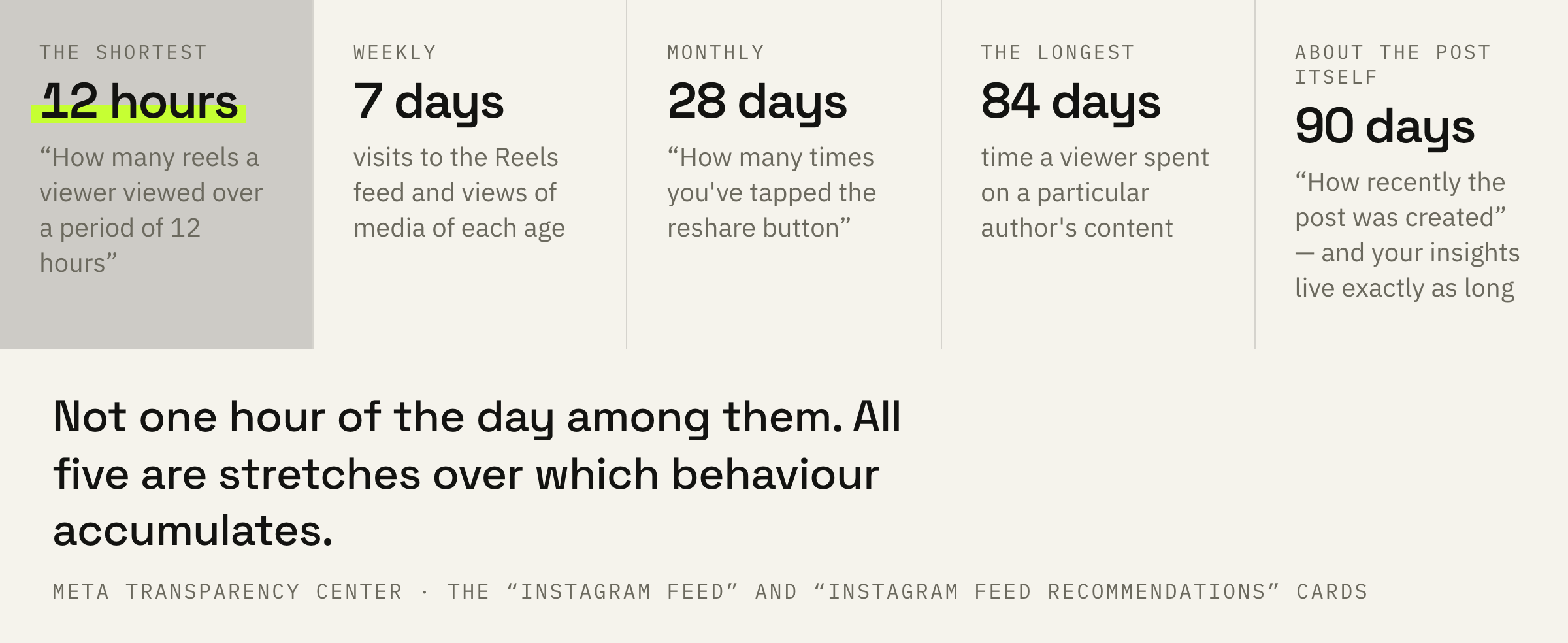
The shortest Instagram window is twelve hours.
How many reels a viewer viewed over a period of 12 hours.
Meta Transparency Center · the “Instagram Feed recommendations” card
Then come the weekly and monthly ones. Visits to the Reels feed are counted over 7 days, taps on the reshare button over 28 days, and the time a viewer spent on a particular author's content over 84 days.
The 90-day window stands apart, and it is the only one about the post itself rather than about the reader: in the following feed's card, among the signals for the prediction about sharing in a direct message, sits “How recently the post was created (within 90 days)”.
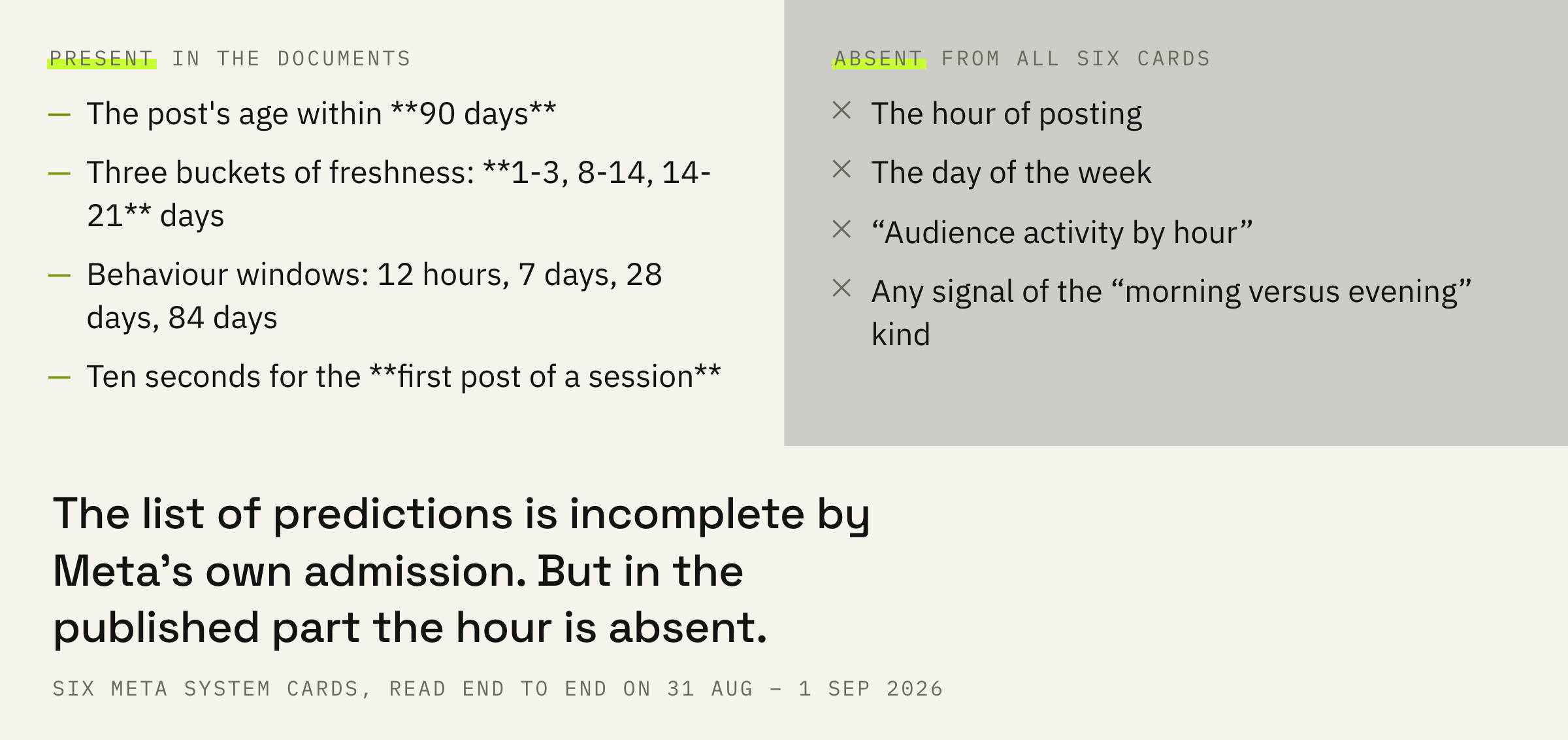
Your insights in the app live exactly as long: 90 days and not a day more. The coincidence is convenient, because you can compare posts inside the very window in which the platform tells them apart by freshness.
12 hours · 7 days · 28 days · 84 days · 90 days. Not one of them is about the hour of posting. All five describe stretches over which behaviour accumulates.
“1-3 days old” is about the reader
The most underrated line in all the cards.
The recommendations card has a prediction with a long name: how likely it is the user will scroll through the Feed for a certain time, after viewing the top-position post. Among its signals sit three lines that are easy to read wrong.
How many impressions a user spends viewing media in a specific age range (14-21 days old) over a period of seven days. How many impressions a user spends viewing media in a specific age range (1-3 days old) over a period of seven days. How many impressions a user spends viewing media in a specific age range (8-14 days old) over a period of seven days.
Meta Transparency Center · the “Instagram Feed recommendations” card
You can read that as: fresh material gets a boost. Something else is written there.
What is counted is how much material of each age the user themselves watches in a week. One person lives on posts from the first three days. Another calmly watches through things that are two weeks old. That is their habit, and it is measured in three buckets: 1-3, 8-14 and 14-21 days.
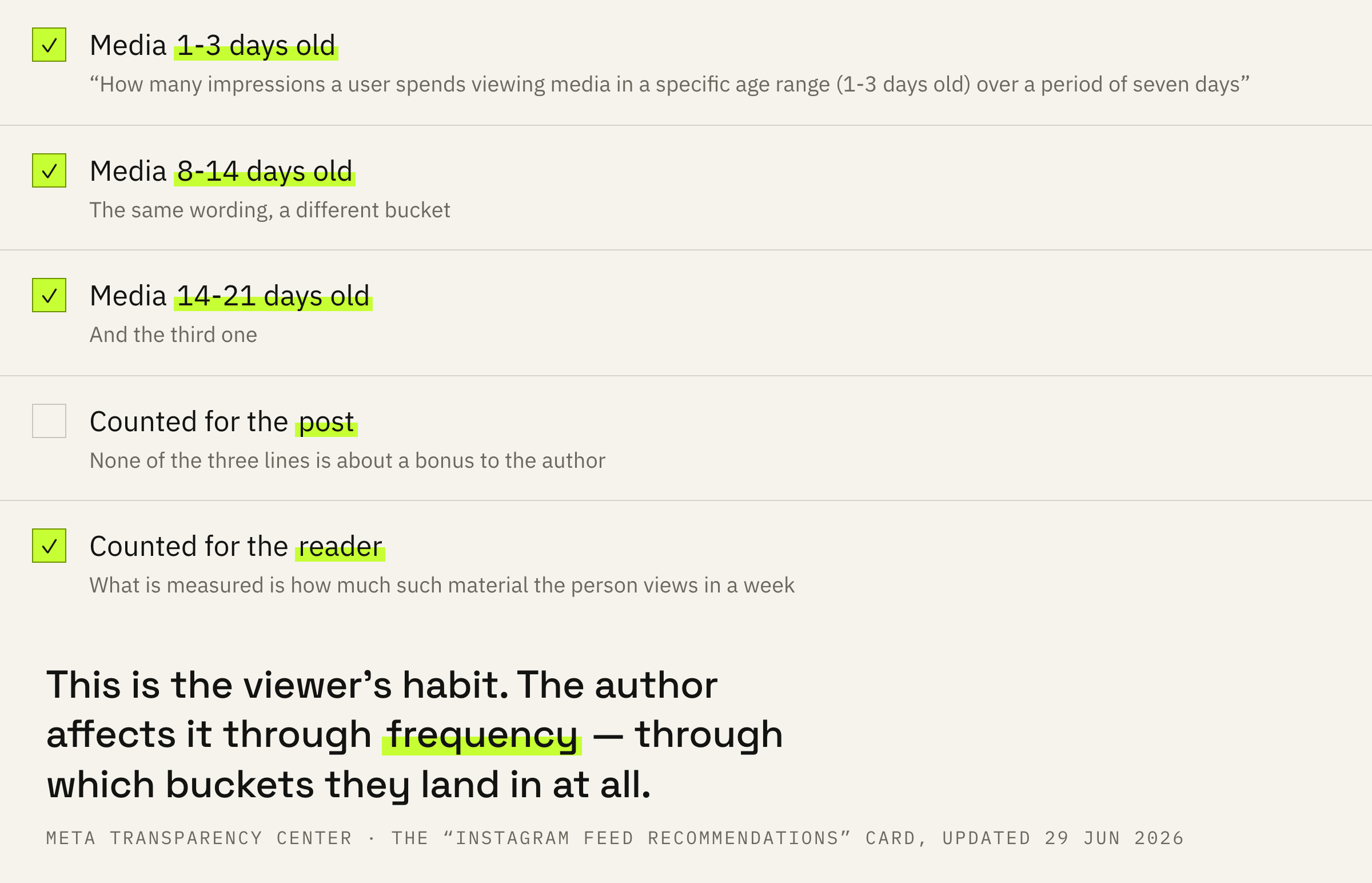
The difference is practical. If the boost went to freshness, speed would win: publish before your competitor, get more. If what is counted is the reader's habit, the winner is the match: your post has to land in the bucket where this person watches anything at all.
You cannot manage someone else's habit. You can influence which bucket your post lands in, and there is exactly one way: frequency. An account that publishes once every three weeks lives in the 14-21 day bucket for every reader at once.
The card does not say that the 1-3 day bucket is better than the others. It says all three are counted. The conclusion “post more often and it will be better” does not follow from this line directly. Something else does: a rare post lands in one bucket, a frequent one spreads across three.
What to do this week
Four actions, each one checked in your insights.
First: stop looking for the hour and look at frequency. Open your insights for 90 days and count how many posts you published over the last three days, over a week and over three weeks. That is your distribution across the buckets.
Second: compare posts within one format. The platform counts the probability of a skip taking format and neighbouring posts into account, that is written in the feed's card. Comparing a carousel against a video is pointless.
Third: take your five latest posts and look at them in pairs: two posts each, published at different times of day but with the same format and a close topic. If the spread between pairs is larger than inside a pair, the matter isn't the time.
Fourth: keep the comparison inside 90 days. Beyond that boundary there are simply no insights in the app, and any table “by month over a year” is assembled from something else.
If after these four steps you cannot name the format that works best for you, it means there is still too little data. That is a normal answer, and it is more honest than an invented hour.
We'll look at 90 days of insights, find the format that already works, and tell you what to put in place of the “best time”.
What not to do
Three mistakes that cost months.
There is a fourth mistake, and it is more expensive. The hour of posting is a convenient explanation: you can change it endlessly and always blame a failure on “missing the right time”. It excuses you from the conversation about content.
While you move the hour around, the platform counts retention, watch-throughs and shares. What it counts for the first post of a session is covered separately — the count there runs in ten seconds, and it is the only place in all the cards where time is measured that finely.