How the Threads feed works: ten predictions
Six predictions out of ten describe taps, and among the signals sits the most specific window in all of Meta's cards: the last hundred likes over fifteen minutes. And a separate count for replies to replies.
- Threads
- Mechanics breakdown
- ≈ 9 min
The Threads feed has a system card of its own: ten predictions and thirty-four signals. Inside sits the most specific window of all the ones Meta has published: the last hundred likes over fifteen minutes. And a separate count for replies to replies.
All ten predictions of the Threads feed, five time windows from fifteen minutes to a month, the second level of threads and an honest caveat about the document's age. Nine minutes of reading.
Half the list is about taps
And that is what sets Threads apart from the other feeds.
The card lists ten predictions. Whether you'll tap “Like”. Whether you'll reply. Whether you'll tap the post. Whether you'll tap the author's profile. Whether you'll tap the post and then another one. Whether you'll tap the profile and then another post. Whether you'll tap the post and give it a “Like”.
Six predictions out of ten describe a tap or a chain of taps. For a text platform that is logical: there isn't much to watch here, and interaction is the main signal.
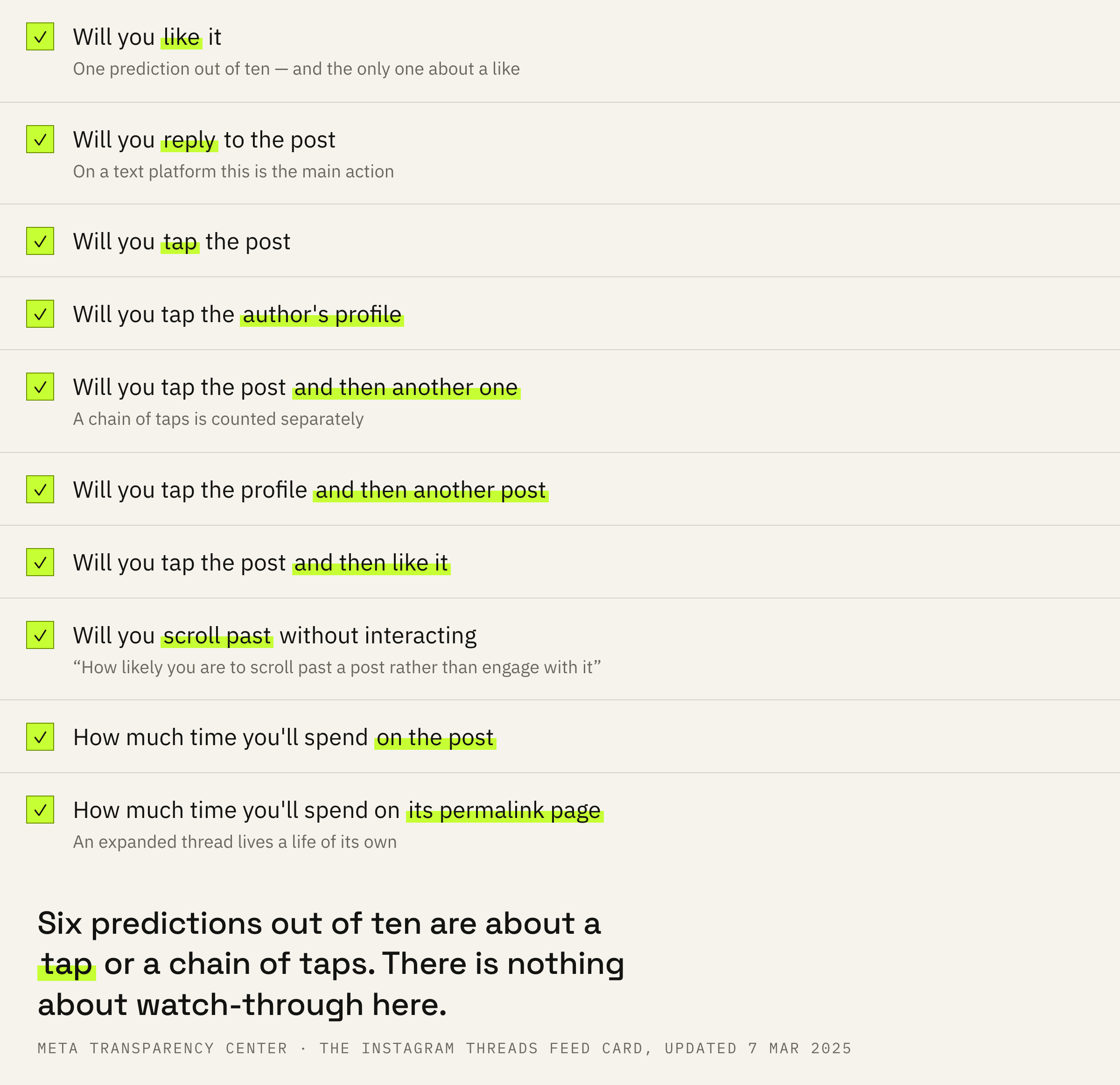
One prediction stands apart, worded the other way round.
How likely you are to scroll past a post rather than engage with it.
Meta Transparency Center · the “Threads Feed” card
That is, the system computes not only the probability of a response but also the probability of an indifferent scroll past. A post that people scroll past receives that as a separate score.
And two predictions about time: how much you will spend viewing the post and how much on viewing its separate page at the permanent link. For a text platform the second one means that an expanded thread lives a life of its own.
Five windows: from fifteen minutes to a month
And one of them is the most precise in all of Meta's cards.
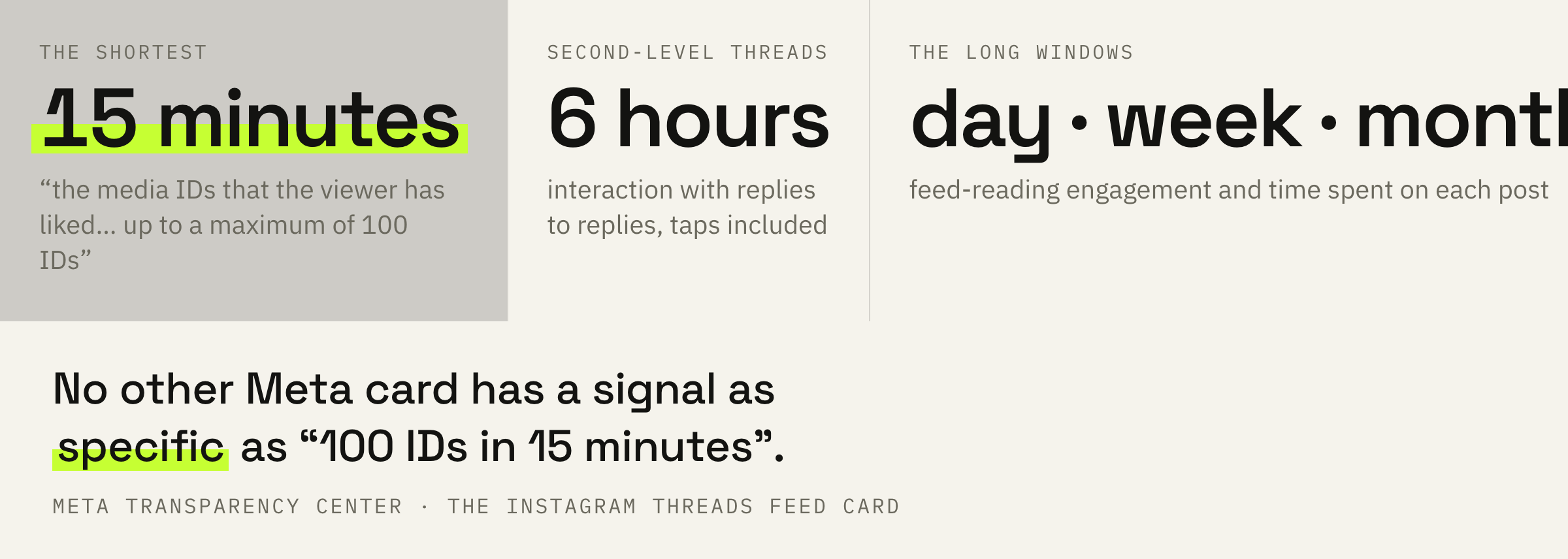
The signals list the windows over which the reader's behaviour is counted. There are five of them, and the spread is huge.
This feature captures the media IDs that the viewer has liked on Text Post App in the last 15 minutes, up to a maximum of 100 IDs.
Meta Transparency Center · same place
Fifteen minutes and a hundred identifiers. No other Meta card has a signal this specific: usually it says “over the past week” or “over the past eighty-four days”. And one more detail: the card calls Threads Text Post App — the working name Meta never removed from the document. The Russian version of the card puts “in the app” in its place.
The other windows: the last six hours, the last day, the last week, the last month. What is counted is engagement while reading the feed, the viewing time of each post and the engagement rate for particular authors.
There is also a signal that stands out from the row: “This feature captures the current page size of the Text Post App feed, which can affect the number of posts displayed to the user”. We give it as a fact from the document and don't build on it: the card doesn't explain how exactly this works.
The conversation under a thread is a signal too
A line the other surfaces don't have.
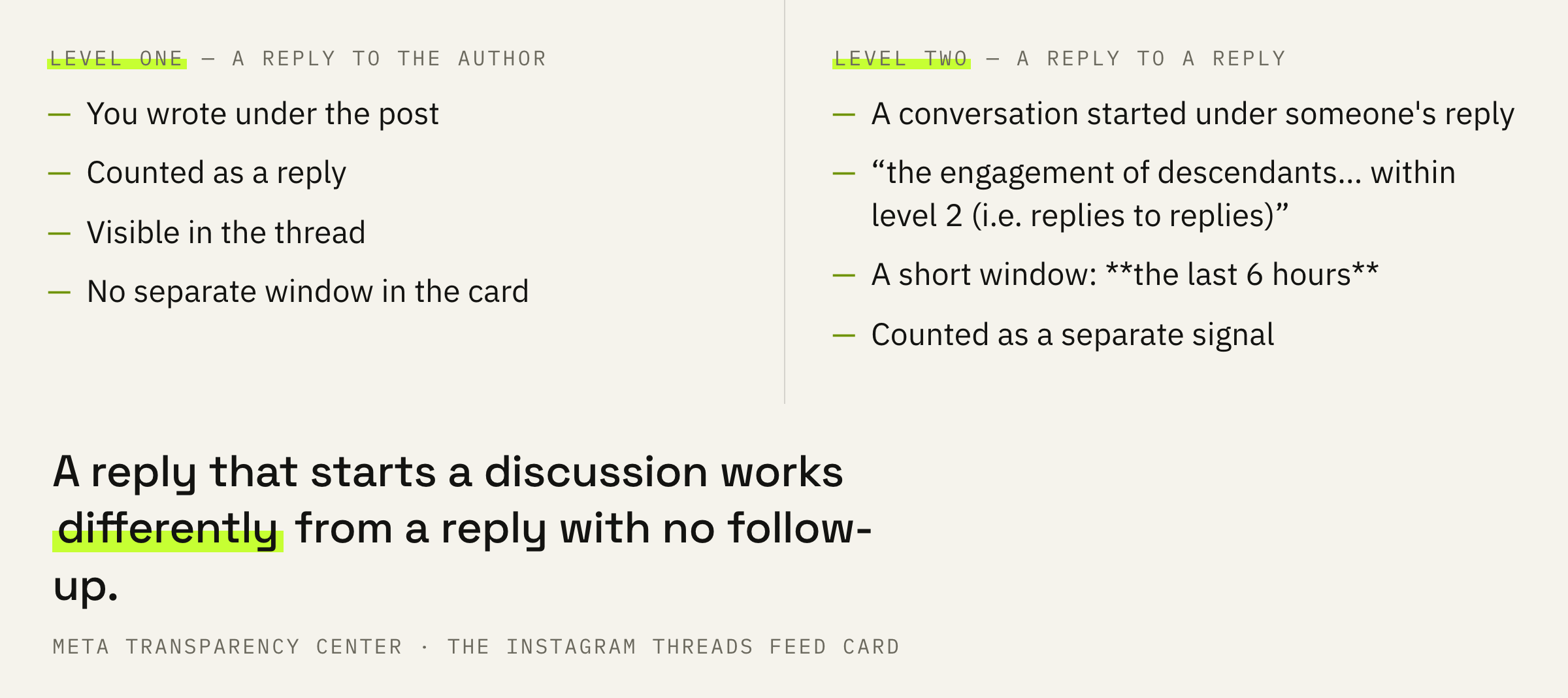
This feature captures the engagement of descendants (e.g. replies, likes) on Text Post App within level 2 (i.e. replies to replies) over the past 6 hours, including how many times a post was tapped.
Meta Transparency Center · same place
The second level is replies to replies. Not your reply to the author, but the conversation that started under that reply. The card counts it as a separate signal and in a short window: six hours.
For an author that changes the value of a comment. A reply that spawns a discussion beneath it works differently from a reply that was left without continuation. And it is counted the same evening, whereas the other windows stretch on for weeks.
How this looks from the side of the stats the platform shows you we covered separately: stats in Threads and what they don't show.
The Threads feed card was updated on the seventh of March two thousand twenty-five. The neighbouring Instagram cards are dated summer two thousand twenty-six. The gap is a year and a half, and it has to be kept in mind when comparing surfaces.
If your threads don't gather replies, we'll look at your recent posts and tell you where the conversation breaks off.
What to do this week
Four steps straight from the list of predictions.
First: write so that a reply is possible. Six predictions out of ten are about taps and replies, and not one is about watch-through: in text there is nothing to watch through.
Second: reply in the first hours. The second-level window is six hours, and a conversation that started within that time enters the signals while the post is still alive.
Third: keep the conversation going under replies, including where it started without you. The second level is counted separately, and it appears only where the author replies to those who reply.
Fourth: count replies. In the card a like is one prediction out of ten, while replies and chains of taps take up the majority.
Take ten threads and see under how many of them a conversation started between readers. If under none of them, you are writing statements there is nothing to reply to.
What not to do
Four conclusions the card doesn't give.
And the general extreme: believing it is all down to the algorithm. Before the feed come admission and the visibility settings, and they switch distribution off entirely: a breakdown of shadowbanning in Threads.
What to do next
Two minutes for today.
Open your last five threads and see whether there are replies to replies under them. That is exactly the second level the card counts separately.
If there are no replies at all, the matter may be in the settings for the circle of those who can reply: why comments aren't visible in Threads.
We'll look at your threads and tell you what gets in the way of the conversation: the topic, the wording or a setting.
If you want a conversation to start under your threads — leave a request. We'll get in touch if there are slots available at the moment. There is usually a queue and a wait.