Why replies aren't showing on Threads
Six causes, and five of them are ordinary settings: who can reply, reply approval, a private profile. We cover both cases — when you can't see other people's replies and when nobody sees yours.
- Threads
- Problem breakdown
- ≈ 8 minutes
It says “12 replies” under the post and you can see two. Or you replied to someone and nobody can find your reply. There are six causes, they are different, and almost all of them are ordinary settings somebody switched on deliberately.
Separating two different problems — “I can't see other people's replies” and “nobody sees mine”. Six causes with the path to each setting. Eight-minute read.
First, separate the two cases
These are two different problems with non-overlapping causes.
“Replies aren't showing” means two completely different things, and they get fixed in different places.
First case: you are the author of the post and you don't see the replies people left you. Second: you replied to someone and your reply doesn't appear in the thread. Their causes don't overlap at all.
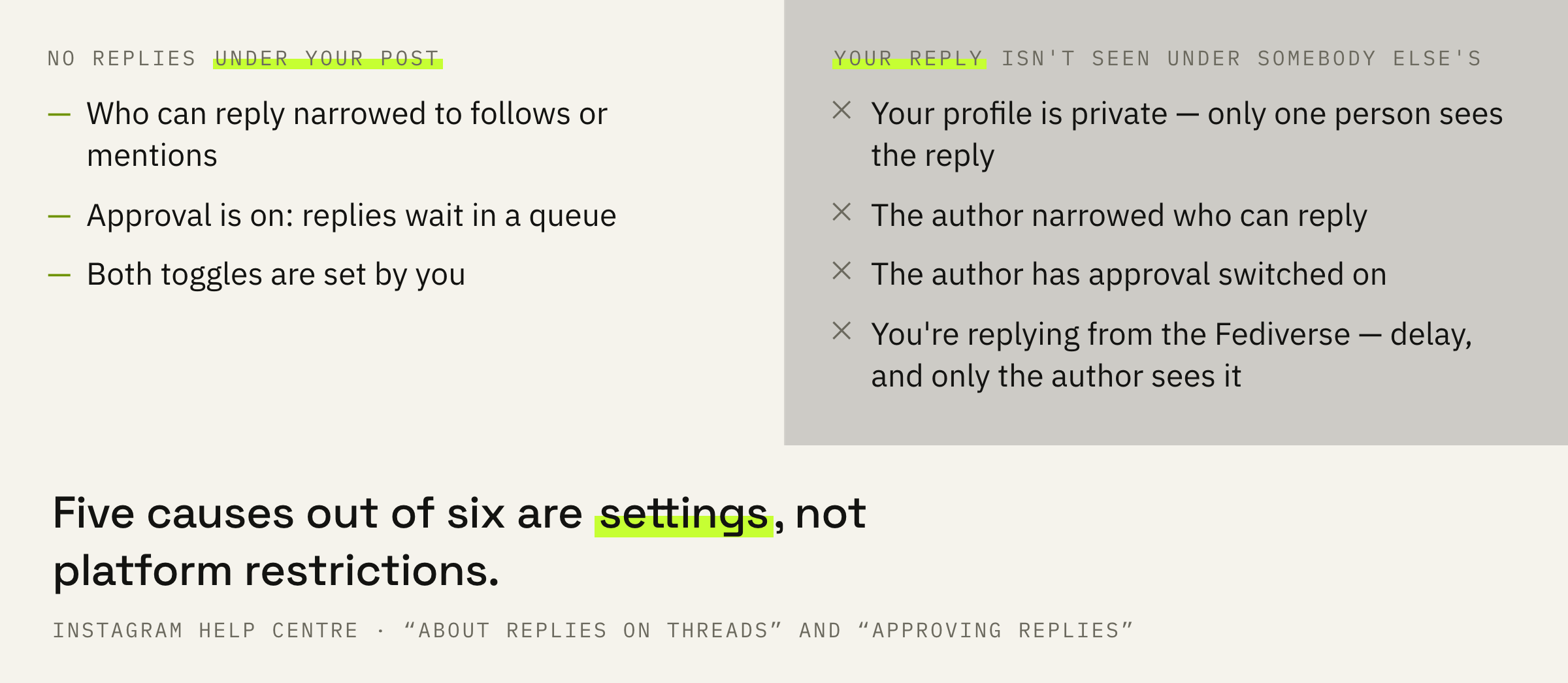
Answer one question for yourself: did replies disappear under your post, or is it your own reply under somebody else's. Then go only into your half — the other half of the causes has nothing to do with you.
Who can reply at all
The setting is chosen before publishing and afterwards doesn't catch the eye.
Every thread has a setting for who may reply, and it is chosen at the moment of writing. By default anyone can reply, but there are two more options.
Before publishing, the bottom left of the screen says “Anyone can reply”. Tap it and you'll get “Profiles you follow” and “Mentioned only”. If one of those is set on a post, everyone else simply couldn't reply.
On an older post the easiest check is the line under it: it says who can reply. If the circle is narrowed, the absence of replies is the result of your own choice rather than a platform restriction.
The platform notes this separately: if you restrict who can reply, the thread becomes unavailable to followers from the Fediverse. So the setting cuts not only replies but part of your distribution.
Replies pending review
The most common cause of “no replies” among people who once switched it on.
Threads has a mode where somebody else's reply doesn't appear in the thread until you approve it. The replies don't disappear anywhere: they sit in a queue and wait.
Note: You'll need to manage this setting for each post.
Instagram Help Centre · approving replies on Threads
That line explains why the mode gets forgotten. It isn't global: switched on once for one post, it doesn't carry over to others. And switched off in profile settings, it doesn't switch off on old ones.
On an already published post tap “Options” in the top right, then “Reply settings”, and look at the “Review and approve replies” toggle. If it's on, a line saying “Replies pending review” appears under the post — that is where the replies are.
The queue is handled from the same place: “Approve” makes a reply visible in the thread, “Ignore” hides it. You can process them all at once. Next to each reply there's a menu where the author can be hidden, blocked, restricted or reported.
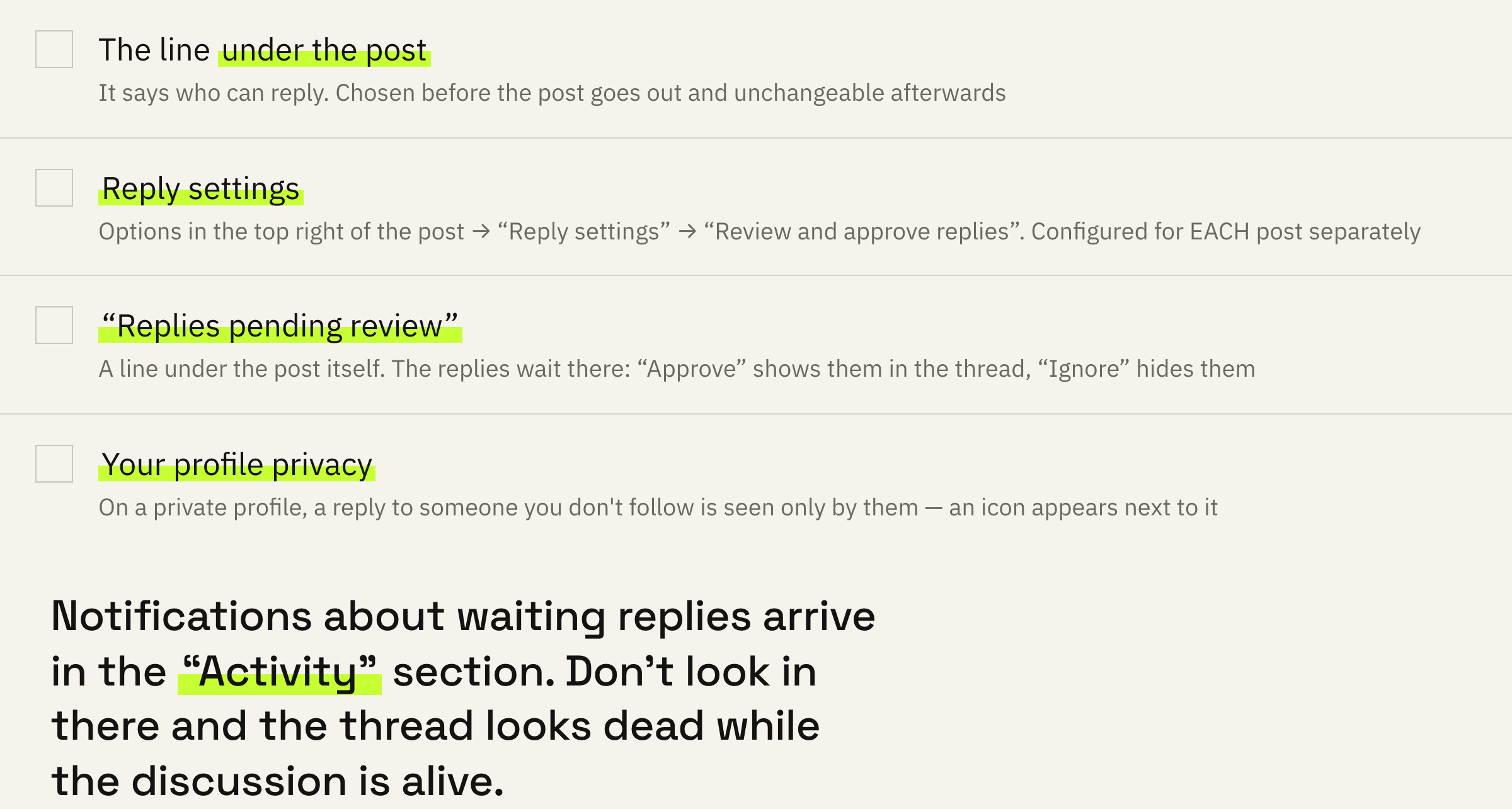
Notifications about replies awaiting review arrive in the “Activity” section. If the mode is on and you don't look in there, the thread looks dead while the discussion is alive.
If it's quiet under your posts and it isn't clear why, we'll look at your profile and tell you whether it's the settings or the content.
Four causes on your side
When it's your reply under somebody else's post that isn't seen.
The fifth cause isn't a setting and works silently: the author may have hidden your content. The platform notes that the person isn't told, and the follow stays in place.
The sixth cause is the sensitive content filter. It limits distribution without removing the post, and it applies to breaches of the Recommendations Guidelines. It doesn't touch the Community Standards.
On teen accounts the filter sits at “Less” by default, and the “More” option may be unavailable altogether to people aged 13 to 17. If it's specifically a young audience that doesn't see your thread, this is where to start.
The order of checking
Five minutes, and the guessing stops.
First: work out whose post it is. Then go only through your half of the causes, or you'll be fixing somebody else's setting.
Second: look at who can reply. It's written under the post itself and can only be changed before it goes out.
Third: open “Reply settings” and check approval. If it's on, look for the “Replies pending review” line under the post.
Fourth: if the problem is with your reply, check whether your profile is open. A private profile is the most common reason a reply is seen by one person instead of everyone.
Ask someone you know to open the thread and say whether they can see your reply. That answers the question in a minute and separates a setting from an impression.
If the settings are clean and the post simply isn't travelling, that is a different problem: why posts stop being shown.
What not to do
Four reactions that lead away from the cause.
What to do next
Two taps for today.
Open your latest post, read the line under it about who can reply, and look into “Reply settings”. That closes two of the six causes.
If both are clean and your profile is open, it isn't the settings any more: the readers are silent. That is a question of content, and no toggle solves it.
We'll look at your profile and recent posts and tell you where it's settings and where it's content, and what to change first.
If you want a conversation to start under your posts — leave a request. We'll get in touch if there are slots available at the moment. There is usually a queue and a wait.