Screenshot alerts on Instagram: one place and one condition
The warning about a screen capture is described only for disappearing messages, and with an “if we detect” caveat. The Help Centre names the workaround itself.

- Social media and AI
- How it works
- ≈ 8 minutes
One belief about screenshots on Instagram is everywhere: the author finds out when somebody saves their content. The Help Centre describes a far narrower picture. A warning about a screen capture is promised only for disappearing content, promised with an “if we detect” caveat, and the same page lists a workaround that needs nothing but a second phone.
Where the screenshot alert is described and where the Help Centre says nothing. What the “if we detect” caveat means. What the sender sees about their own disappearing photo. How a single view differs from an ordinary message. Who can be sent a disappearing photo at all. Eight minutes of reading.
Disappearing messages and nowhere else
The only place where the warning is described in words.
Start with the one place where the Help Centre promises a notification.
Take a screenshot or screen recording of your disappearing message before it’s no longer visible. You’ll receive a notification if we detect this happens.
Instagram Help Centre · ‘About disappearing messages in chats on Instagram’
Look at where that line sits. It describes the disappearing messages mode in chats, that is, content which vanishes after viewing anyway. Everything else is not discussed here.
About stories the Help Centre says nothing on notifications. A search for the word “screenshot” leads to a single page, and it is an instruction on how to take a screen capture on a phone. The honest wording is this: it is not in the documents. Claiming that no warning exists at all is something we have no grounds for, any more than those who read story statistics from hearsay.
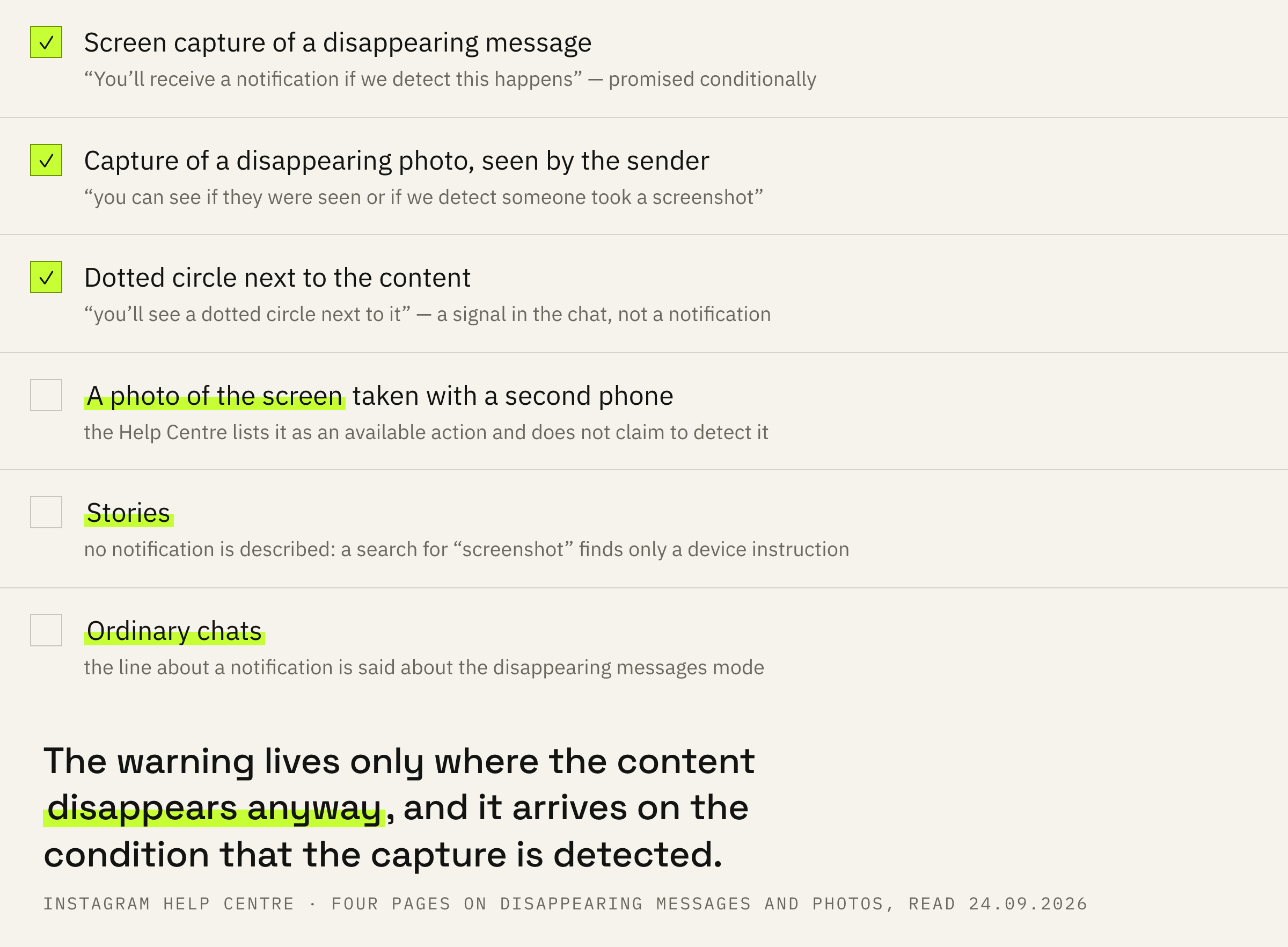
Hence a practical conclusion for ordinary chats: the line about a notification belongs to the disappearing messages mode. About a screen capture of an ordinary chat the Help Centre writes nothing either way.
The caveat and the workaround on the same page
The platform names both weak spots honestly.
There are four words in that promise which change its weight: “if we detect this”. It is a condition, not a guarantee. The notification arrives when the capture is recognised, and the Help Centre nowhere promises that every one will be.
And the next item on the same page lists the thing that cannot be recognised at all.
Take a photo of a disappearing message with a camera or other device before it disappears.
Instagram Help Centre · the same page
The line sits in the list of what the other person can do with your disappearing message. A screen capture the platform sometimes sees. A photo of the screen taken with a second phone it never sees, and that is said outright, with no attempt to hide it.
The disappearing mode protects against accidental forwarding and carelessness, not against a person who has decided to keep something. Everything you sent can stay with the other person, and no notification about it will arrive.
The status and the dotted circle
What the sender sees on their own screen.
From the sender's side the picture is arranged in more detail than people assume.
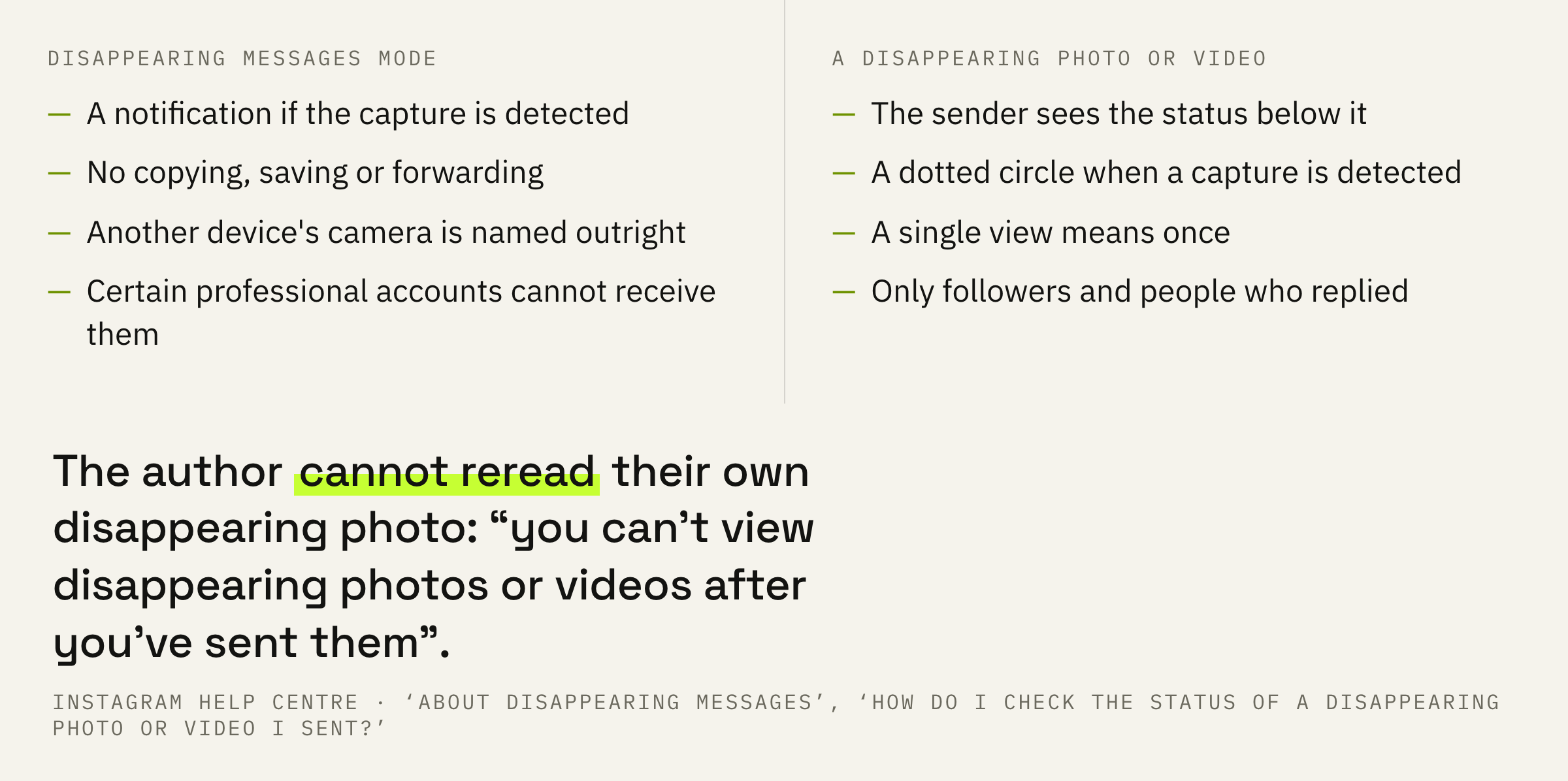
You can't view disappearing photos or videos after you've sent them in Instagram chats, but you can see if they were seen or if we detect someone took a screenshot.
Instagram Help Centre · ‘How do I check the status of a disappearing photo or video I sent on Instagram?’
So even the author cannot reread their own disappearing photo. Two things are visible instead: whether it was opened and whether a screen capture was noticed.
You'll see the status of the content below it. If we detect someone has taken a screenshot of your photo or video, you’ll see a dotted circle next to it.
Instagram Help Centre · the same place
The dotted circle is the very signal many people look for in their notifications. It appears in the chat next to the sent content rather than arriving as a separate message.
A single view and the ban on saving
The setting that decides the fate of the file.
Before sending a photo or a video you choose how it will be shown.
Select View once to let the person or group receiving your photo or video only view it once.
Instagram Help Centre · ‘Send disappearing photos and videos in chats on Instagram’
The page lists three options: a single view, a repeat view and keeping it in the chat. Worth knowing that the Russian and the English versions of this page name them differently, and the English one is more precise about the number of repeats.
For disappearing messages the platform adds a separate restriction.
You won't be able to copy, save or forward disappearing messages.
Instagram Help Centre · ‘How do I use disappearing messages on Instagram?’
Three ordinary ways of carrying a chat away are closed inside the app. What remains are the two listed above: a screen capture, which is sometimes noticed, and a second device's camera, which is not noticed at all.
Who a disappearing photo can be sent to
The circle of recipients is drawn in advance.
One more limit is worth knowing before you try to send a disappearing photo to a stranger.
You can only send disappearing photos or videos to people who follow you or have already approved messages from you.
Instagram Help Centre · ‘Send disappearing photos and videos in chats on Instagram’
The circle is closed from both sides: either the person follows you, or they have already accepted a message from you. Cold outreach with disappearing photos ends right there, and the inbox filters work even before that step.
And a separate line about those who run an account for work.
Certain professional accounts can’t receive disappearing messages.
Instagram Help Centre · ‘About disappearing messages in chats on Instagram’
This is said about receiving messages, and about that only. The line has no bearing on reach, although it usually gets retold as a limit on the account. If people write to you on business, it is worth checking whether such messages arrive at all, and who else has access to the chat while you are at it.
The order of steps and three mistakes
Four decisions, a minute each.
First: assume that whatever you send will be kept. The notification is promised conditionally, and the platform named the workaround itself.
Second: for anything sensitive choose the single view. It does not protect against a camera, but it closes copying, saving and forwarding inside the app.
Third: check who can write to you at all. The circle of people who can send disappearing photos is limited by following and by past replies, and the close friends list has nothing to do with that circle.
Fourth: do not look for a notification where none is described. Under a disappearing photo the signal looks like a dotted circle in the chat itself.
Before sending, ask yourself one question: will you be fine if this stays with the other person forever. An answer of no means it should not be sent in any mode at all.