Hidden Words on Instagram: why there are more comments than you can see
Hidden comments stay in the total count and their authors never learn. The filter is on by default, and it has nothing to do with the distribution of your posts.
- Social media & AI
- Mechanics explained
- ≈ 8 min
The post says forty comments and you can see thirty-two. The explanation is in Instagram's Help Centre and it is a simple one: some of the comments were hidden by your own filter, which is on by default, and they stayed in the total count.
Why the number under a post doesn't match what you can see. Which of the three settings is switched on for you right now without your knowing. How the Hidden Words tool differs from the mythical stop-words that supposedly cut your reach. Eight minutes of reading.
Hidden comments stay in the count
One line of the Help Centre explains the whole mismatch.
Let's start with the most common question about comments. The number under a post is larger than the number of comments you can see if you scroll through all of them.
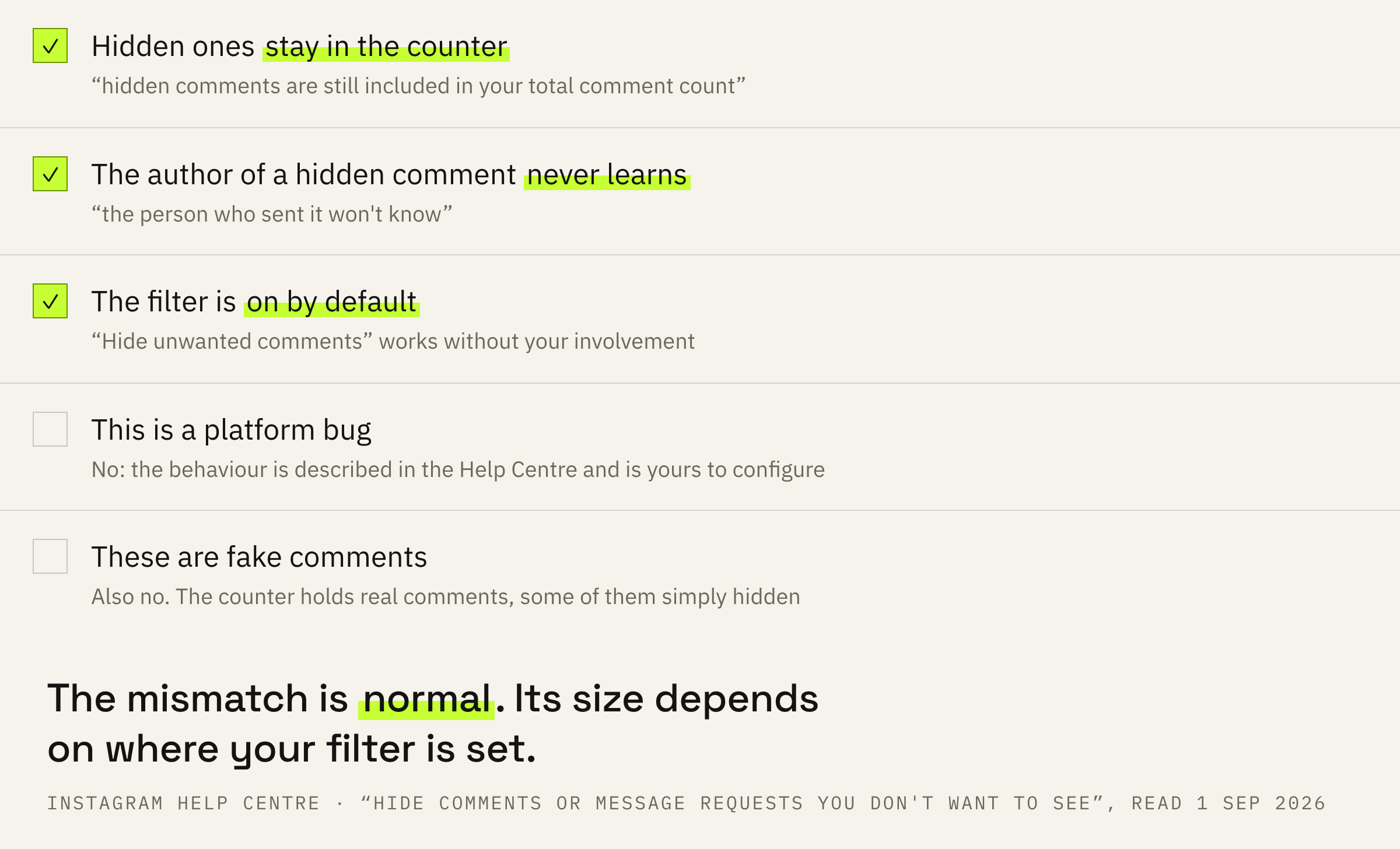
Keep in mind that hidden comments are still included in your total comment count and when a comment or message is hidden, the person who sent it won't know.
Instagram Help Centre · “Hide comments or message requests you don't want to see on Instagram”
Two things in one line. Hidden content stays in the counter, so the mismatch is normal rather than a bug. And the person whose comment was hidden never learns about it: from their side everything looks published.
On Threads the mismatch has a different cause: there the reply count includes all replies in the thread, not only the direct ones. Different mechanics, and worth not mixing up.
Three settings and their state
One of them is switched on for you right now.
Hiding is governed by three different settings, and their defaults differ.
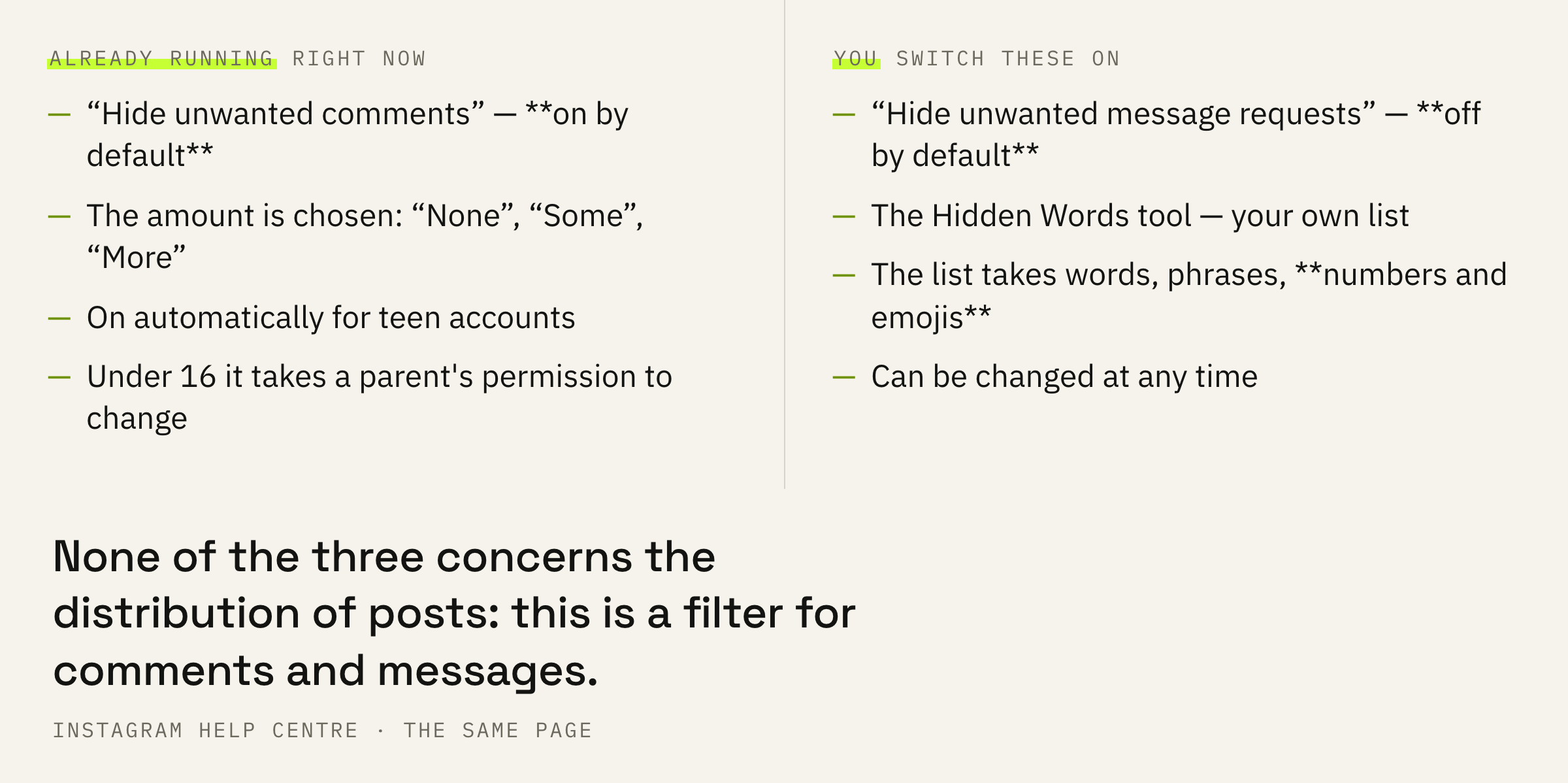
The first is “Hide unwanted comments”. The Help Centre describes it like this: comments containing common offensive words, phrases or emojis are hidden automatically.
This setting is on by default, but you can change it any time.
Instagram Help Centre · the same page, on hiding unwanted comments
The second is “Hide unwanted message requests”: suspicious requests go to the spam folder. That setting, by contrast, is off by default.
The third is your own list of words. It gets its own part below.
Profile → “Menu” in the top right → the “How others can interact with you” section → “Comments” → “Comment types” → “Hide unwanted comments”. The amount is chosen there too: “None”, “Some” or “More”.
The three-position scale is an important detail. The filter isn't binary: you choose how much to hide, and that determines how far apart the counter and the visible comments end up.
For teen accounts these settings are on automatically, and teens under 16 need a parent or guardian's permission to change them.
The Hidden Words tool
A list you write yourself.
Alongside the automatic filter there is a manual one.
You can also create a custom list of words, phrases, numbers, and emojis you want to hide using Hidden Words.
Instagram Help Centre · the same page
Note what the list can hold: words, phrases, numbers and emojis. The numbers are not there by accident — that is how comments with phone numbers and prices get closed off, if those bother you.
And one more line from the same page, useful on its own: “Instagram cannot see your messages unless you report them”.
The stop-words that don't exist
A comment filter and post distribution are different things.
Now for the query people most often arrive with: “stop-words that cut your reach”. The Help Centre page on hidden words is about comments and message requests. About the distribution of your posts there is not a line.
Instagram publishes no list of words that lower distribution at all. What is published is the Recommendations Guidelines and the Community Standards, and those describe types of content rather than a dictionary.
If your posts stopped reaching strangers, that is checked on the “Account Status” screen, not by picking words. It states outright whether your content is eligible to be recommended, and shows examples of the offending posts.
We'll look at the filter settings, Account Status and insights and tell you whether it's hidden words or impressions.
How that works and where to look is covered separately. The short version: there are two bars, and the one responsible for showing you to strangers switches off for the whole account at once.
What to check today
Four actions, ten seconds each.
First: open the “Hide unwanted comments” setting and see what position it is in. It is on by default, and most account owners don't know it.
Second: if you run an account where people argue about the substance, set it to “None” and watch for a week. It may turn out the filter was removing not rudeness but live discussion.
Third: build your own list out of only what actually bothers you. Numbers and emojis go in there too, and that is handier than a blanket automatic filter.
Fourth: check the comment count against the list rather than against a feeling. In insights there is one counter, and it includes what is hidden.
Take the post with the most comments this month and count the visible ones by hand. The difference is your filter at work. If it is noticeable, you make the decision about its setting with a number in hand.
What not to do
Three mistakes around one myth.
The fourth mistake costs more than the other three: quietly deleting comments that feel inconvenient. The person who wrote it never learns, and no reason to come back appears either.