Resetting suggested content on Instagram: no undo, data stays
The button resets what is suggested to you as a viewer: follows, ads and data stay in place, the reset cannot be undone, and your own reach is untouched.
- Social media and AI
- How it works
- ≈ 7 minutes
Instagram settings hold a button called Reset suggested content, and a belief has grown around it: press it, and the algorithm will start getting to know your account from scratch. The Help Centre page describes an entirely different action and lists, line by line, what the button leaves alone.
What exactly this button resets. Three things it does not touch. Why the press cannot be undone. How a viewer’s reset differs from an author’s reach. Seven minutes of reading.
What counts as suggested
The Help Centre defines the subject in one line.
Before arguing about the use of the button, it helps to see what it applies to at all.
On Instagram, you may see content (such as posts and reels) that we suggest for you based on things like your activity and connections. You can reset your suggested content to see posts, reels and other content about topics you may not normally see.
Instagram Help Centre · ‘Reset your suggested content’
The key words here are ‘for you’ and ‘topics you may not normally see’. What gets reset is what the platform picked personally for you, and the goal is stated plainly: to see material on other topics. About other people’s impressions and other people’s reach the definition says nothing.
The mechanics of the picking itself are covered separately, with their own predictions and signals: how Instagram builds a recommendation. This is only about the button that zeroes that selection.
The path to it is short: the profile menu, the What you see section, Content preferences, Reset suggested content. Before the confirmation the platform offers to review your list of follows.
Follows and ads stay
The first line that narrows the promise.
Next the Help Centre draws the borders of the action itself.
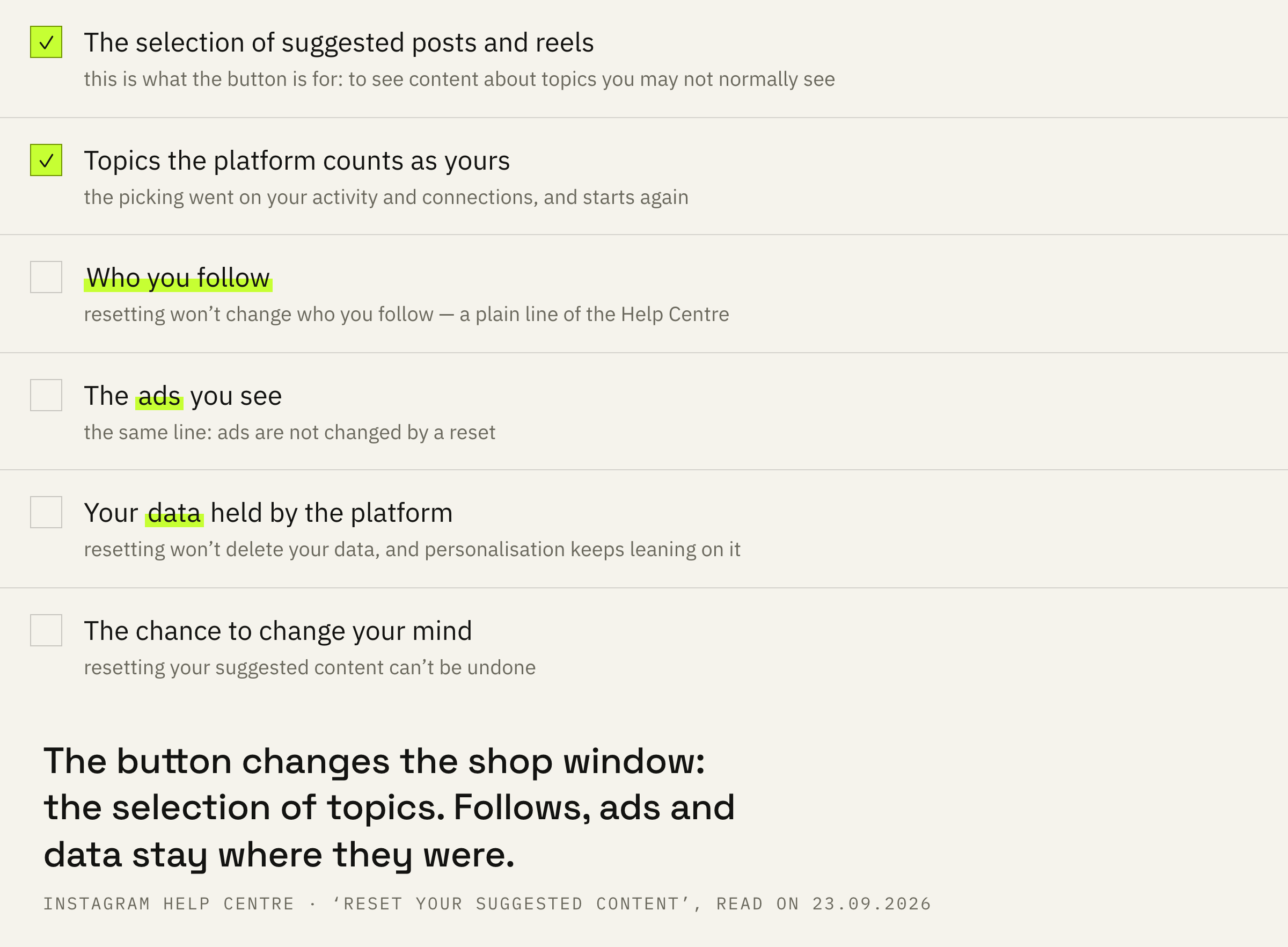
Resetting your suggested content won’t change who you follow or the ads you see (if we show you ads on Instagram). You’ll be given a chance to review which accounts you follow (or the ads you see if we show you ads on Instagram) before you reset.
Instagram Help Centre · the same page
Two things are named outright. Follows after the reset are the same: the people you follow stay in the feed. Ad topics are kept as well, and the platform gives a separate warning that they are worth looking at before the press.
Hence the first practical consequence. If the feed is irritating because of what your follows post, the reset will not help: it works on a different layer. The feed and recommendations are built as separate streams, and the button touches only the second one.
It cannot be undone
A button with no way back.
The next line makes the decision one-directional.
Note: Resetting your suggested content can’t be undone, but your suggestions will become more personalized again as you like, share and interact on Instagram.
Instagram Help Centre · the same page
One phrase carries two facts at once. There is no button for putting things back. And the selection will start building again from your very first actions: a like, a share, a pause on a reel.
For an account run as a working tool this is worth translating into practice. The selection gathered around your field disappears, and rebuilding it falls to you, action by action. For someone who spent years teaching the feed to show professional material, that is a tangible loss.
A reset makes sense when recommendations have drifted and get in the way of work: the selection is packed with someone else’s subject matter, and clearing it by hand takes longer than starting over. In every other case pinpoint actions inside the feed are cheaper, because the platform does not let you roll a reset back.
Your data goes nowhere
The third border, and the one thought about least.
The last limit concerns not the feed but what stands behind it.
Resetting won't delete your data. We will still use your data to personalize your experience on Instagram in other ways, to show you ads (if we show you ads on Instagram), and for the purposes outlined in our Meta Privacy Policy.
Instagram Help Centre · the same page
So the reset changes the shop window while the storeroom stays as it was. The history of your actions goes nowhere, and personalisation keeps leaning on it. The button clears the selection without erasing what the selection was built from.
That also explains why recommendations return to their former topics faster than people expect: the platform starts not from a blank sheet but from stored data and from your first actions after the reset.
This is a viewer’s button
The main confusion of the whole topic.
Now the part that matters most for anyone running an account for clients.
The whole Help Centre page is written from the side of the one who watches. Content suggested for you, topics you will see, your follows and your ads. Not one line about how your own material is shown to other people appears on it.
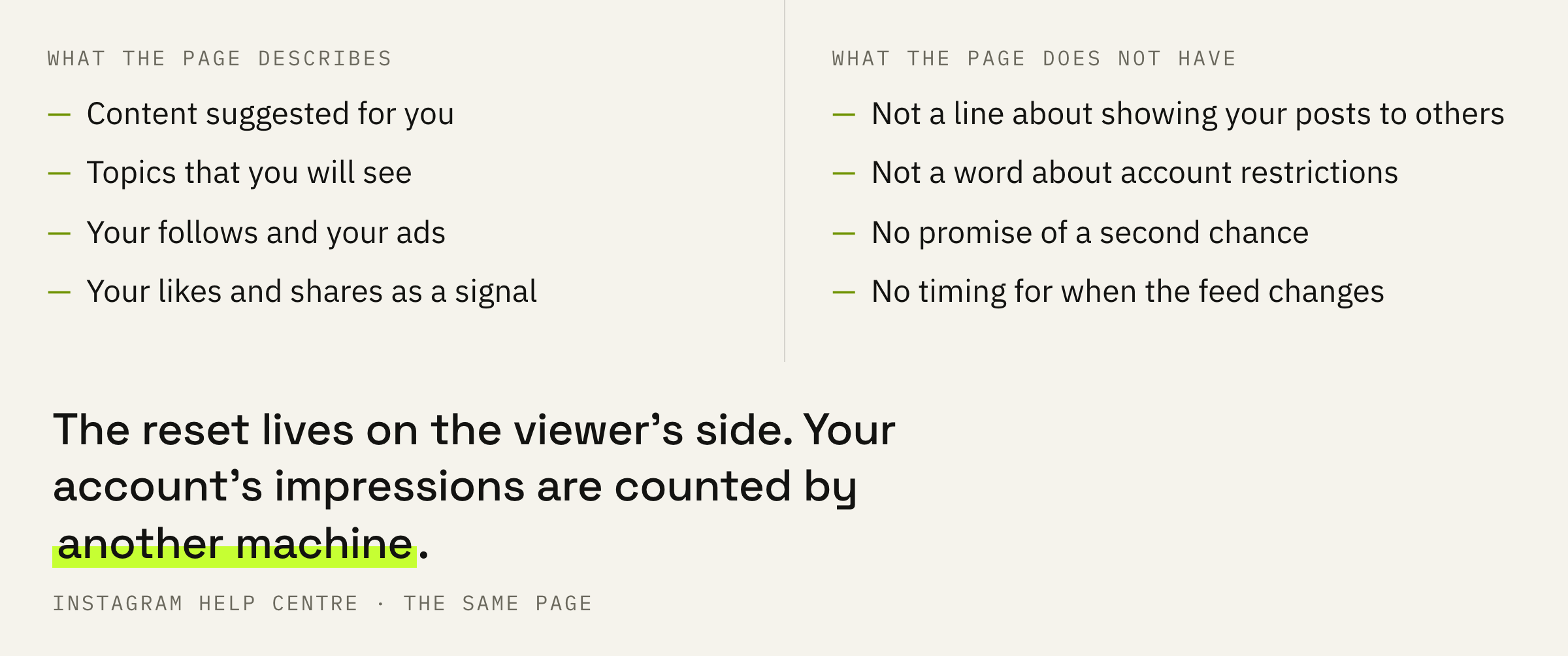
So the belief in a second chance for the account rests on nothing. A reset does not zero your profile history in the eyes of the platform, does not lift restrictions and does not restart the delivery of your posts.
If the delivery of your own material has dropped, the place to look is elsewhere: why reach falls and what the account status screen shows. That is a separate machine with rules of its own.
If impressions have dropped and feed settings have nothing to do with it, we will look at the account and say where exactly the delivery is lost.
When it is worth pressing
A short list of reasons and three mistakes.
First: press it when recommendations get in the way of work. The selection has drifted into someone else’s subject matter, and manual clearing costs more than a fresh start.
Second: review your follows before pressing, since the platform offers exactly that. They will stay, and part of the complaint about the feed may belong to them.
Third: do not expect changes in the delivery of your own posts. That has a selection machine of its own, and a button in the viewer’s settings does not affect it.
Fourth: remember that it is final. The decision is taken once, and there is no way back from it.
Ask one question before pressing: is the problem what you see, or how you are seen. In the first case the button is the right address. In the second it will change nothing, and the cause is to be looked for in the account status and in post insights.