Why there's no music on your Instagram and what to do
Instagram's help centre names three grounds for closing access to the music library: account type, post type and region. It also explains why an old video can lose its sound.
- Social media & AI
- Problem breakdown
- ≈ 9 min
Half of all accounts open the music sticker and find nothing familiar there. It isn't an app failure and it isn't only about your country: Instagram's help centre states plainly that access to the library gets closed, and it names the reason.
What gets your access to the library removed, what you get instead, and why a video can lose its sound six months after publication. Nine minutes of reading.
Access is removed, not broken
And the help centre names why — in a single paragraph.
Let's start with what the library exists for in the first place. The music in it is licensed, and the licence is narrow.
The music available in our library is intended for personal, non-commercial use.
Instagram help centre · access to the licensed music library
Next comes the key sentence of the whole topic, and it explains what the market explains with glitches and regions.
To make sure that the music in our licensed library is not used for commercial purposes, certain business accounts and certain types of posts do not have access to the library. Licensed music may also not be available in certain countries or regions.
Same page
There are three separate grounds here, and they're worth telling apart. Account type. Post type. Country or region. Any one of the three closes the library on its own, and the app never says which one fired.
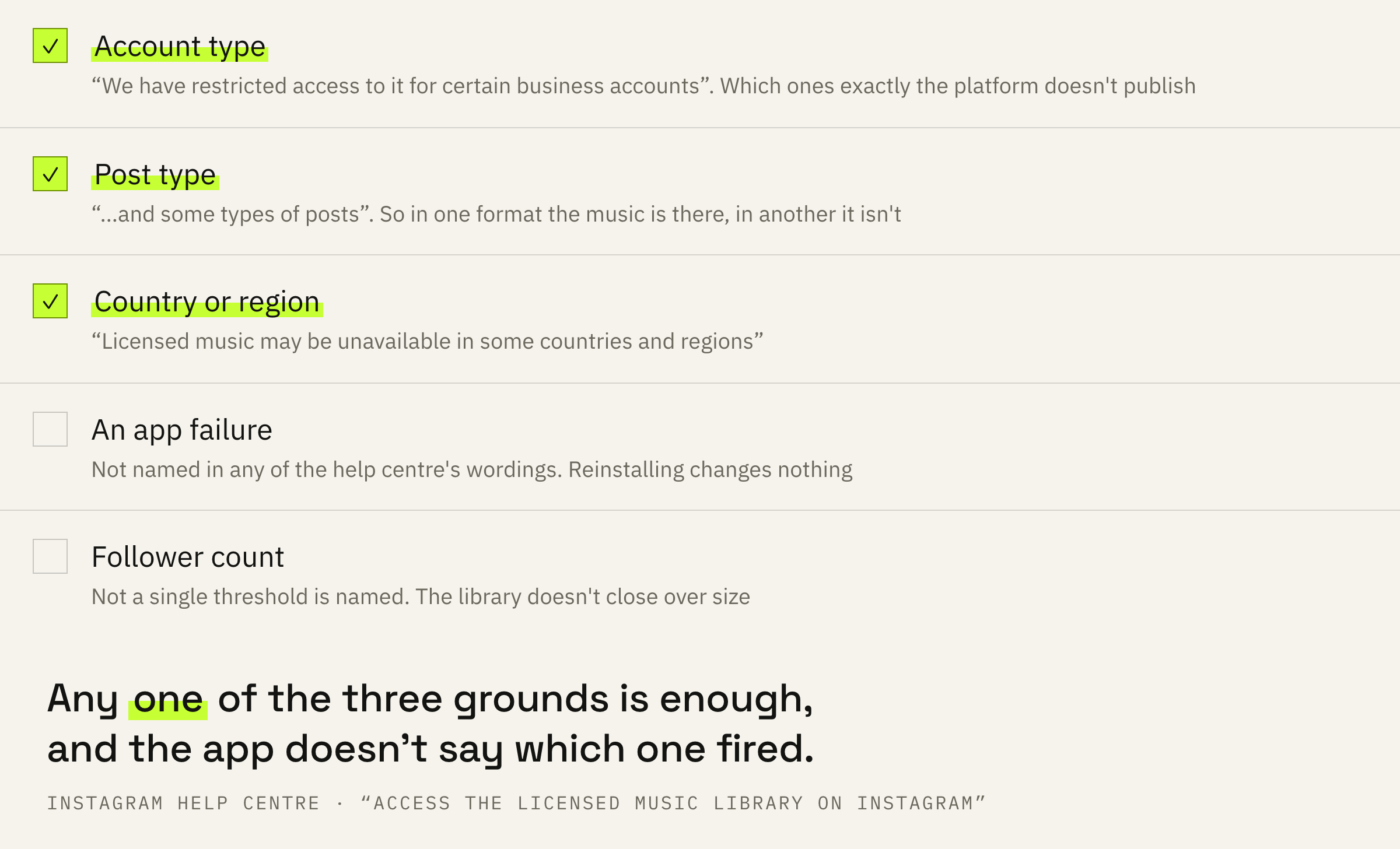
There is no list of “which business accounts exactly” in the help centre. It says “certain” — and that's all. So you can't check in advance whether your account belongs to that list: you find out by opening the music sticker.
What you get instead
A separate library almost nobody knows about.
In the same paragraph the help centre offers a way out, and it rarely gets noticed: if there's no access to the music library, there is the Meta Sound Collection.
Sound Collection provides access to over 14,000 songs and sounds which are entirely royalty free and safe to use in Reels and Instagram Stories. The content in Sound Collection can be used for commercial purposes like ads.
Instagram help centre · Meta Sound Collection
The difference between the two libraries is exactly the licence. The first is personal, non-commercial use, and that is precisely why it gets closed. The second was assembled from the start so that it could go into an ad.
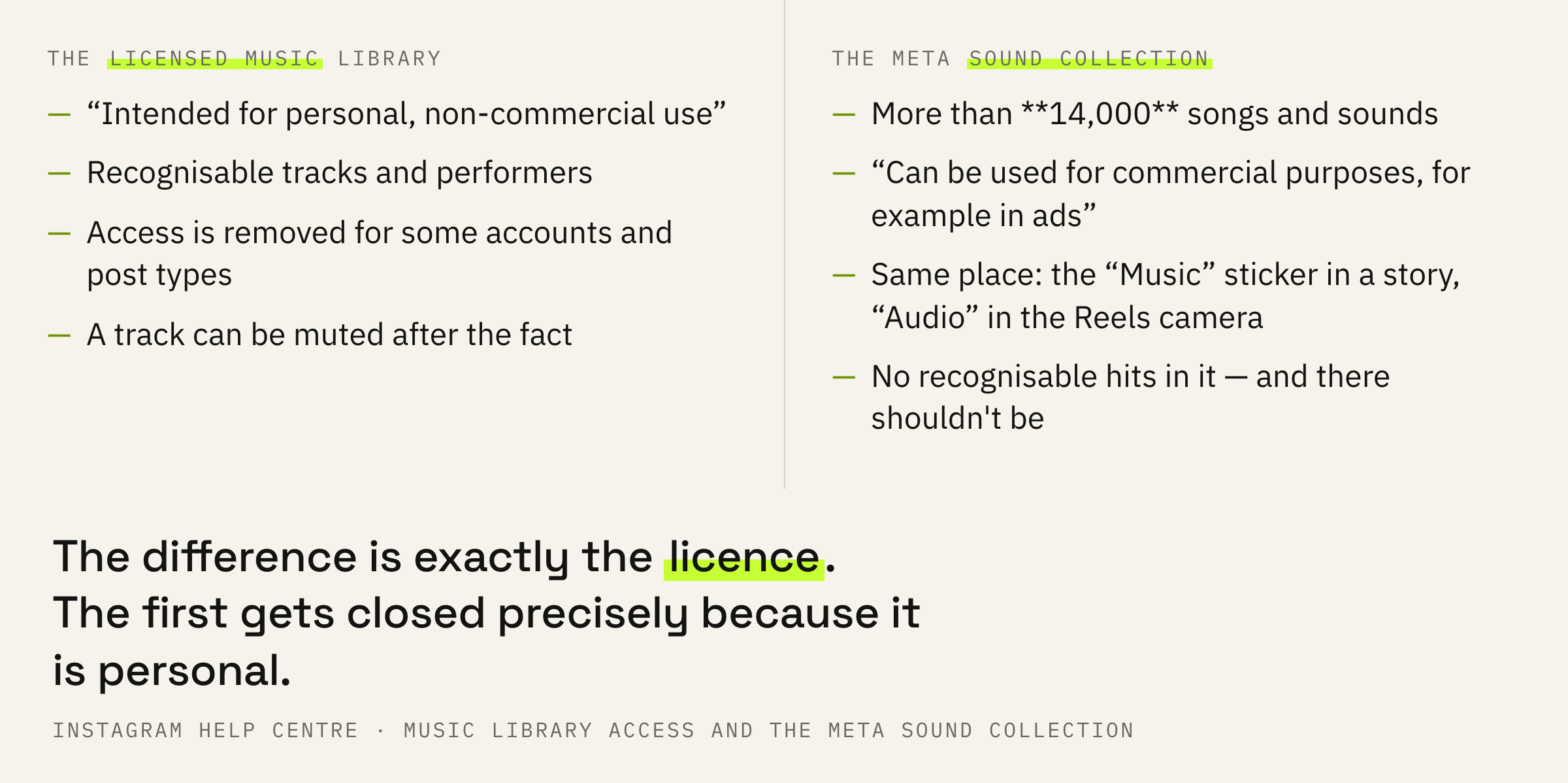
The Sound Collection often gets written off as “faceless background music”. Fourteen thousand tracks is more than a person can get through, and inside there's everything except recognisable hits. And a recognisable hit was closed to a commercial account from the very beginning.
The video stays, the music disappears
A separate help centre page describes what nobody expects.
The second common question sounds different: the music was there, the video went out, and some time later it says “Audio track unavailable” underneath. That is documented too, and documented calmly.
We have agreements with music rights holders meant to protect artists and creators. Any changes made to those agreements may result in your audio being muted. Your reel can still be viewed even if audio tracks have been muted.
Instagram help centre · replacing a muted audio track
Read the second half carefully. The video isn't deleted, hidden or downranked: it stays available to watch. Only the sound is taken away.
Then the platform offers a replacement tool, and it comes with two limits worth knowing in advance. You can replace audio only if the sound was muted — you simply cannot “swap the music” in a published video. And you'll have to replace one track at a time.
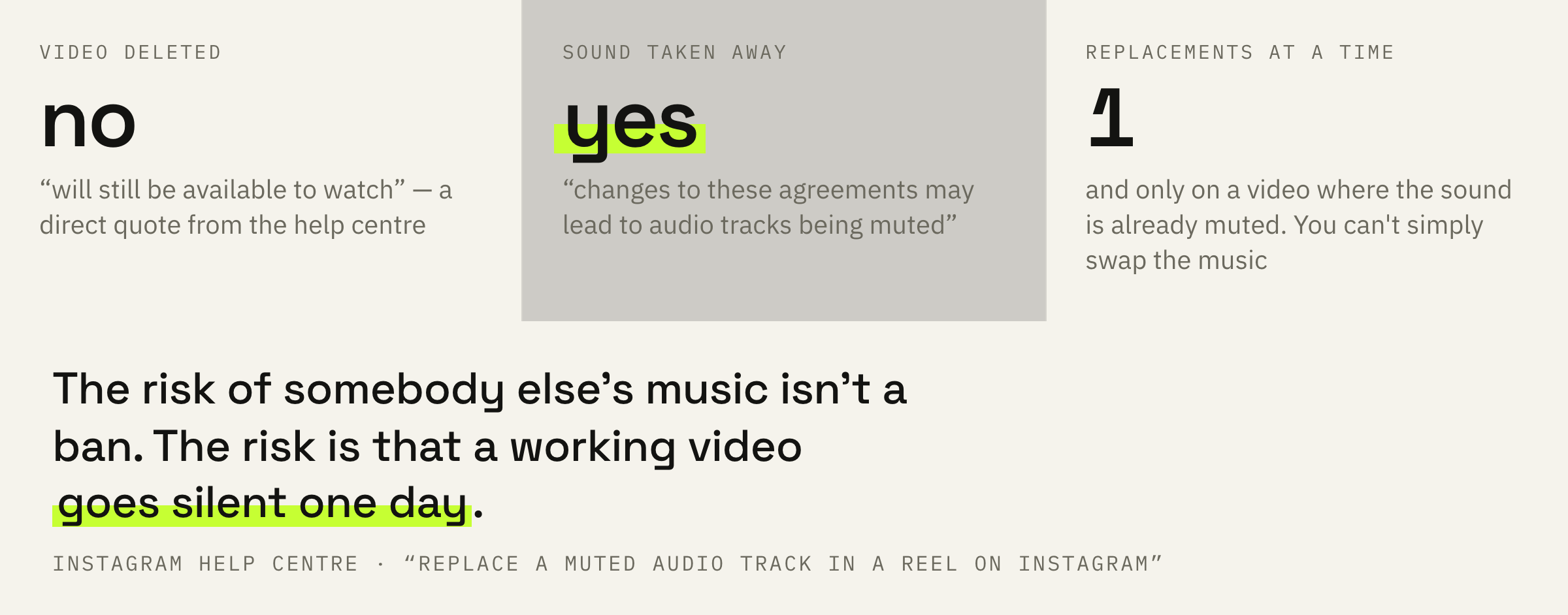
The risk of somebody else's music isn't a ban. The risk is that your best video will one day go silent, and the platform won't ask you about it. The longer a video keeps working on reach, the more that scenario costs.
This matters most for videos that keep bringing views for months. How that long tail of distribution works we covered separately: the mechanics of reach on Instagram.
If videos go out but the sound and the format get decided on the fly every time, we'll look at your recent posts and tell you what to fix first.
What to do this week
Four steps, and the first one takes a minute.
First: open the Reels camera or the music sticker in a story and see what's there. If there are no familiar tracks and the library looks thin, your account's access is closed, and from there you pick from what is available.
Second: find the Sound Collection. The help centre describes the path like this: swipe up and choose the “Music” sticker in a story, or tap “Audio” in the Reels camera. That is the library you're allowed to put into commercial content.
Third: move your recurring formats onto your own sound. Voice, live recording, original audio. Such a video can't be silenced by someone else's decision, and that is the only way to remove the risk described above entirely.
Fourth: once a month, scroll through your old videos looking for the “Audio track unavailable” note. The platform flags it on playback, but noticing it is your job, not the viewer's.
Take five videos that are still bringing views. If even one of them runs on licensed music that isn't yours, you have an open risk, and its cost equals whatever that video has left to bring.
What not to do
Four attempts to get around something there is no way around.
And the most common misconception around the topic: assuming it's about the country. The region is named in the help centre, but it stands third on the list, next to two other grounds. An account in the same country but of a different type may well see the whole library.
What to do next
Two minutes for today.
Open the Reels camera and see what the audio section shows. That is the answer to whether your library is closed, and getting it is faster than reading any article about it.
If access is closed, the next step is the Sound Collection and your own sound in the formats you shoot regularly. What is worth shooting regularly at all we covered here: how long a reel should be.
We'll look at your videos and tell you where the format works on reach and where it gets in the way — sound and opening seconds included.
If you want your videos to go out predictably — leave a request. We'll get in touch if there are slots available at the moment. There is usually a queue and a wait.