The Instagram map: off by default, the pin lasts a day
Location sharing is off when you first open the map, the pin is visible only to mutual followers and fades after a day, and three addresses can be hidden.
- Social media and AI
- How it works
- ≈ 7 minutes
A belief spread quickly around the Instagram map: the platform now shows people you know where you are. The Help Centre page describes a different arrangement. Location sharing is off when the map is first opened, the circle is limited to mutual followers, and the pin disappears on its own if the app goes unopened for a day.
What state the map is in when you first open it. Who can actually see your pin. How long it survives without the app being opened. How many addresses hide themselves. How the map setting differs from the permission granted to the app itself. Seven minutes of reading.
The map opens switched off
The default state is named in the very first line.
Start with what happens the moment you first open it.
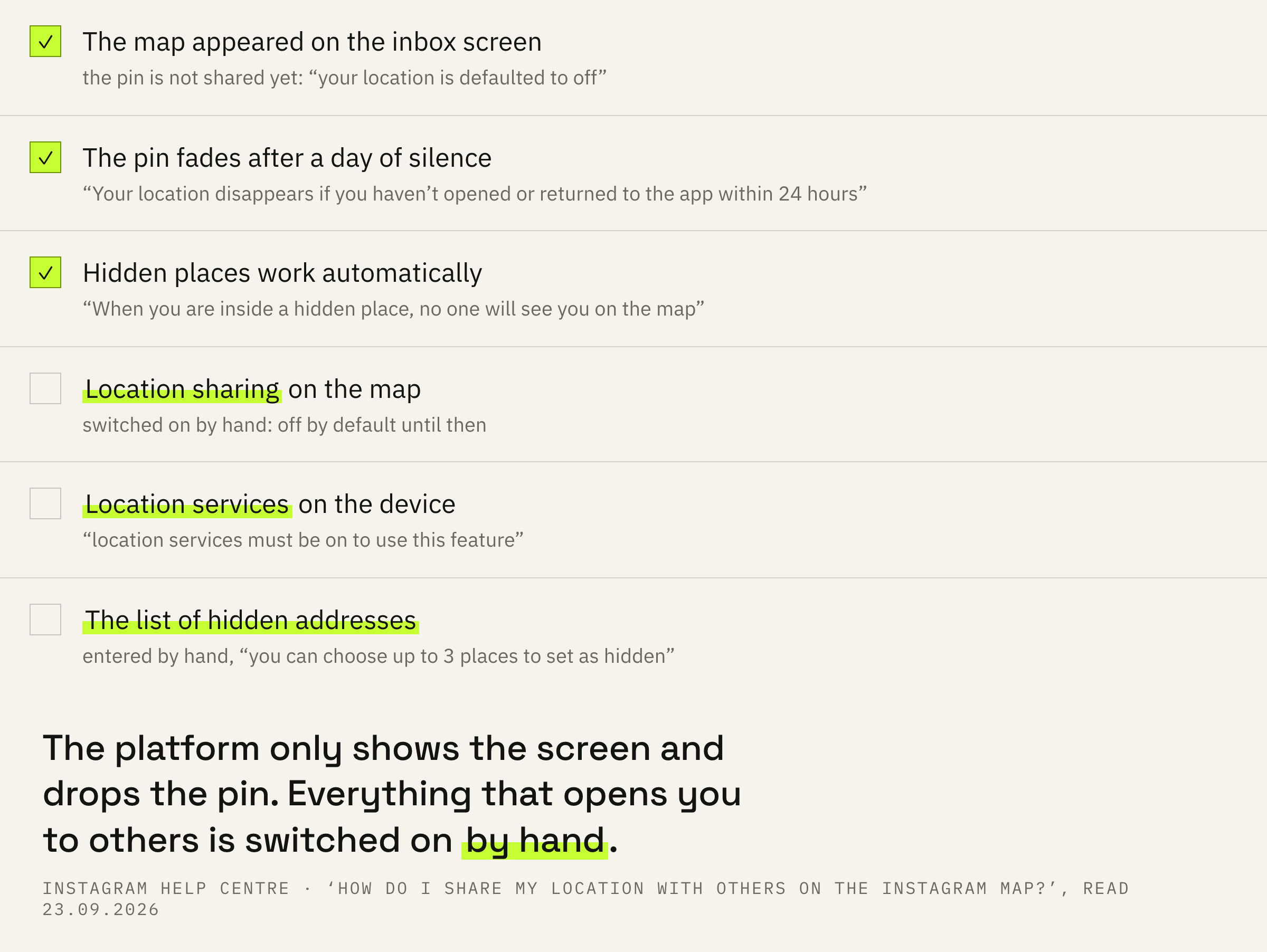
When you first access the Instagram map, your location is defaulted to off. If you choose to share your location, your location can be found in the map at the top of your inbox as well as other places like notes. Note: location services must be on to use this feature.
Instagram Help Centre · ‘How do I share my location with others on the Instagram map?’
One line names three things. Location sharing is off on the first visit, so the mere appearance of the map in the app puts nobody on it. Once sharing is on, the pin becomes visible on the map at the top of the inbox and in notes. And all of it works only when location services are switched on.
The top of the inbox is the screen where notes and channels already live, and the map moved in beside them. Hence half the alarm: the screen changed by itself, unasked, and that reads as a feature already running.
Location services are an operating system permission, not an item inside Instagram. Without it, location sharing on the map will not work, however hard you switch it on in the app.
Mutual followers only
The circle is drawn by one sentence, and drawn very tight.
The second question matters more than the first: who sees the pin if sharing is switched on after all.
Keep in mind that you will only be able to share your location with other accounts that follow you back.
Instagram Help Centre · the same page
The boundary is firm. Someone following you in one direction does not fall inside this circle. An account you follow that has not followed back stays outside as well.
The closest neighbour to this setting is the close friends list, and the two get confused constantly. The subject differs: there you decide who sees your content, here it is decided who sees a point on a map. The circle differs too: close friends are picked by hand, while the map rests on a mutual follow that built up over years with no thought of location.
For teens the circle is tighter still: they can share their location with adults they follow and with other teens.
A day without opening the app
The deadline after which the pin vanishes on its own.
The third line explains why the pin sometimes disappears without any settings being touched.
If you share your location, it will update each time you open Instagram or return to the app if it’s been running in the background. Your location disappears if you haven't opened or returned to the app within 24 hours.
Instagram Help Centre · the same page
The mechanics are simple. While the app keeps being opened, the pin updates on every visit and on every return from the background. After 24 hours without a launch, the location data is gone.
For the reader this means something plain: the map shows not a route but the last point where the app was opened. There is no continuous line of movement there, and the Help Centre never promises one.
Silent deadlines are hardly rare on Instagram, and mixing them up is costly: a deleted post runs its own counters that have nothing to do with the map.
Addresses that hide themselves
The only tool that works without you.
The fourth line offers a setting that fires without human involvement.
You have the option to automatically turn off location sharing when you’re in certain places. You can choose up to 3 places to set as hidden. When you are inside a hidden place, no one will see you on the map.
Instagram Help Centre · the same page
An address that should not light up goes onto the list once. After that the app stops showing you while you are inside such a place, and there is no need to remember the setting every time.
The limit here is in the count: up to 3 places can be hidden. They have to be spent like a scarce resource — home, the working studio, the address you would rather not say out loud.
Take the ones where you are regularly and for long stretches, not the ones you drop into once a month. A one-off trip will not reach the map anyway if the app stays closed at that moment. A permanent address, by contrast, surfaces on every visit, and that is the one worth hiding.
The map and the app permission
This is where people go wrong more than anywhere else.
Now to the line that makes people believe they switched everything off when they switched off half.
Your location sharing setting for the Instagram map is separate from your device's setting for location sharing with Instagram. For example, if you turn off location sharing to the Instagram map, location services can still be on for Instagram.
Instagram Help Centre · the same page
There are two switches, and they sit in different places: the map setting inside the app and the location permission granted to the app at the phone level. The first governs the pin that mutual followers see. The second governs the app’s access to location at all.
Switching off the first does not touch the second. The app can still reach for location for its own purposes, and the Help Centre warns about this in plain words, leaving no room for guesswork.
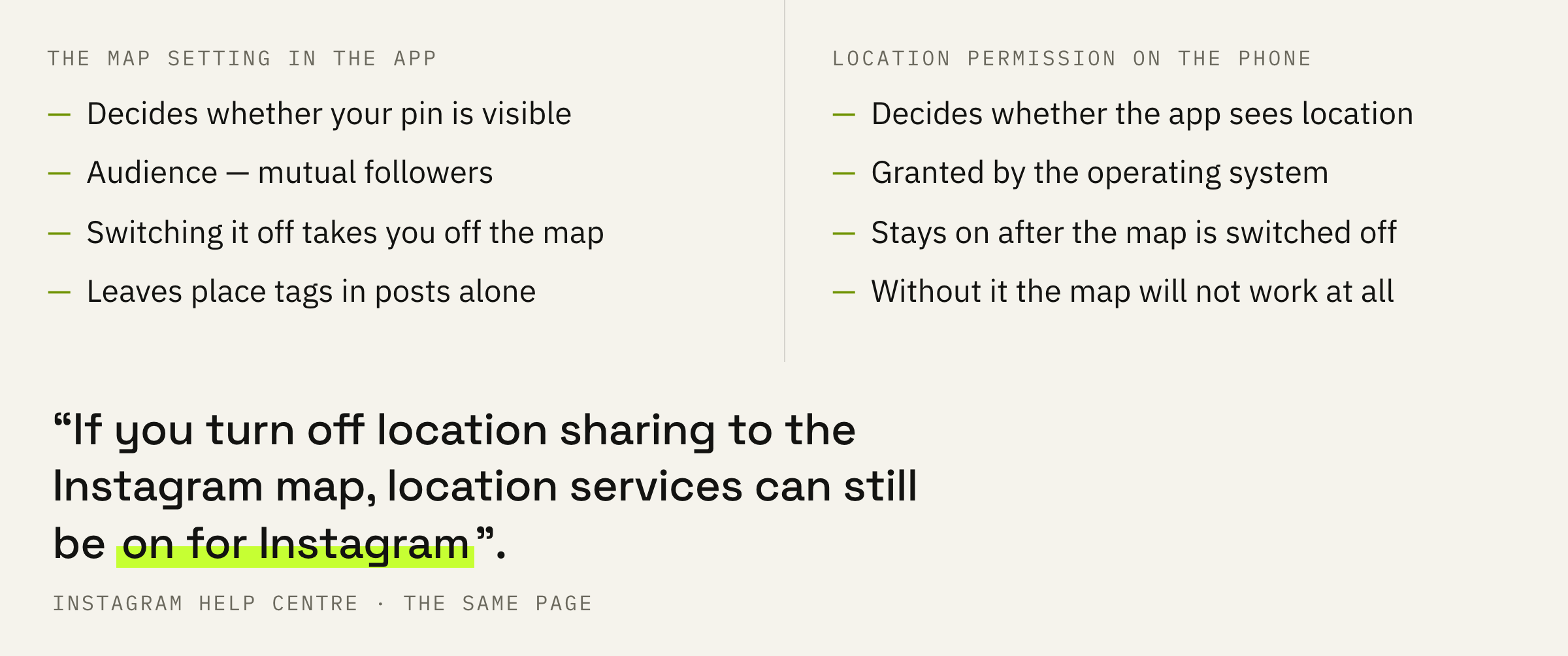
The reverse move is worth understanding too. Banning location for the whole app is a bigger decision than it looks: place tags in posts and everything else that leans on them fall under it. The narrow map setting closes the pin exactly and leaves the rest alone.
We will look at your whole profile and tell you which access settings sit there by default and what is worth changing before your next post.
A checking order and three mistakes
Five steps that close the question.
First: open the map and look at the state location sharing is in. This answers the main question of the topic, and it takes half a minute.
Second: reread the circle of mutual follows with your own eyes. It piled up over years for other purposes, and now it decides who sees the pin.
Third: put into hidden places the addresses that should not appear on somebody else’s screen. The limit is small, so the points you visit most often go onto the list first.
Fourth: separate the two switches. The map setting and the app permission live apart, and switching off one does not cancel the other.
Fifth: come back to this screen from time to time. Access settings in the app are not the only ones, and the neighbouring ones work by their own rules: the hidden words filter is a case in point.
One small thing remains, and it takes the awkwardness out of the conversation.
People that’ve asked to see your location won’t be notified when you decline their request.
Instagram Help Centre · the same page
A request to see your location comes from someone in the same circle, and the refusal stays quiet. A declined request does not turn into a notification and does not start a conversation nobody wanted.
Ask yourself two questions in a row. Is location sharing on for the map itself, and who is inside the circle of mutual follows. The first answer decides whether anyone sees you at all. The second decides exactly who.