Channels on Instagram: one notification to your whole audience
The help centre describes the channel notification only for the first message. We go through how people get into a channel, what outsiders can see and why the launch happens once.
- Social media & AI
- Mechanics breakdown
- ≈ 8 min
A channel on Instagram looks like a chat and works like a broadcast. The main thing about it is described in a single line of the help centre, and that line is worth reading before you send the first message: there won't be a second notification like it.
How people end up in a channel, why the launch happens only once, and what of the goings-on inside is visible to outsiders. Eight minutes of reading.
Not a feed and not a chat
A third surface inside the same app.
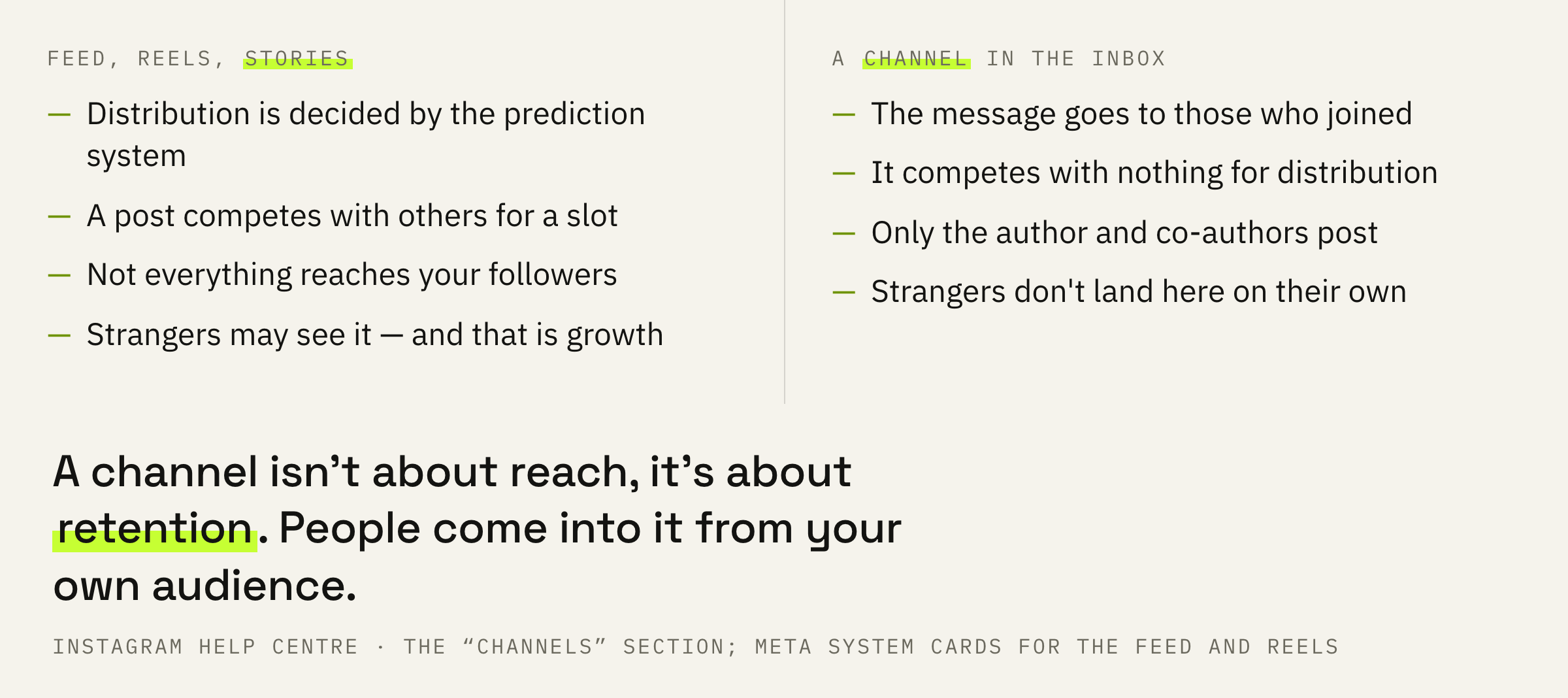
A channel lives in your inbox, next to direct messages. Messages in it are posted by the author or a co-author — that is how the help centre describes it. Everyone else can read, react, reply and vote in polls.
That is a fundamentally different distribution logic. A post in the feed competes for a slot against other people's publications and doesn't reach every follower. A message in a channel goes to those who joined it, and competes with nothing.
A channel admin's set of rights is modest and clear: change the name and topic, share the channel in stories, invite and remove co-authors and moderators, unsend messages, manage reactions and replies, delete the channel.
“Unsend messages” deserves its own mention — what has been sent can be taken back. In a broadcast that arrives as a notification, that button is worth more than it looks at first glance.
One notification to the whole audience
The line this article was written for.
The question that decides a channel's fate: where do people in it come from at all. The help centre answers directly.
If a creator you follow starts a channel and sends the first message, you will receive a notification.
Instagram help centre · how to join a channel
Read that as a producer. At the moment of the first message the platform itself delivers a notification to your entire follower base. No feed, no selection, no competition for distribution.
And now the important limit that usually goes unmentioned. The notification is described in the help centre only for the first message. There is no promise in the documents that the second and third will also go out as notifications to those who haven't joined.
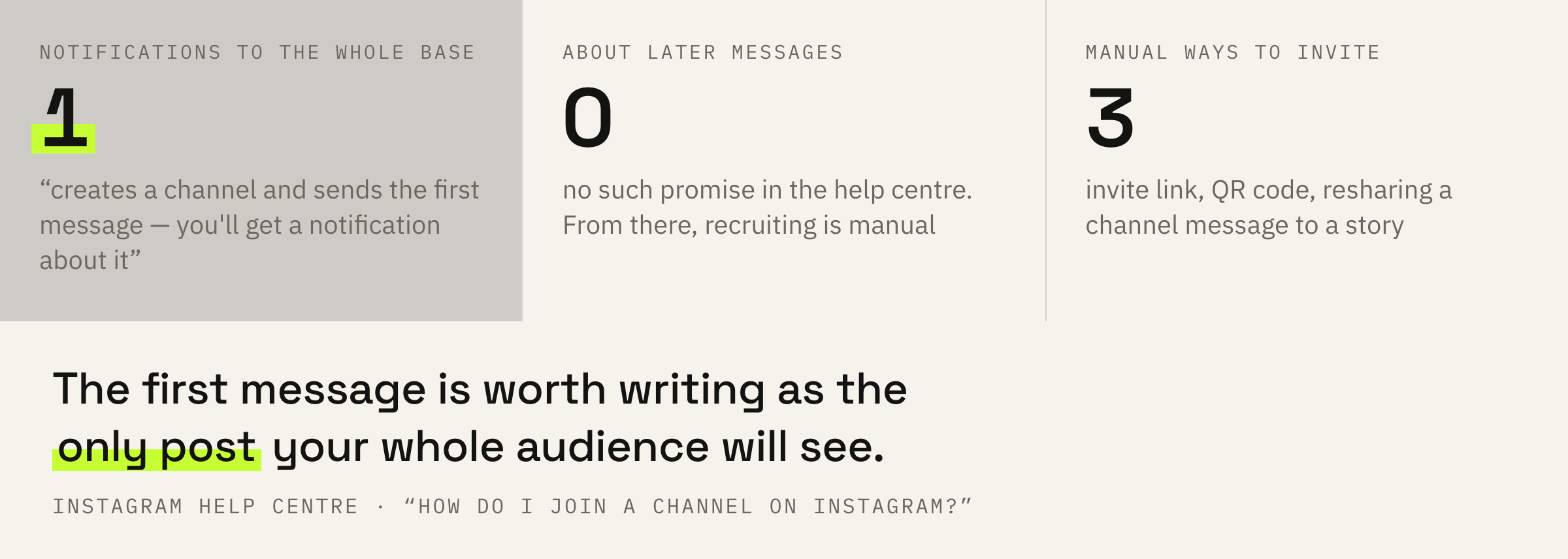
A channel launch is an event that happens once. The first message is worth writing as if it were the only post your entire audience will see. Because, judging by the documents, that is what it is.
After that, recruiting is manual. The help centre names three ways to invite people: an invite link, a QR code, and resharing a channel message to a story — the viewer taps the image and lands in the channel.
Reactions and replies are visible to anyone
This changes what you can ask for in a channel.
One more line of the help centre that gets skipped, and it determines which mechanics work in a channel and which are better left alone.
Your reactions, replies and responses to polls in channels are visible to anyone on Instagram. Note: users may be able to see that you're a member of a channel, whether or not they also join.
Same page
So being in a channel is a public act. A person replying to you in a channel does it in the open, and that is worth accounting for in two places.
First: don't ask in a channel for what a person isn't ready to say publicly. A poll about income, about personal problems, about disagreeing with someone — all of that gathers fewer answers in a channel than in DMs, and the reason isn't your wording.
Second: the flip side of the same property works for you. Activity in a channel is visible from the outside, which means the channel doesn't look empty to someone who hasn't joined yet.
We covered the same fork on the neighbouring platform: on Telegram the one automatic showcase runs on the audience you already have — similar channels on Telegram. Here it's the same thing, only instead of a showcase there's a one-off notification.
If you have an audience but can't turn it into a base you control, we'll look at your funnel and tell you where it breaks off.
What to do before the first message
Four steps, and all of them happen before you press the button.
First: decide why the channel should exist. Not “so that there is one”, but what a person gets there that they don't get in the feed. With no answer to that, the first message goes out for nothing, and there won't be a second notification like it.
Second: write the first message in advance and set it aside for a day. It is the only text in your account that the platform will carry to all your followers itself.
Third: prepare the second week. A channel gets filled by a notification once, but it lives on regularity — and this is where the real problem starts.
You can always put your own blog off “until Monday”, and that is exactly why most agencies' founder blogs are dead.
Fares Akhmedov, IMPERVIR
With a channel it's the same, only more noticeable. An empty feed forgives a pause, because you simply don't see it. A channel in the inbox reminds you of itself by its silence: a person sees it next to live conversations.
Fourth: count replies, not members. How many people joined is visible right away and flatters the ego. How many of them react and reply a month later — that is the number telling you whether the channel works or merely exists.
Take the last four messages in your channel and see how many people replied or reacted to at least one. If that's under a tenth of the members, your channel isn't a conversation yet, it's a second feed.
What not to do
Four decisions that waste the only shot.
And the general extreme: treating a channel as a replacement for everything else. It's one more surface, not a new platform. People come into it from your own audience — the one you gather in the feed, in reels and in stories.
What to do next
Two minutes for today.
If you don't have a channel, don't create one today. Write the first message first — the one that will go out as a notification to everyone. When you stop liking it on rereading, you'll know it's ready.
If the channel already exists and it's quiet in there, start with the question of why a person joined it. Content is the second step here. We did a similar breakdown for moving an audience: how to move people from Threads to Telegram.
We'll look at where your audience lives now and at which step the path from a view to a request gets lost.
If you want your audience to turn into requests predictably — leave a request. We'll get in touch if there are slots available at the moment. There is usually a queue and a wait.