Photo quality on Instagram: 1,080 pixels on top, 320 at the bottom
The app does not ruin the file, it brings it to its own limits: wider than 1,080 pixels gets sized down, under 320 gets enlarged, outside 1.91:1 to 3:4 gets cropped.
- Social media and AI
- How it works
- ≈ 8 minutes
“Instagram ruins photos” is a complaint that usually covers something else. The app does not ruin the file, it brings it to a corridor of its own: wider than 1,080 pixels gets sized down, under 320 gets enlarged, outside the range from 1.91:1 to 3:4 gets cropped. Inside the corridor the original resolution stays untouched, and from there the camera decides the quality.
The ceiling by width and what happens above it. The limits inside which resolution is kept unchanged. Three things the app does to a file that missed the corridor. What the Help Centre recommends uploading. Why the last word belongs to the phone's camera. Eight minutes of reading.
A ceiling of 1,080 pixels
The number that explains the fate of a heavy original.
Start with the upper limit, because that is what people run into most often.
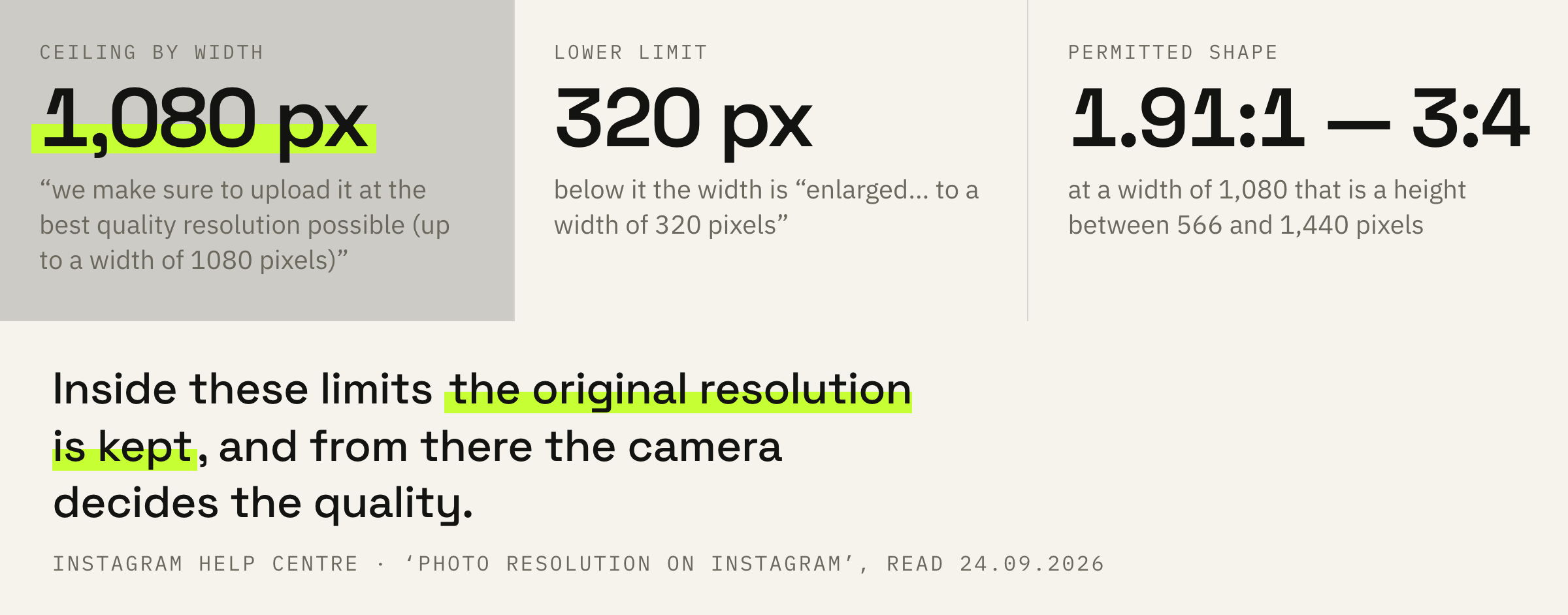
When you share a photo on Instagram, regardless of whether you're using Instagram for iPhone or Android, we make sure to upload it at the best quality resolution possible (up to a width of 1080 pixels).
Instagram Help Centre · ‘Photo resolution on Instagram’
The bracket at the end of that sentence answers half the questions. “The best possible” has a ceiling, and the ceiling is named as a number: a width of up to 1,080 pixels.
Hence the first practical conclusion. A photo twice as wide as the ceiling gives you nothing more in the feed than a photo exactly 1,080 pixels wide: the app brings it to that width anyway. The difference between them stays in the original on your phone.
When the original is left alone
The condition under which the app does not touch the file.
Keeping the original has two conditions at once, and they are named in one line.
When you share a photo that has a width between 320 and 1080 pixels, we keep that photo at its original resolution as long as the photo's aspect ratio is between 1.91:1 and 3:4 (a width of 1080 pixels with a height between 566 and 1440 pixels).
Instagram Help Centre · the same page
The first condition is width: between 320 and 1,080 pixels. The second condition is shape: an aspect ratio between 1.91:1 and 3:4. With both met, the resolution stays original and the app does not touch the file.
The bracket spells the shape out in pixels. At a width of 1,080 the height lives between 566 and 1,440. Anything above 1,440 goes into the vertical made for Reels and no longer suits a photo in the feed.
It is easier to remember through height: at a width of 1,080 the extremes are 566 pixels for a horizontal frame and 1,440 for a vertical one. Everything the app accepts without editing lies between them.
Crops, enlarges or sizes down
What happens to a file beyond the corridor.
For everything that missed the corridor the Help Centre describes three different actions.
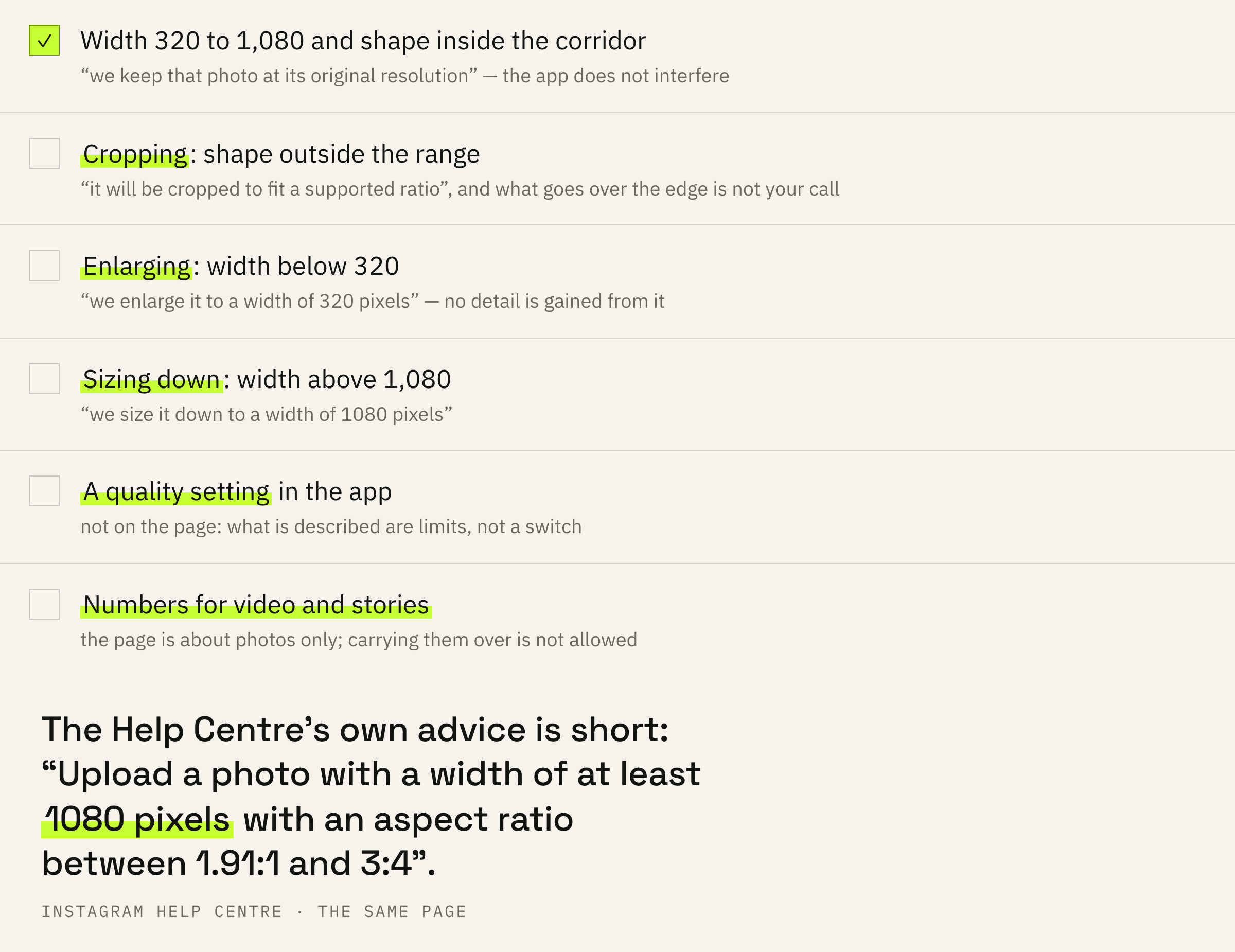
If the aspect ratio of your photo isn't supported, it will be cropped to fit a supported ratio. If you share a photo at a lower resolution, we enlarge it to a width of 320 pixels. If you share a photo at a higher resolution, we size it down to a width of 1080 pixels.
Instagram Help Centre · the same page
Each action answers its own limit. A shape outside the range means cropping. A width below 320 means enlarging to 320. A width above 1,080 means sizing down to 1,080.
The first one is the nastiest. Cropping changes the frame rather than only its size: part of the image simply disappears, and the app makes that choice for you.
Second in unpleasantness comes the enlarging. A small file does not gain detail from it, it is merely stretched to the minimum width. Screenshots and pictures from messengers land here constantly, and with somebody else's re-saved material the originality rule is added to the loss of quality.
What the Help Centre recommends uploading
One line that closes the whole question of settings.
The platform's own recommendation is short and leaves no room for guesswork.
Upload a photo with a width of at least 1080 pixels with an aspect ratio between 1.91:1 and 3:4.
Instagram Help Centre · the same page
So the target is exactly the upper limit of the corridor and a permitted shape. A width from 1,080 guarantees that sizing down will be the only edit, and a respected ratio removes the cropping.
Cropping to 1.91:1 — 3:4 has to happen before uploading, in your own editor. Then you decide what goes over the edge and the app has nothing left to crop. The tallest of the permitted shapes is 3:4, and in the feed such a frame shows up larger than a square one.
There is no hidden quality setting in the app either. Everything you control sits before the moment of upload, and after that the described corridor takes over — in just the same way as the rules of a carousel are settled while shooting.
The last word belongs to the phone
The only item in the Help Centre that is not about numbers.
In the list of recommendations there is a line that stands apart from the technical row.
Make sure you're using a phone with a high-quality camera as different phones have cameras of varying qualities.
Instagram Help Centre · the same page
The platform says it outright: inside the corridor its work ends. Two frames of identical width and identical shape will look different, and the difference is made by the equipment rather than by the app.
For a working account that removes a whole layer of searching. If a photo looks weaker than you hoped while the width and the ratio are fine, the Instagram settings are not the reason.
We will look at your most recent shoot and tell you where the picture is lost: in the equipment, in the light or in the cropping for the feed.
The order of steps and three mistakes
Four steps before the Share button.
First: crop in advance. A ratio between 1.91:1 and 3:4 is set in the phone's editor in half a minute, and that removes the risk of cropping.
Second: keep the width at 1,080 pixels or above. Less, and the app enlarges it if you drop below 320; more, and it simply sizes it down with no benefit to you.
Third: do not re-save the file along the way. Every forward through a messenger hands out a smaller file at the other end, and that is what goes into the feed.
Fourth: do not carry these numbers over to other formats. Reels videos have their own requirements and their own Help Centre page, and about video compression the platform writes nothing at all.
Before publishing, look at two numbers in the file's properties: the width and the height. A width from 1,080 and a height between 566 and 1,440 mean the app will change nothing.