Favourites on Instagram: a viewer's list you never learn about
Favourites is not a folder of saved posts but a viewer's list of up to 50 accounts: it lifts your posts in their feed, and no notification about it reaches you.
- Social media and AI
- How it works
- ≈ 7 minutes
“Favourites” on Instagram gets confused with the folder of saved posts, and wrongly so. It is a viewer's list: a person puts accounts into it, and their posts rise higher in that person's feed. The list belongs to them, there is no way to learn you are in it, and the platform names favourites outright as one of the signals that build the order of the feed.
How favourites differ from saved posts and from close friends. How many accounts fit in and why that number is only in the Russian Help Centre. Why the author never finds out. What place favourites take among the feed signals. What follows from that for the work. Seven minutes of reading.
Whose list this actually is
The first thing to pull apart in this subject.
Start with what this feature actually does.
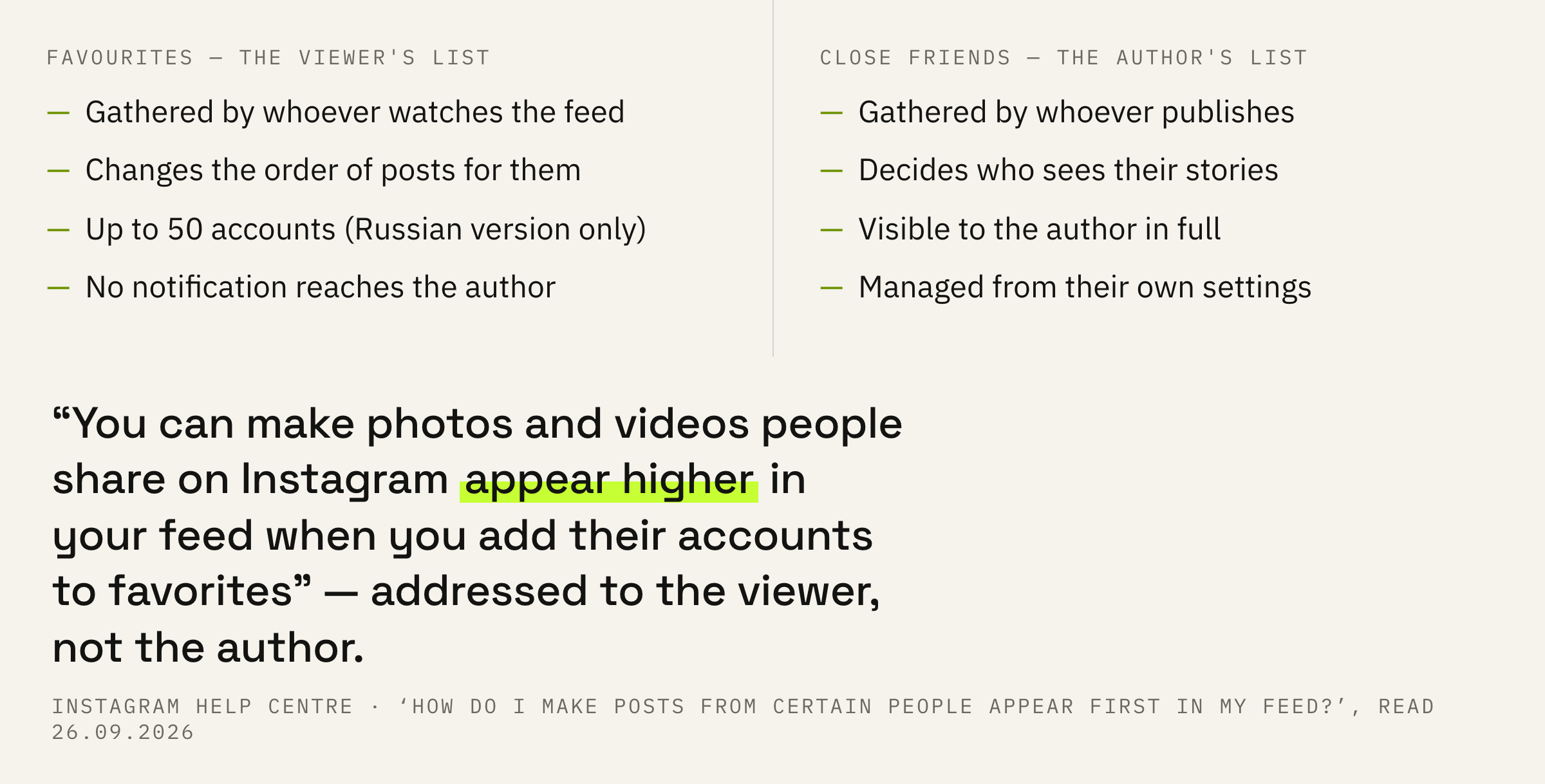
You can make photos and videos people share on Instagram appear higher in your feed when you add their accounts to favorites.
Instagram Help Centre · ‘How do I make posts from certain people appear first in my Instagram feed?’
Note the “you” in that line. The Help Centre addresses the reader as a viewer: they are the one adding other people's accounts and their feed is the one that changes. From the author's side the feature cannot be operated at all.
Here is the first discrepancy between versions. The Russian page promises the posts will appear first, while the English one puts it more softly: they will appear higher in the feed. One version is a strong promise and the other a cautious one, and the cautious one is what to count on.
The second common mix-up is with close friends. There the list is gathered by the author and decides who sees their stories. Here the list is gathered by the viewer and decides whose posts they themselves see first. The sides of the screen differ.
Fifty places and silence
Two lines that are missing from the English version.
The list has a ceiling and one important property, and both details live only in the Russian version of the page.
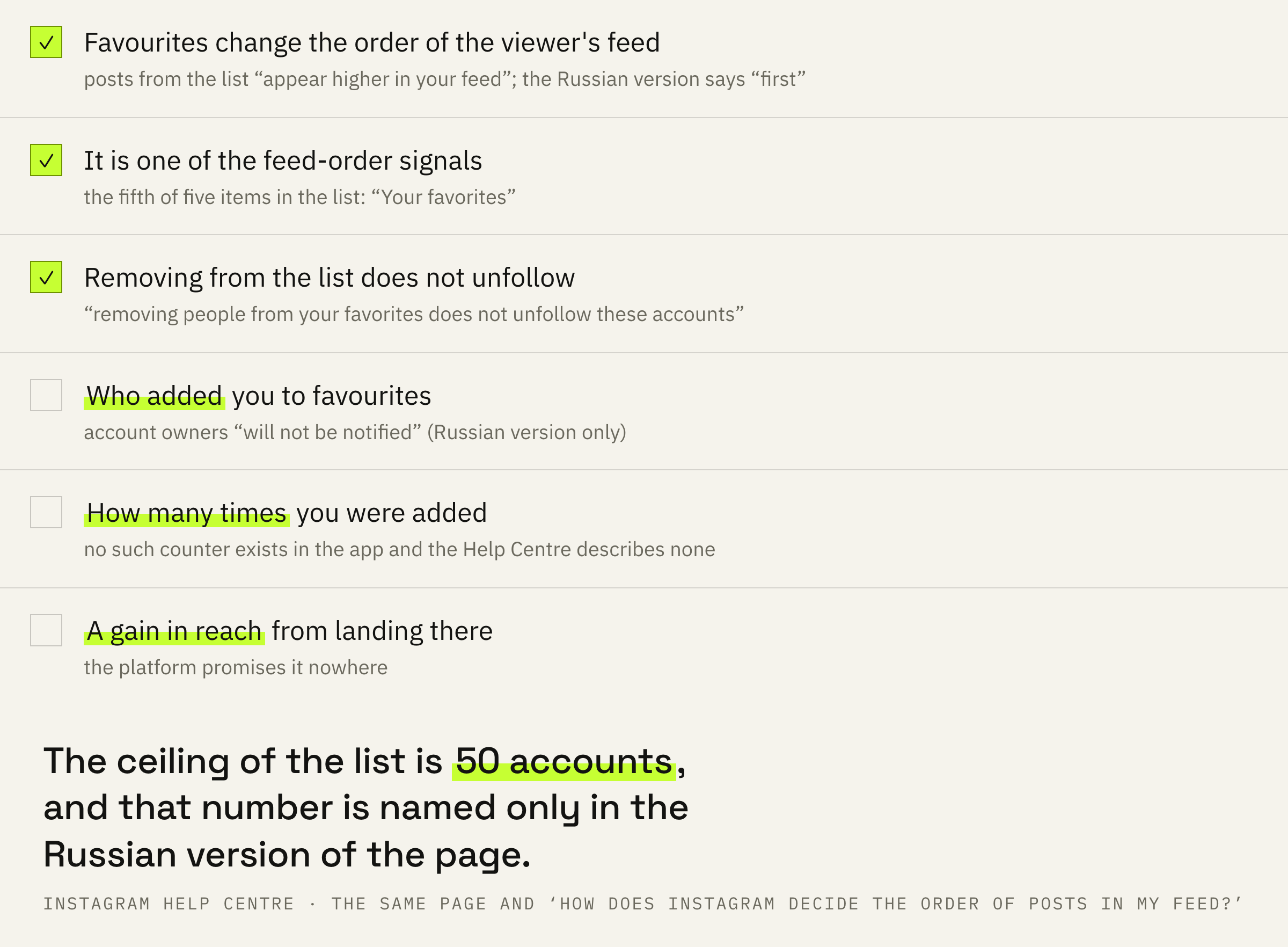
The Russian Help Centre says: up to 50 accounts can be added to favourites, and the owners of those accounts will not be notified that you did it. On the English page these lines are absent entirely.
The ceiling is clear enough: there are not many places, and a viewer spends them on those they genuinely wait for. The second line, though, changes the whole subject.
There is no way to learn that you were added to favourites, neither for the author nor for anyone looking from outside. No screen, no counter, no list. Any service promising such statistics is not taking them from Instagram.
The same page says posts from favourites are shown in the feed starting with the newest. That line is also only in the Russian version.
Removing from favourites is not unfollowing
A caveat that removes the viewer's worry.
In a line of its own the platform closes the question that keeps lists uncleaned.
Keep in mind that removing people from your favorites does not unfollow these accounts.
Instagram Help Centre · the same page
So favourites sit on top of following and live separately from it. An account can be taken out of the list while the following remains, and following on its own adds nobody to favourites.
For an author that leads to an unpleasant but useful conclusion. A person can stay your follower and still carry you out of their fifty places, and no number in the statistics will show it.
Its place among the feed signals
Favourites are named in the list outright.
The second Help Centre page explains how the order of the feed is built at all.
Instagram's technology uses a variety of ways, or signals, to determine the order of posts in your feed.
Instagram Help Centre · ‘How does Instagram decide the order of posts in my feed?’
A list of those signals follows, and it has five items. The last one is named briefly.
Your favorites
Instagram Help Centre · the same place
The two lines are worth reading together. Favourites are not a separate mechanism on top of the feed but one of the signals inside it, the fifth of the five listed. It affects the order without cancelling the rest.
That explains why landing in somebody's favourites does not turn into a jump in reach. The Instagram feed counts several things at once, and a viewer's list is only one of them.
The only lever available
It cannot be managed, it can be earned.
Putting it all together gives an uncomfortable but honest picture. The list is held by the viewer, there is no notification, landing in it cannot be checked, and the platform promises no effect from landing there.
Exactly one lever remains: a reason worth one of their places. The places are finite, and they are chosen on one test: would it be a pity to miss it.
In practice that means a simple thing: regularity and predictability matter more than a single successful post. People put into favourites not those they liked once, but those whose posts they would rather not hunt for in the feed.
We will look at your feed through a follower's eyes: what they see first, what they wait for and what brings them back. We will tell you where the habit of reading you breaks down.
Check it by the numbers, though: a fall in reach has a dozen explanations, and somebody's favourites are far from first on that list.
The order of steps and three mistakes
Four conclusions, all of them checkable.
First: stop looking for who added you to favourites. There is no notification, and no such statistic exists inside the app.
Second: do not confuse a viewer's list with your own settings. Your close friends and somebody else's favourites live on different sides of the screen.
Third: do not expect a jump in numbers from landing in favourites. It is one signal out of five, while being shown to strangers is arranged by entirely different rules.
Fourth: work for the habit. Fifty places in somebody's list go to those whose posts are awaited, and people usually wait for consistency of subject and rhythm.
Ask yourself the question on your follower's behalf: would they be sorry to miss your latest post. An answer of no means you have not yet earned a place among somebody's fifty.