Collabs on Instagram: how they differ from a tag
Tagged content isn't shared with your followers, a collaborative post is. Plus the primary creator's rights: delete, go private or block — and the post is gone.
- Social media & AI
- Mechanics explained
- ≈ 8 min
Collabs and tags look alike: in both cases somebody else's name shows up on the post. The Help Centre describes the difference in a single line, and that line decides everything: tagged content isn't shared with your followers, a collab post is.
How a collab differs from a tag, in one sentence from the Help Centre. What happens to the post if the primary creator deletes it, goes private or blocks the collaborator. The rules for private accounts that turn a private post into a public one. Eight minutes of reading.
Tags and collabs
They look alike on screen and work differently.
Tagging someone in a photo and adding them as a collaborator are two different actions. The Help Centre explains the difference outright.
If someone tags or mentions you in a photo or video, that photo or video won't be shared with your followers. If you collaborate on a post, that post will be shared with your followers.
Instagram Help Centre · “Create collaborative posts on Instagram”
That is the whole point of the mechanic. A tag adds the post to your profile and notifies you, but it doesn't touch your followers' feeds. A collab carries the post to them.
The second difference is about authorship as such. A tagged person is not counted as an author, while someone who accepted an invite is, and their name stands on the post next to the creator's.
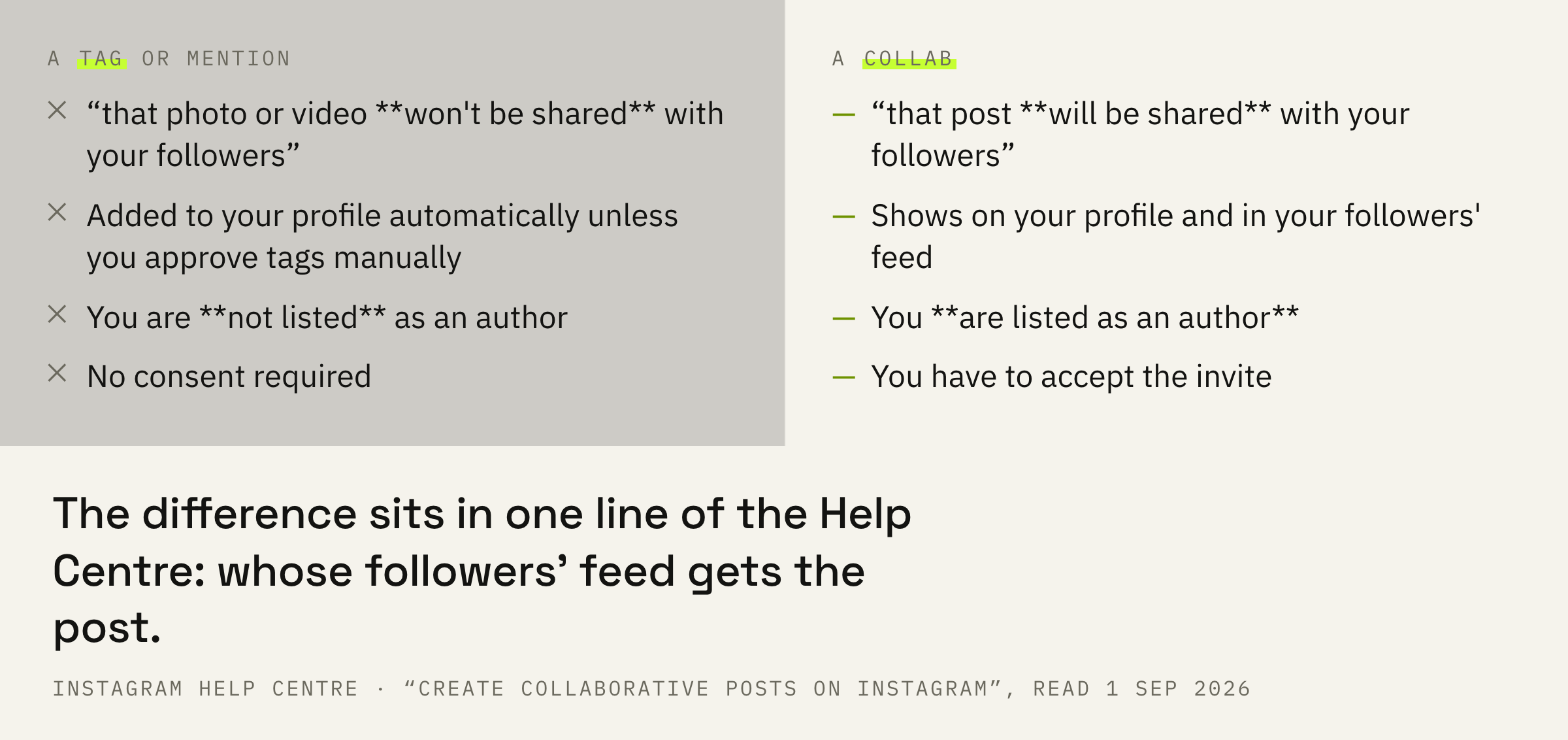
A collab is a mutual action. The creator can invite, but the post appears on the collaborator's side only after they accept the invite.
What the collaborator gets
The profile, the followers' feed and all the engagement.
Whoever accepts the invite gets three things.
If the account accepts the invite, their username will be added to the post and the post will be shared with their followers. It will also show on their profile. Accounts that accept a collaboration invite can see all likes and comments on the post.
Instagram Help Centre · the same page
A name on the post, distribution to followers, access to the reactions. And then begins the part people agree on less often than they should.
Neither the Help Centre nor the ranking system cards has a single line saying collaborative posts are shown more often or higher. The mechanic widens the circle the post reaches, and that is where its described effect ends. Promises that “a collab doubles your reach” do not rest on the documents.
There is one primary creator
And they hold more rights than people assume.
There can be several collaborators, but the creator of the post stays a single person.
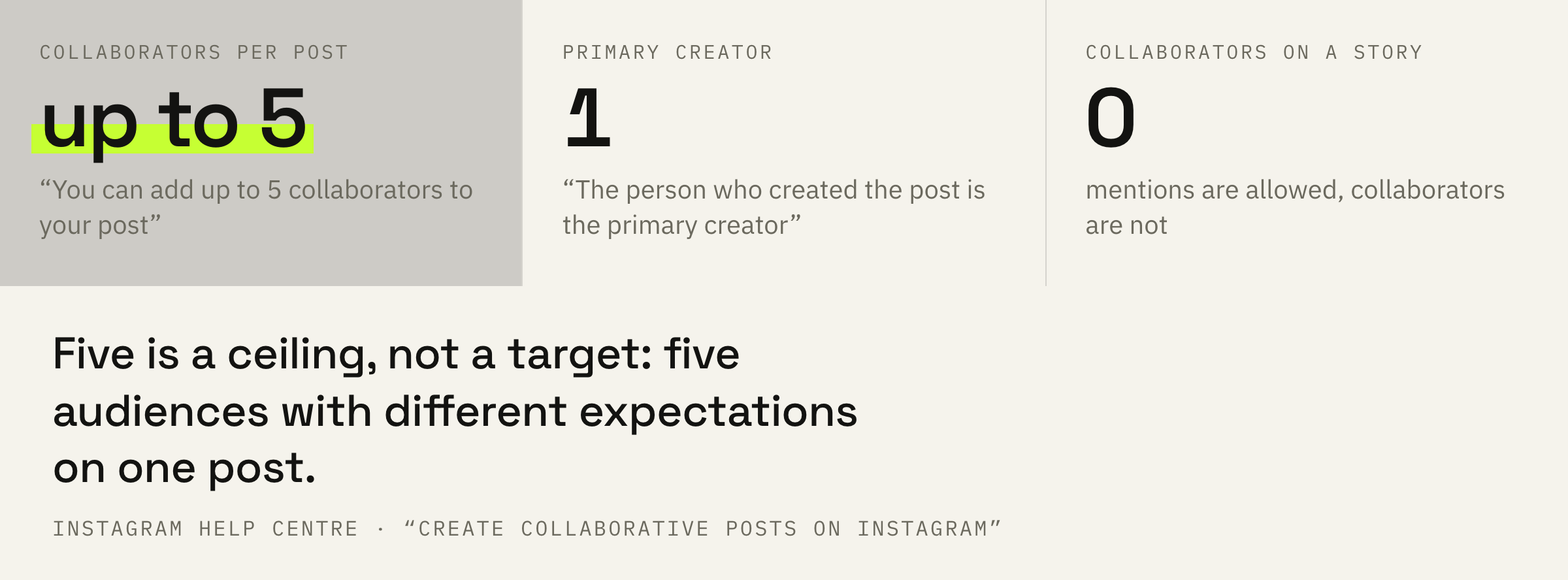
You can add up to 5 collaborators to your post. The person who created the post is the primary creator.
Instagram Help Centre · the same page
What follows is the list of consequences worth reading before you build a joint launch on top of a collab.
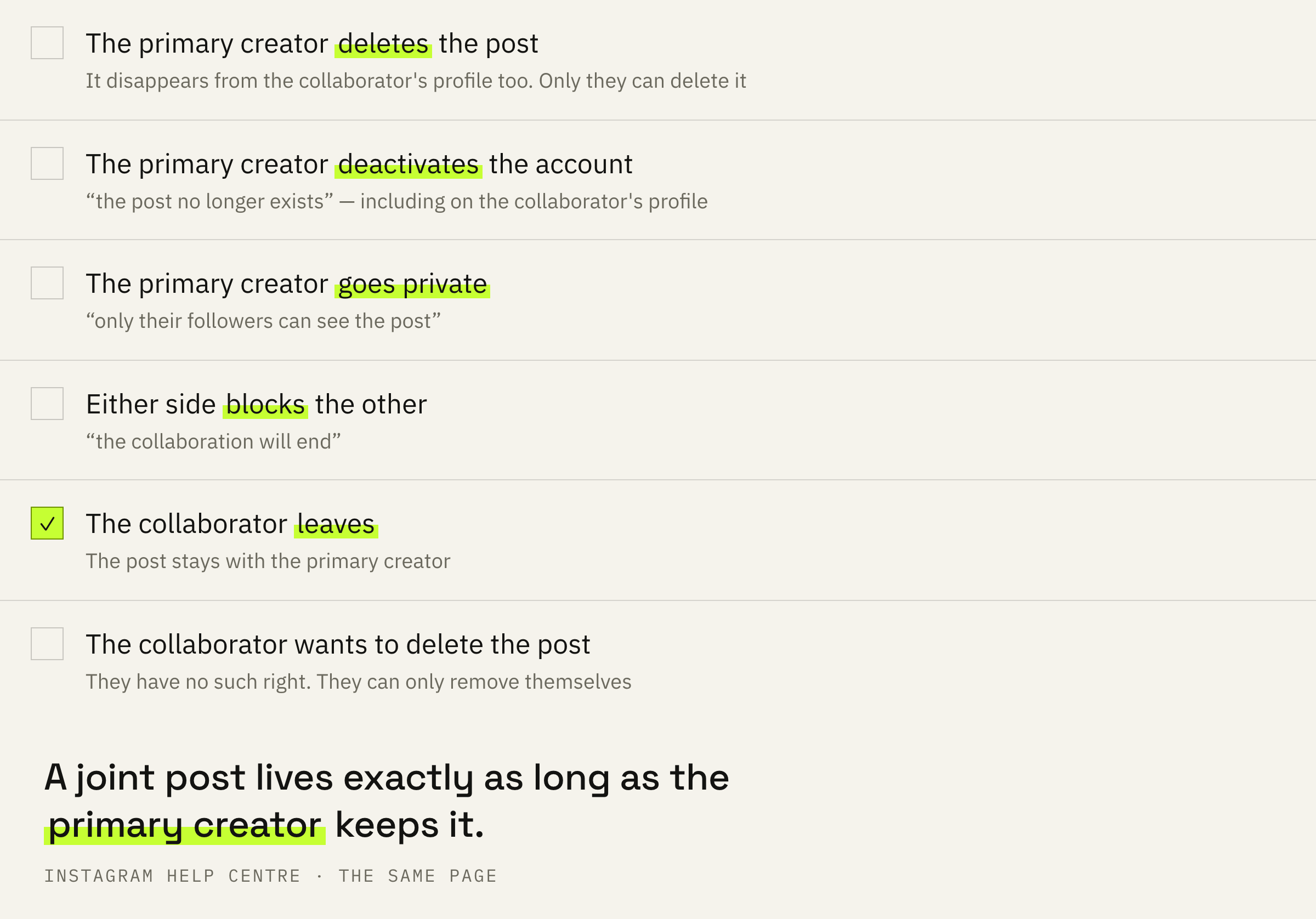
Only the primary creator can delete the post, and it disappears from the collaborator's profile along with the original. If the primary creator deactivates their account, the post no longer exists. If they switch to private, only their followers can see it.
A block in either direction ends the collaboration. The collaborator can also leave at any time, and the post stays with the creator.
A collab is access on the other side's terms. Everything you put into a joint post lives exactly as long as the primary creator keeps it. For a one-off collaboration that is fine; as the base of a funnel it is not.
We'll look at your account and your partner's and tell you who in this pair should be the main author and what you'll get out of it.
A private account and a public collaborator
The place where a private post becomes public.
The rules depend on whether your account is public or private. A public one can invite anybody, a private one only those who follow it.
And there is a line worth reading twice if your account is private.
If a public account accepts a private account's invite, the post will be shared publicly through the public collaborator.
Instagram Help Centre · the same page
So the privacy of your profile does not carry over to the joint post. It becomes visible to everybody through the collaborator's profile, and the only way to undo that is to leave the collaboration.
Separately about stories: they have no collaborators at all. The Help Centre says you can mention other accounts in your stories but cannot add collaborators to them. The mechanics of stories work differently.
How to use this
Four decisions, each of them before publishing rather than after.
First: agree on who creates the post. The creator gets the right to delete it, and they are the only side with that right. If the material matters more to you, be the one who creates it.
Second: keep the source files. The post can disappear for reasons outside your control: your partner deactivating their account or deciding to delete.
Third: compare the result honestly. Instagram tells your own from strangers among accounts engaged for posts, but not for reels. For a collaborative reel you won't see how many viewers came from the partner.
Fourth: up to five collaborators is a ceiling, not a target. Five accounts on one post mean five different audiences with different expectations, and material aimed at all of them at once usually works for none.
A week after a joint post, look at what remains: follows, messages, profile visits. If nothing came out of the joint material, the mechanic isn't at fault — it did its part and carried the post to somebody else's feed.
What not to do
Three mistakes, each with a price.
The fourth mistake concerns private accounts. An invite from a private profile, accepted by a public one, makes the post available to everybody. If the account is private on purpose, that is worth holding in mind before the invite rather than after.