How to make AI write in your voice, not "like AI"
Signs that reveal machine-written text, a prompt to capture your voice profile, and a one-minute check before you publish.
- Threads
- Method
- ≈ 7 minutes
AI-generated text isn't recognized by meaning, but by tells: even rhythm, symmetric constructions, and words you'd never use in real speech. Tells can be described, which means they can be banned.
A list of the tells that give away a machine, a way to capture your own voice profile, and a prompt that keeps it in every run. Seven-minute read.
Signs that reveal a machine
It's not about the words, it's about the constructions.
People say "it sounds like AI" but usually can't explain why. We broke it down on our own texts and got a list of tells.
One tell stands apart — the em dash. A machine uses it far more often than normal, because it glues any two thoughts together without grammar.
Count the em dashes in a text and divide by the number of characters. More than two per fifteen hundred — the text was written by a machine, even if the words are yours.
Two layers of setup
Bans separate, voice separate.
The setup splits into two, and you shouldn't mix them up. The first layer is what's banned outright: the tells above are the same for any author.
The second layer is who you are: sentence length, how you address the reader, whether jokes appear or not, favorite turns of phrase. This one is unique to each person.
One layer without the other doesn't work: bans alone give you sterile text, voice without bans gives you recognizably machine-made text.
At first we only cleaned out the tells. The text stopped being machine-like and became nobody's: correct, even, and belonging to no one. Voice isn't the absence of errors — it's a set of habits.
How to capture your own voice profile
Five to ten of your own texts and one prompt.
The profile is captured from what you've already written. Posts, client emails, messages in a work chat all work — anything where you wrote it yourself and didn't try too hard.
Five texts give a blurry profile, ten give a precise one. More than ten adds almost nothing.
Prompt · Voice profile
Act as an editor. Here are 5–10 of my texts: [paste texts]

Output a profile of my voice as a list:
1. Average sentence and paragraph length, counted in words.
2. How I address the reader: formal or informal, capitalized or not.
3. Whether there are jokes and who they're aimed at: myself, the subject, the market.
4. 10–15 phrases I use more often than others.
5. What's NOT in my texts: words and constructions that aren't like me.
6. Punctuation: exclamation marks, ellipses, dashes — how many and where.

Return this as a compact list I'll plug into other prompts.
There are two more things from Anthropic's documentation that apply directly to a voice profile.
For a voice profile, this means the following. Your ten texts go right at the start, the profile and bans follow in a separate tag, and the actual task comes last.
Save the profile you get. From there you have two paths, and you need to choose deliberately.
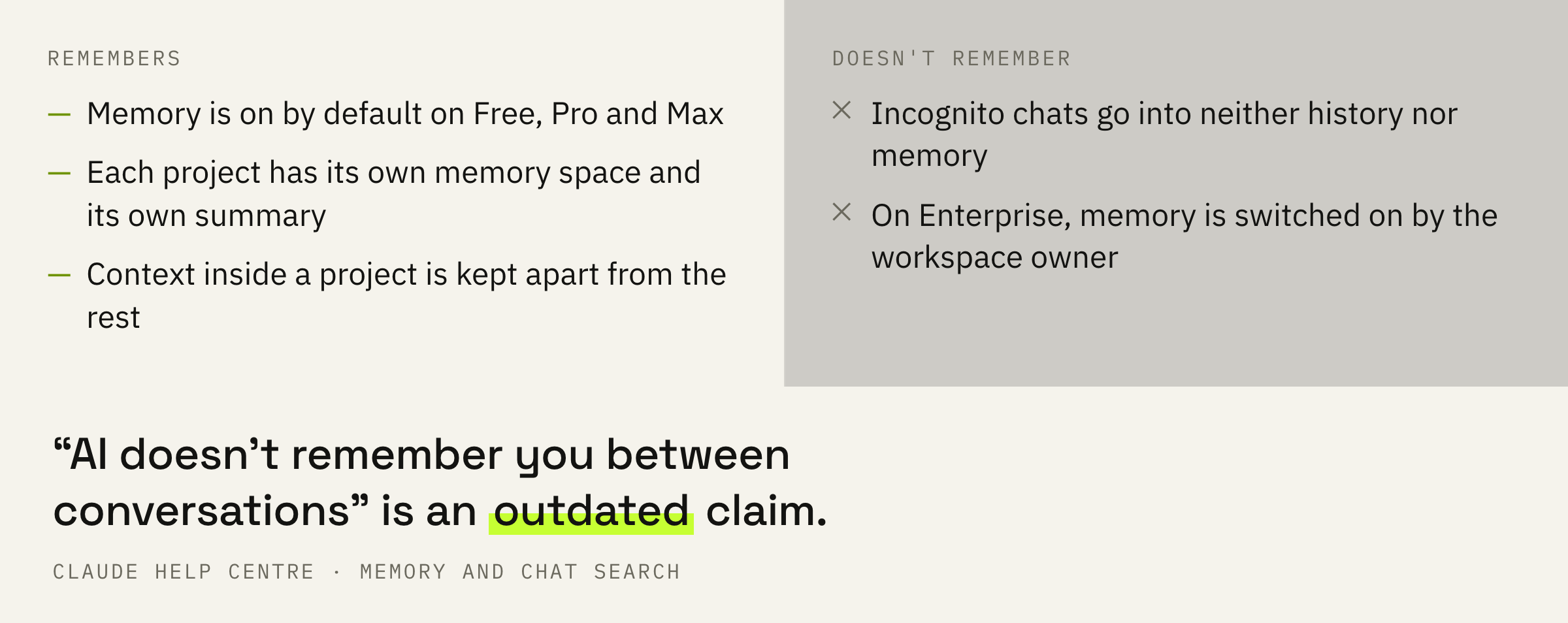
Claude's memory across conversations works and is on by default, but each project has its own separate memory. So it's more reliable to set up a dedicated project for your blog and keep the profile there: your other conversations won't leak into it.
If you're writing in an incognito chat or a different model, plug the profile in manually with every prompt. Incognito mode isn't saved to memory at all — that's the whole point of it.
How this profile applies to someone else's format — in the breakdown on repacking posts that took off.
A check that takes one minute
Three moves before you hit publish.
Reading aloud catches the rhythm. Wherever you ran out of breath mid-sentence, there should be a period; wherever it's smooth as a metronome, it's missing some roughness.
The second step is tougher. Strip the topic out of the text and see what's left: phrase length, tone of address, intonation. If what remains could belong to any author in your niche, the voice didn't work.
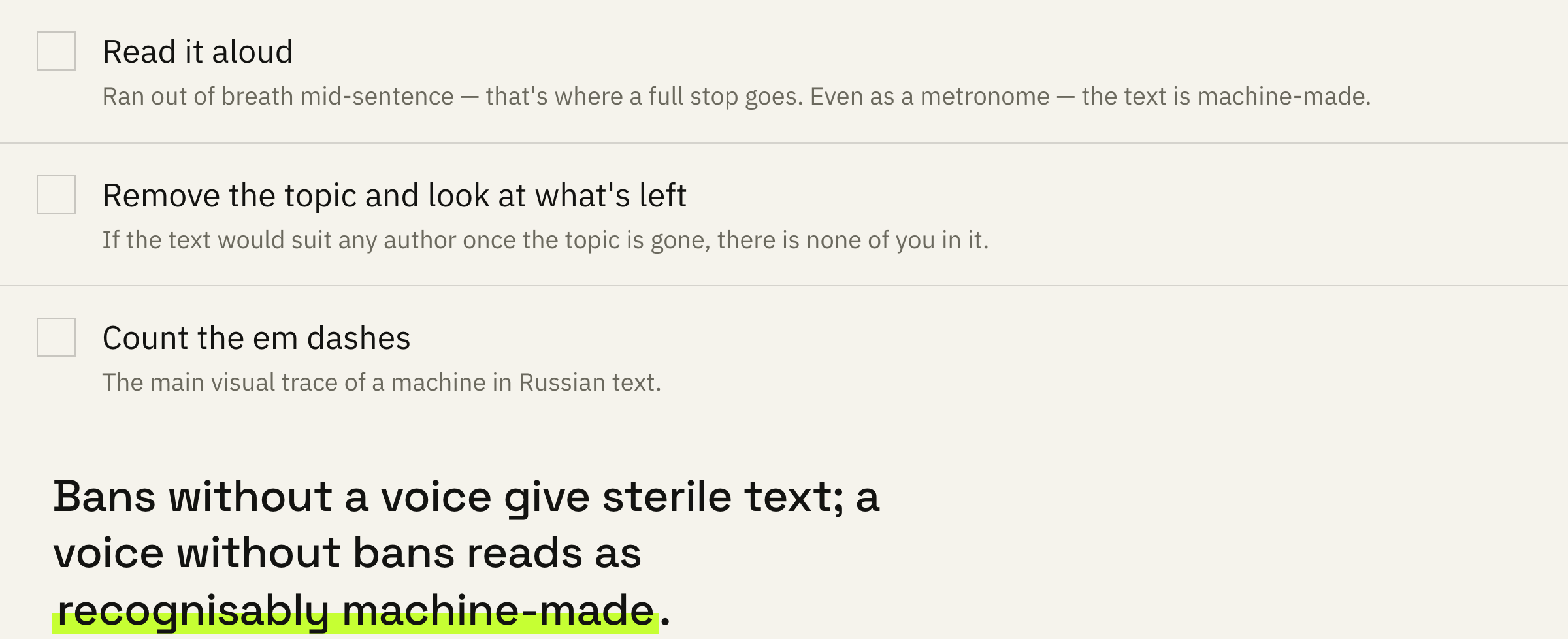
Voice is what's left when you strip out the topic. If the text still belongs to no one after that, the profile wasn't transferred to it.
You borrow the mechanics, you put in your own meaning. It took us years to get this. You get it in seven minutes of reading.
What to do next
By hand or in one click.
Collect ten of your own texts, extract the profile with the prompt above, save it, and paste it into every request. One evening of work, then a minute per text after that.
The tool keeps your voice profile on hand and applies it itself: it grabs someone else's viral thread and hands it back in your voice. Manual work shrinks from forty minutes per post to roughly twenty minutes a week.
First day free, no card, no sign-up.
Try it free for 1 dayNot ready for the tool yet — the prompt above works and it's free.