Do hashtags work on Instagram: what the help centre says
Instagram's help centre sets a limit of five hashtags per post, and across six prediction lists from Meta's system cards hashtags don't appear once. We go through what they actually do.
- Social media & AI
- Problem breakdown
- ≈ 9 min
The advice “put thirty hashtags on it” outlived the very possibility of doing so: Instagram's help centre says five fit into one post. We go through the documents to see what a hashtag actually does and why it isn't about reach.
The exact limit from the help centre, the three ordering factors on a hashtag page, and a check across 59 signals for why a hashtag isn't part of the recommendation machinery. Nine minutes of reading.
Five hashtags instead of thirty
Let's start with the number that devalues half the advice out there.
The most persistent piece of hashtag advice is to stuff in thirty of them, preferably in the first comment. Instagram's help centre answers that in one line.
You can use up to 5 tags on a post. If you include more than 5 tags on a single photo/video, your comment won't post.
Instagram help centre · “Use hashtags on Instagram”
We checked this page in Russian and in English: the English version carries the same limit. This is a technical border, not a preference: go over it and the comment simply doesn't post.
Next the help centre describes what a hashtag does. The wording is short: if your account is public and you add a hashtag, the post will appear on that hashtag's page. Posts from private profiles don't appear on hashtag pages.
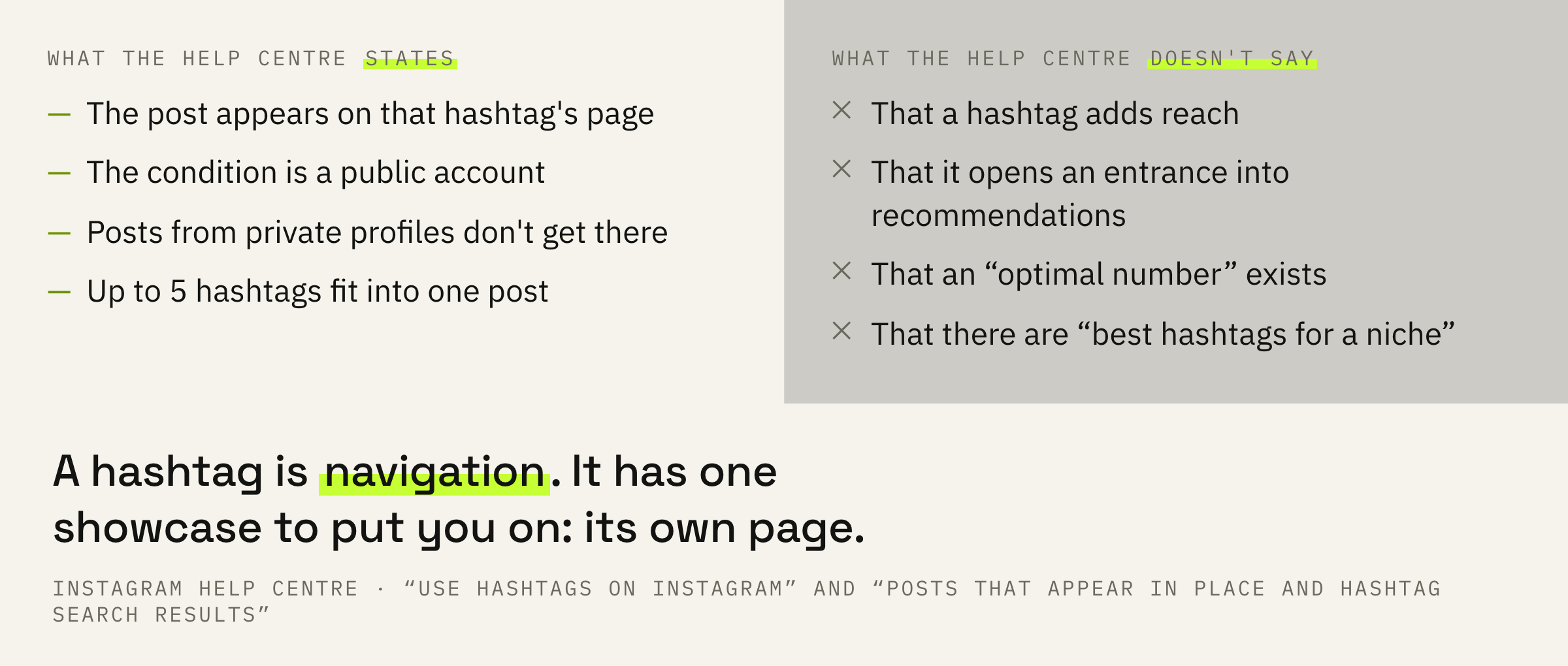
The thirty-hashtag idea isn't invented out of thin air: the limit really did change. But advice lives longer than the rules it rested on, and that is exactly why we open the help centre every time, even when we remember the answer.
How a hashtag page works
It has an order of its own, and that order is documented separately.
A hashtag page is not a feed and not recommendations. It is a separate showcase with a queue of its own. The help centre names three factors the order of posts in hashtag search results depends on.
When the post was shared. How others engage with the post. If content meets our Recommendation Guidelines.
Instagram help centre · “About posts in hashtag search results”
The third factor here is the most underrated. The Recommendations Guidelines are the same document that decides whether you get shown in Explore and in the feed to people who don't know you. It works on the hashtag page too.
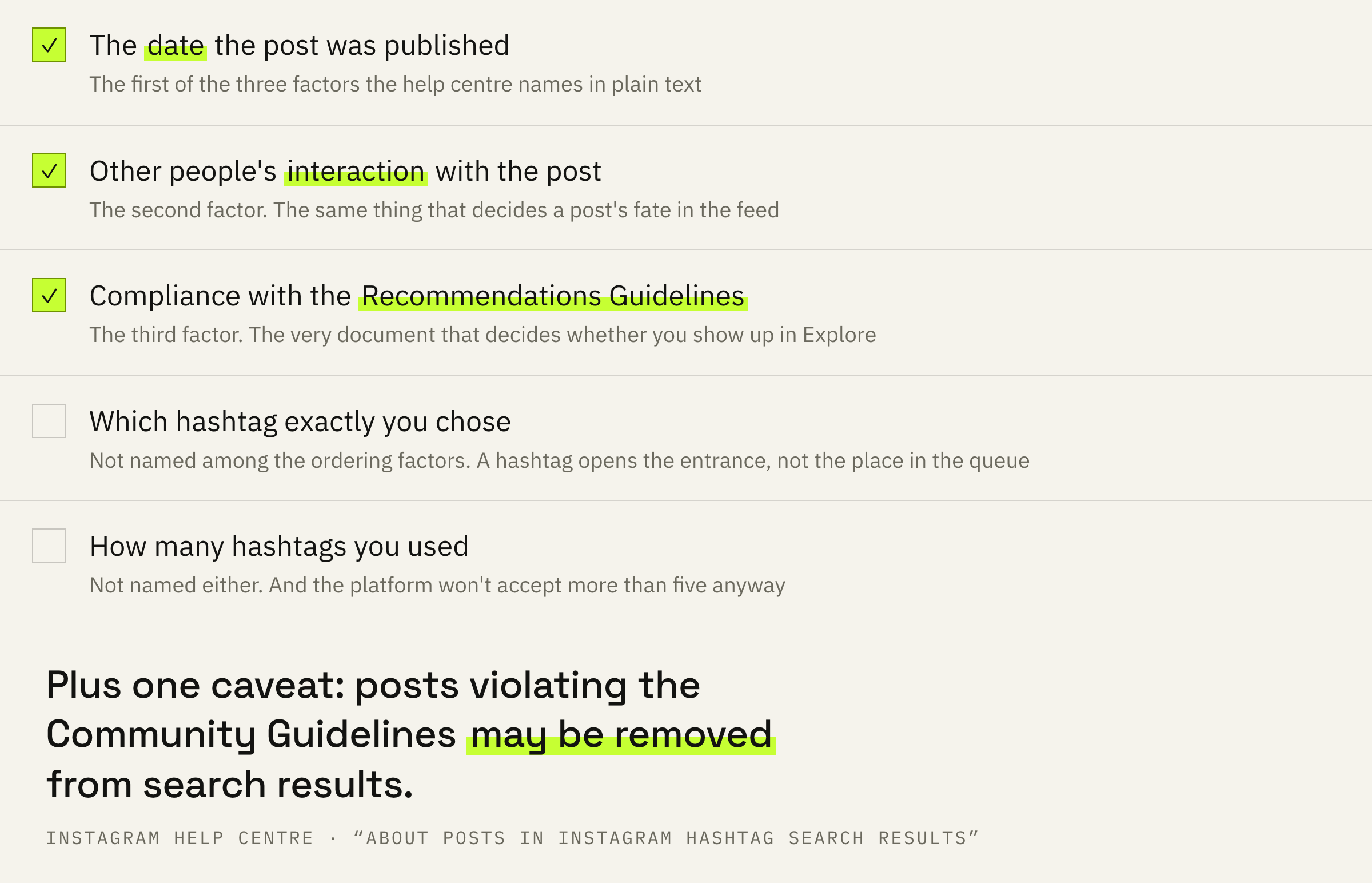
Separately, the help centre warns that posts violating the Community Guidelines may be removed from hashtag search results. This isn't a “shadowban for hashtags”, it's ordinary moderation of a showcase.
A hashtag puts a post into the queue on its own page. The place in that queue is decided by the date, people's reaction and compliance with the recommendation rules. The hashtag itself doesn't affect that place — it only opens the entrance.
Hashtags aren't in a single prediction list
The most honest check here is a search through the documents.
Meta has system cards: documents that list, for every surface, what exactly the system is trying to predict. We went through six such lists: the Instagram feed, recommendations in the feed, Explore, Reels video chaining, stories and the Threads feed.
Together that is fifty-nine predictions. Watch-throughs, likes, comments, reshares, time on a post, profile visits, taps on “Not interested”, skips within the first two seconds. Hashtags aren't among them a single time: not as a prediction, not as an input signal.
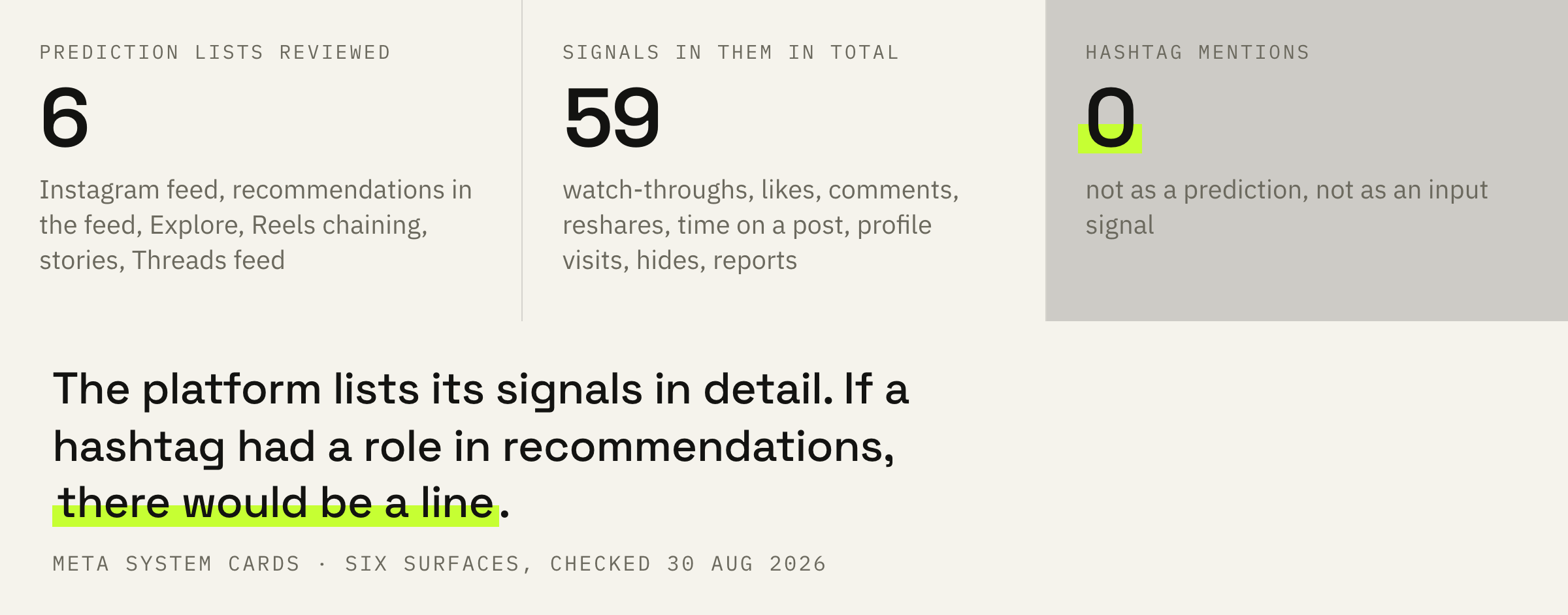
We verify absence as strictly as presence: in the same place where we went through how reach works on Instagram, you can see that the platform lists signals in detail and isn't shy about naming even minor ones. If a hashtag were an entrance into recommendations, there would be a line for it.
One more piece of wording sits next to this, from the recommendation guidelines. Among the markers of low-quality content it lists “long captions unrelated to the main content”. A wall of keywords under a post falls under that description directly.
It does not follow that hashtags are useless. It follows that they work in search and on their own page, not in the recommendation feed. Expecting reach from them means expecting navigation to do what content does.
If reach is stuck and it's unclear whether it's the content or the settings, we'll look at the account and tell you what's dragging it down.
What to do this week
Four steps, and the last one matters more than the rest.
First: make sure the account is public. Posts from a private profile don't reach hashtag pages at all, and the whole conversation loses its point.
Second: keep two or three hashtags that honestly describe the post. Their job is navigational: a person who lands on that hashtag's page should see exactly what they expected.
Third: remove the block of keywords from the caption if it's there. It gives no entrance into recommendations and falls under the description of long captions unrelated to the content.
Fall in love with data, not with ideas.
From our guide to text platforms
Fourth, and this is the main one. Take your last ten posts and look at the stats: how many views came from search and hashtags, and how many from the feed and recommendations. For most accounts the first share is measured in single-digit percentages, and after that check the hashtag argument ends by itself.
Publish five posts with three hashtags and five with none. If the difference in reach sits inside your usual spread, you've got your own answer — one that doesn't depend on us or on anyone else's advice.
What not to do
Four habits that outlived their grounds.
And the most common one: explaining a drop in reach with hashtags. When reach falls, the cause is almost always somewhere else: in the content, in the frequency, in whether the video gets watched through. A hashtag is too small a detail to move numbers like that.
What to do next
Two minutes for today.
Open the stats for your latest post and find where the views came from. If hashtags and search bring in less than five percent, hashtags are not what needs work.
What actually moves those numbers we covered separately: the mechanics of reach on Instagram and why a reel gathers 200 views.
We'll look at your recent posts and tell you where reach is lost and what to change first.
If you want the account to grow predictably — leave a request. We'll get in touch if there are slots available at the moment. There is usually a queue and a wait.