The blue badge on Instagram: what Meta Verified promises reach, and what not
The badge is a paid subscription with an ID, age 18+ and a review of up to 3 business days. Two of its benefits concern delivery; the feed is not among them.
- Social media and AI
- Mechanics breakdown
- ≈ 9 minutes
The blue badge on Instagram is still sold as a “trust signal for the algorithm” and a way to “lift reach”. The help page describes it differently: a paid Meta Verified subscription, an ID, age 18 or over and a review of up to 3 business days. In the list of benefits exactly two items concern delivery: higher in search for your own name and “profile enhancement”, which comes only with the Plus plan. Priority in feed and in content recommendations is not on that list.
What the badge is according to the platform’s document. Two items from the list of benefits that concern delivery, and what the list lacks. Requirements: age, ID, a limit on account changes, protection you cannot switch off. What happens for false information. Nine minutes of reading.
The badge is a paid subscription
The first line of the help page, from which everything else follows.
Let us start with the definition the platform gives itself.
Meta Verified for creators is a paid subscription that provides tools to help you build more confidence with new audiences and protect your brand. This subscription comes with benefits like the verified badge, enhanced support, impersonation protection, and more.
Instagram Help · “About Meta Verified for creators”
Three words here matter more than the rest: paid, subscription, confidence. The badge is not awarded for merit and does not stay forever; it lasts as long as the subscription does. And the document promises people’s confidence; about the algorithm, the definition says not a word.
What exactly the badge means, the benefits page explains: Meta verified the profile based on activity across Meta products or on the information and documents provided. The badge helps people “feel more confident engaging with you”. The word “reach” is not next to it.
Up to two eligible profiles added to the same Accounts Center can be verified. A third profile will not fit into the same subscription.
Two items about delivery
What in the list of benefits has anything to do with who will see you.
In the list of benefits, two items relate to delivery. The first is called “Search optimization”.
When people search for your name or username, you appear higher in search results. This helps people find you and engage with your content.
Instagram Help · “Meta Verified benefits for creators”
Read the condition carefully: when people search for your name or username. This helps someone who is already looking for you to reach you, bypassing impersonators. To those who were not looking for you, this item shows nothing.
The second item is called “Profile enhancement”, and in the plan table it stands only under Plus, Premium and Max.
We recommend your profile for people to follow to help introduce you to new audiences. To use this benefit, your account needs to be public.
Instagram Help · the same page
This is about the profile: the platform suggests following you. That your reels or posts will be shown more often, this item does not say. And it has two conditions: a plan no lower than Plus and a public account.
Feed and recommendations are not on the list
The most useful part of the benefits page is what is not written on it.
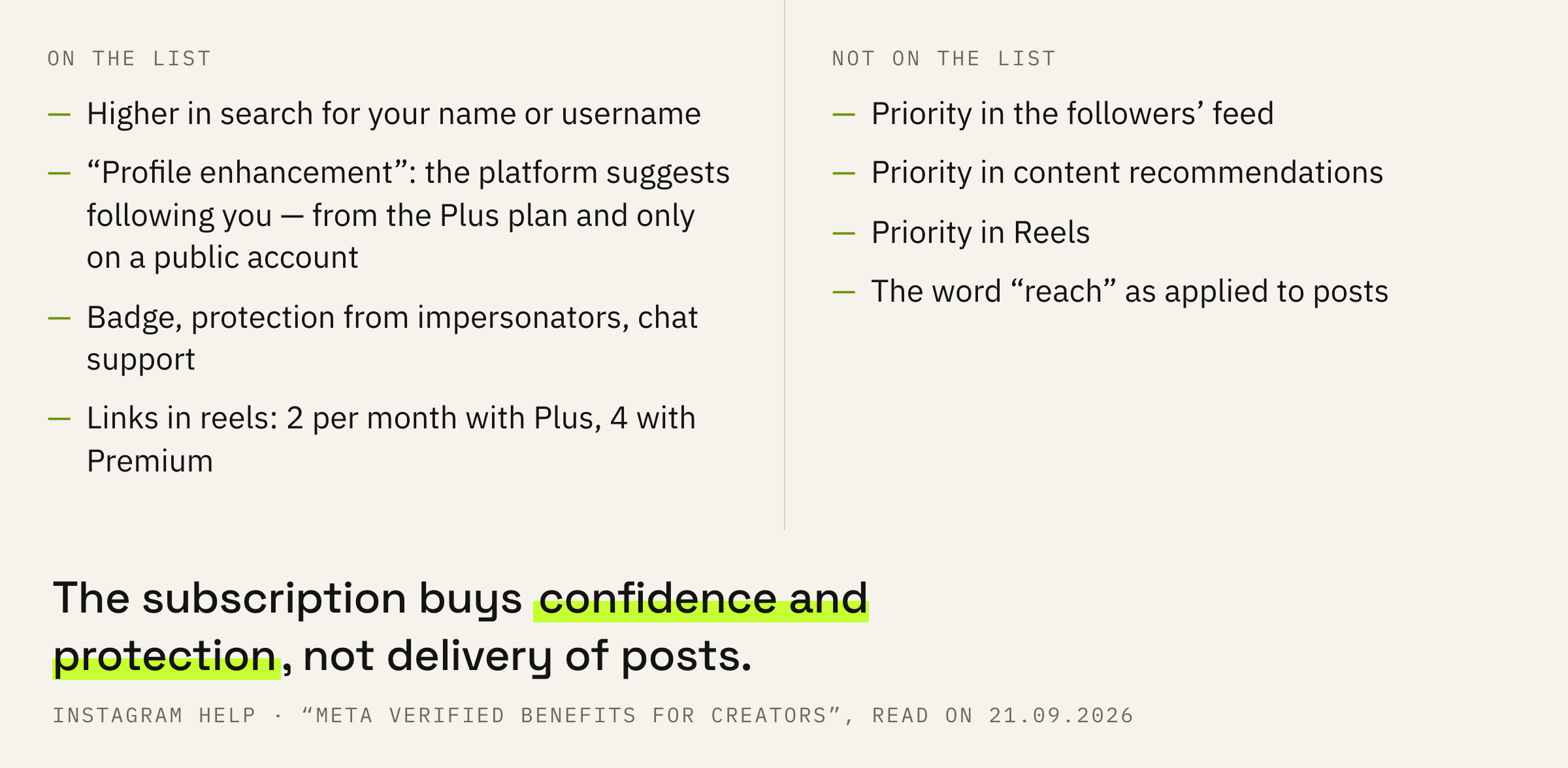
The list of benefits is finite, and it is worth reading to the end for the sake of what is not in it. No priority in the followers’ feed. No priority in content recommendations. No priority in Reels. The word “reach” as applied to posts does not occur in a single item.
Delivery to strangers the platform describes in another document, and there, among the signals, there is no line about a Meta Verified subscription: recommendations have a system card of their own with predictions. And recommendations eligibility is checked on its own screen, and the badge plays no part in that check.
A subscription bought for reach buys a badge, support and protection from impersonators. If the task was delivery, the money went to something the document never promised.
We'll look at the profile and latest posts and tell you what will get you shown to strangers without a Meta Verified subscription.
What the badge actually gives is useful in itself: a person who was looking for you finds the verified profile, and the fake stays below. Only this is work with confidence rather than with delivery, and reach and clients are linked more loosely than it seems.
Plans and what changes between them
Four plans from the table and the single line that changes delivery.
The table on the subscription page has four plans: Standard, Plus, Premium and Max. The badge, impersonation protection, enhanced support and search optimization are already in Standard. Plus adds profile enhancement and links in reels, two per month. Premium gives four links per month and chat themes. Max adds content strategy advice: one call every 6 months per profile.
So between the plans what changes is links, support and one item about delivery. The only thing that concerns new people is profile enhancement, and it starts with Plus.
The number of links in reels for the Max plan differs between two help pages, so it is not named here. There is no price on any of the three pages, and the subscription page warns: plans and benefits may not be available to all regions or creators.
18 years, an ID and a limit on changes
What you need to have before applying and what cannot be switched off afterwards.
The requirements page starts with age and a document.
Be at least 18 years old, or the age of majority in your country of residence.
Instagram Help · “Eligibility requirements for Meta Verified creator subscriptions”
Next: be located in a country where the subscription is available, and have a government-issued photo ID. A photo of that document is uploaded for verification. And there is a requirement people usually learn about after a refusal.
Not exceed the number of times you can make changes to your account within a certain time period prior to applying for verification (examples: changes to profile name, profile picture, username, location, or account type).
Instagram Help · the same page
How many changes are allowed and over what period, the page does not say. The practical conclusion is simple: name, picture, username and account type are put in order in advance, well before the day of applying.
The account has three conditions too: it must be a personal or creator account, with Advanced Protection turned on and with minimum activity, the threshold of which the help page does not disclose. A business account is not on the list of eligible ones.
Note: Advanced Protection needs to be enabled on the profile(s) you’re verifying. This security feature can’t be disabled once your subscription is active.
Instagram Help · “About Meta Verified for creators”
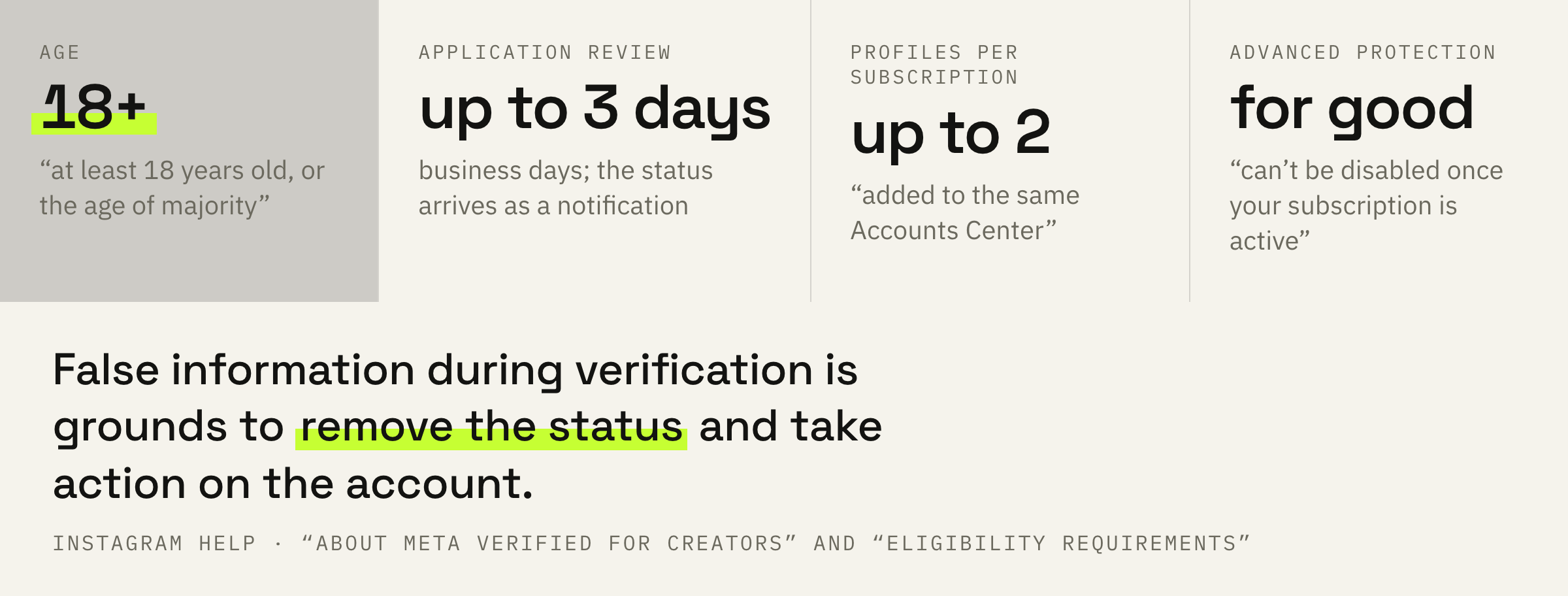
Advanced Protection is turned on before applying and stays on for as long as the subscription lasts. If several people share access to the account, agree on this in advance: switching the protection off for convenience later will not work.
Application order and three mistakes
How long to wait and what happens for false information.
First: check the requirements. Age 18 or over, the country, a photo ID, a personal or creator account.
Second: put the profile in order in advance and after that leave the name, picture, username and account type alone.
Third: turn on Advanced Protection and remember that it cannot be switched off after subscribing.
Fourth: apply and wait. The help page names the term.
Once you complete the application process and submit your information, it’ll go into review. After review, you’ll get a notification with an update on your verification status. This process can take up to 3 business days.
Instagram Help · “About Meta Verified for creators”
And one line about what happens if the information in the application is not yours.
If you provide false or misleading information during the verification process, Meta may prevent your profile from being verified, remove your verified status, or take additional action on the account.
Instagram Help · the same page
This closes the topic of “buying a badge from a middleman”: the application is filed in your own name and with your own document, and someone else’s information is grounds for action on the account. Separately, about money going the other way, from the platform to the creator, Instagram has thresholds and countries of its own.
Before paying, answer one question: what are you paying for. If for being found by name and not confused with an impersonator, the subscription does exactly that. If for reach, there is no such item in the document.