Ten accounts on Instagram: profile, account and Accounts Centre
Being logged in is capped at ten accounts, one account can hold several profiles, and a new profile goes into the Accounts Centre by default.
- Social media & AI
- Mechanics explained
- ≈ 7 min
The question usually sounds simple: how many accounts can be kept in the app. The Help Centre answers with a number: no more than ten at one time. But next to it stands something that matters more than the number. One account can now hold several profiles, and a new profile is offered to the Accounts Centre by default — that is, linked to the rest.
The exact cap on simultaneous logins. The difference between a profile and an account in the new wording. What happens to a new profile by default and how to avoid it. What the page does not cover at all. Seven minutes of reading.
No more than ten at one time
The only number on the page.
Let us start with the answer to the original question.
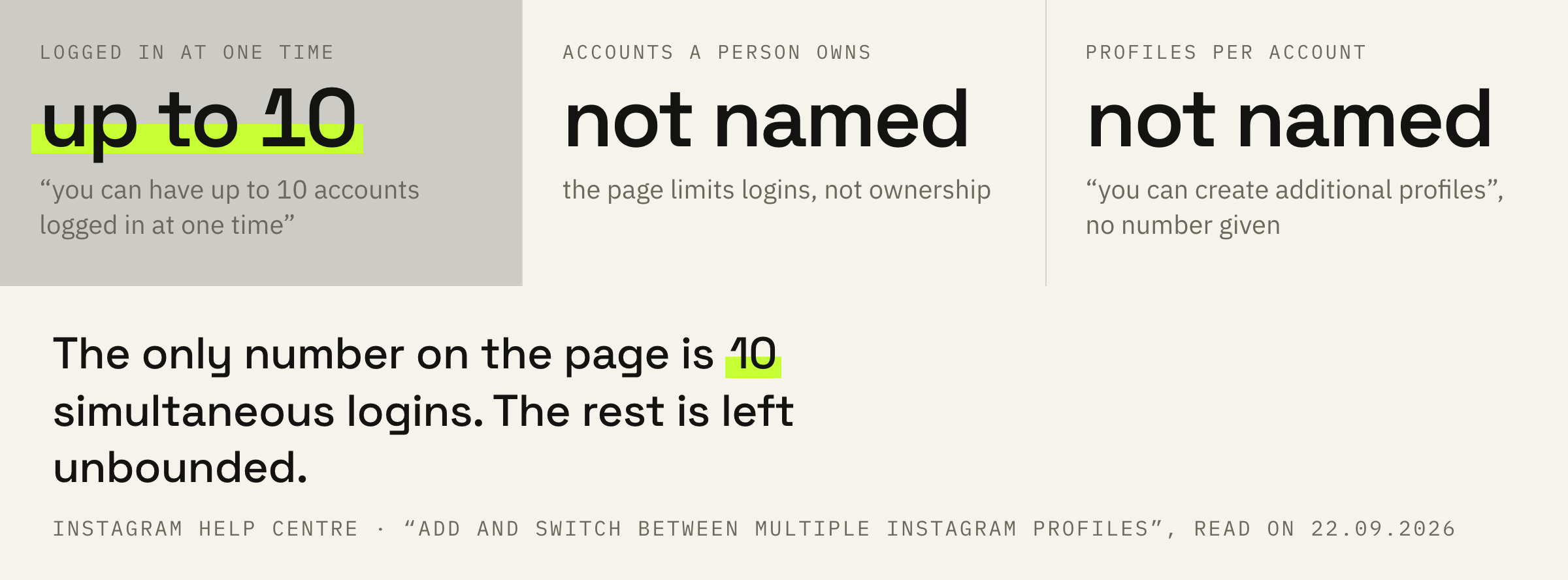
Keep in mind that you can have up to 10 accounts logged in at one time.
Instagram Help Centre · “Add and switch between multiple Instagram profiles”
The wording is precise, and the phrase “at one time” carries the weight. This is about being logged in, not about owning: how many accounts a person has in total, the page does not limit.
For switching between them the usual path is described: profile, the profile name at the top, add an account. The same screen offers a choice between creating a new one and logging into an existing one.
Profile and account are now different
The word changed meaning, and that changes the work.
Further down the page stands a line that is easy to walk past.
You can create additional profiles for the same Instagram account.
Instagram Help Centre · the same page
Until recently “account” and “profile” read as one word. Now one account can hold several profiles, and the Help Centre speaks about them separately.
The practical consequence is simple: count your own entities again. Especially if you hold a paid subscription with the badge, where the platform itself counts profiles.
Accounts Centre and a separate password
A fork that passes unnoticed.
The most interesting thing on the page is tucked into a note about creating a new profile.
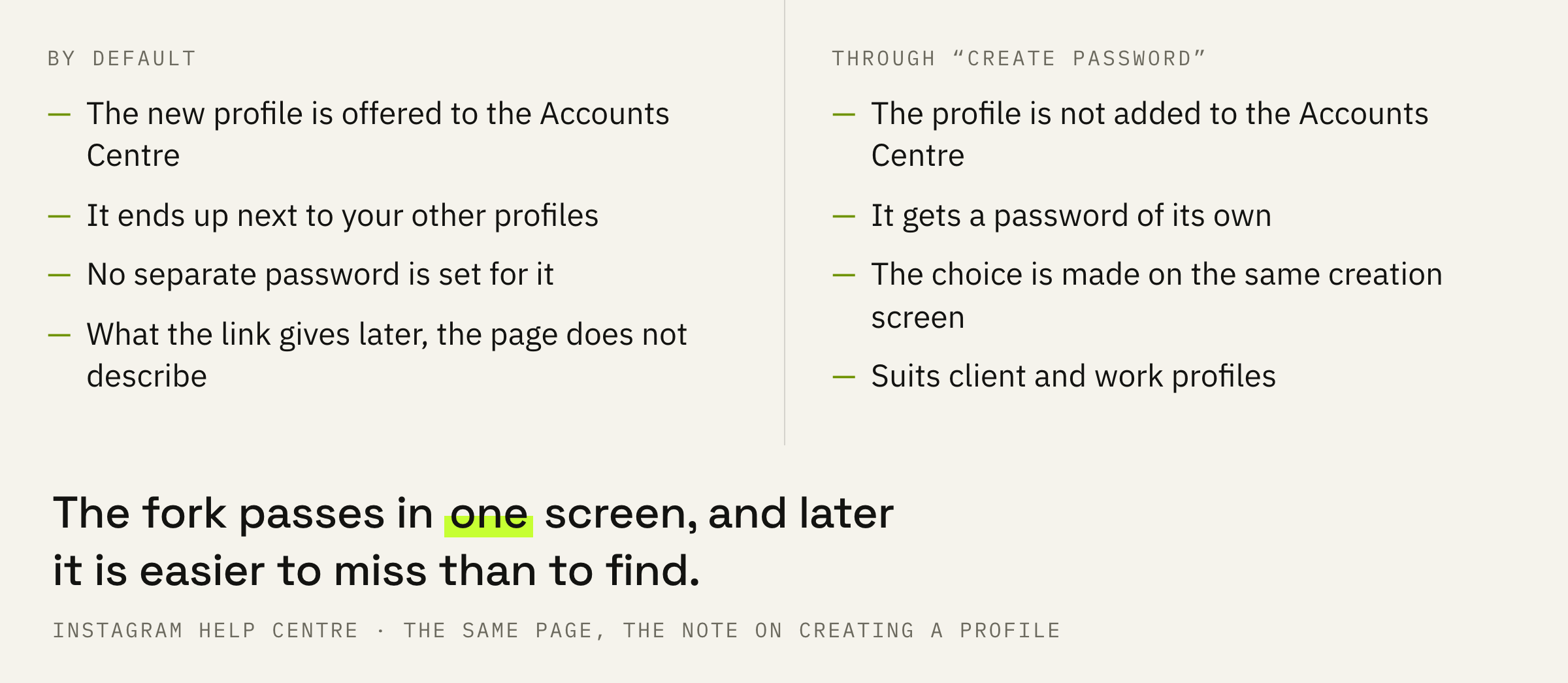
Note: You can choose to create a password for this new profile if you don't want to add it to Accounts Center by tapping Create password instead.
Instagram Help Centre · the same page
It reads like this: by default a new profile is offered to the Accounts Centre, where it ends up next to the others. A separate password is the way to keep it aside.
The fork passes in a single screen during profile creation, and later it is easier to miss than to find.
If the new profile is being made for another project or another person, the separate password is worth setting straight away. Profiles can be gathered in the Accounts Centre later, while untangling a link after the fact always costs more than not creating it.
We will look at how your accounts and access are laid out and suggest a scheme where personal and work do not overlap.
The move to Meta Accounts
Why you and a colleague see different screens.
The page opens with a warning that explains half the arguments about settings.
We're gradually updating people to Meta Accounts. You may see either Accounts Center or Meta Account settings as the place to manage your account settings.
Instagram Help Centre · the same page
So two people can see settings screens that look different, and both versions will be correct. An instruction from someone else's blog risks describing a case that is not yours.
The same cause sits behind a discrepancy inside the Help Centre itself: the Russian version of the page describes the path on a computer, the English one on a phone. These are versions for different platforms, not different functions.
Three questions without an answer
The boundaries of the document, said out loud.
The page holds no answers to three questions that get asked most often.
How many profiles one account can hold in total is not stated. Only the cap on simultaneous logins is named.
What exactly links profiles inside the Accounts Centre is not stated either. The page describes how to add and how not to add, rather than what follows.
How the link affects reach and restrictions — on this page there is not a line about it. The platform describes account restrictions elsewhere and in different words, and mixing these documents is a bad idea.
Order of work and three mistakes
What to do before creating the next profile.
First: decide in advance whether the new profile should stand next to the others. That choice is made on the creation screen.
Second: do not create client work profiles from your own app in passing. A profile like that needs its own password from the first minute.
Third: keep the login cap in mind. A tenth account in the app means that for an eleventh you will have to log out, and launching a new account takes that into account.
Fourth: check instructions against what is on your own screen. The move to Meta Accounts is gradual, and someone else's screenshot may describe a different version.