Comments in a Telegram channel: why there are none without a group
The comment button appears as a consequence of linking a discussion group — there is no separate setting for it in the platform's documents. Plus admin signatures, without which the reader doesn't know who wrote the post.
- Social media & AI
- Mechanics breakdown
- ≈ 8 min
Half the questions about comments in Telegram sound the same: how to turn them on “without a chat”, “without a group”, “without creating a group”. The platform's answer is shorter than the question: the comment button appears as a consequence of you linking a discussion group to the channel. Separately from it, it doesn't exist.
How comments actually get turned on, what appears alongside the button and why the reader by default doesn't know who wrote the post. Eight minutes of reading.
Comments are a linked group
One sentence from the FAQ that closes the question.
The Telegram FAQ section about channels has a question about whether there are any ways to get feedback. The answer starts straight from the mechanics.
You can add a discussion group chat to the channel, and your subscribers will see a comment button for each post.
Telegram FAQ · the channels section, in the platform's own wording
Read the word order. First the group, then the button. The button isn't turned on by a separate setting and doesn't appear by itself: it is a consequence of the channel having a linked chat.
Hence the answer to the most frequent question. There is no way at all in the platform's documents to get comments without a discussion group, and looking for one is pointless.
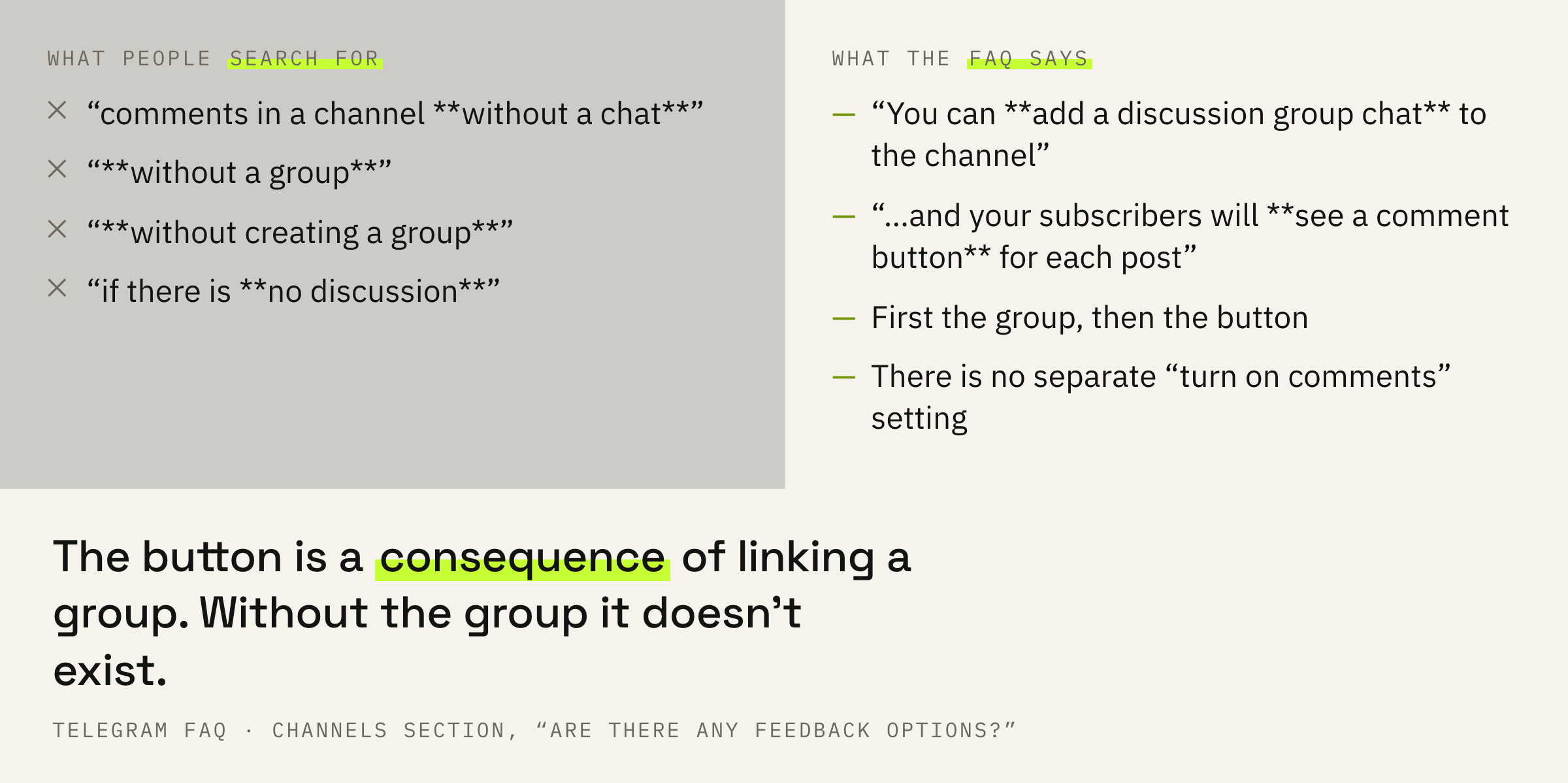
The Telegram FAQ exists only in English: the address with the Russian version returns “Page not found”. So the quotes here are given in the platform's own wording.
What comes with the group
Not only the button, and it is worth knowing that in advance.
Next the FAQ describes where exactly comments land, and here there are two places instead of one.
Comments show up in a thread of their own and also land in the discussion group to keep everyone in the loop and make it easier for admins to keep the conversation civil.
Telegram FAQ · same section
So you get not a widget under the post but a full chat with a life of its own. It has members, a history, its own conversations and its own moderation.
That changes the amount of work. Comments in a feed can be checked once a day. A chat lives continuously, and if nobody moderates it, it quickly becomes what any unmoderated chat becomes.
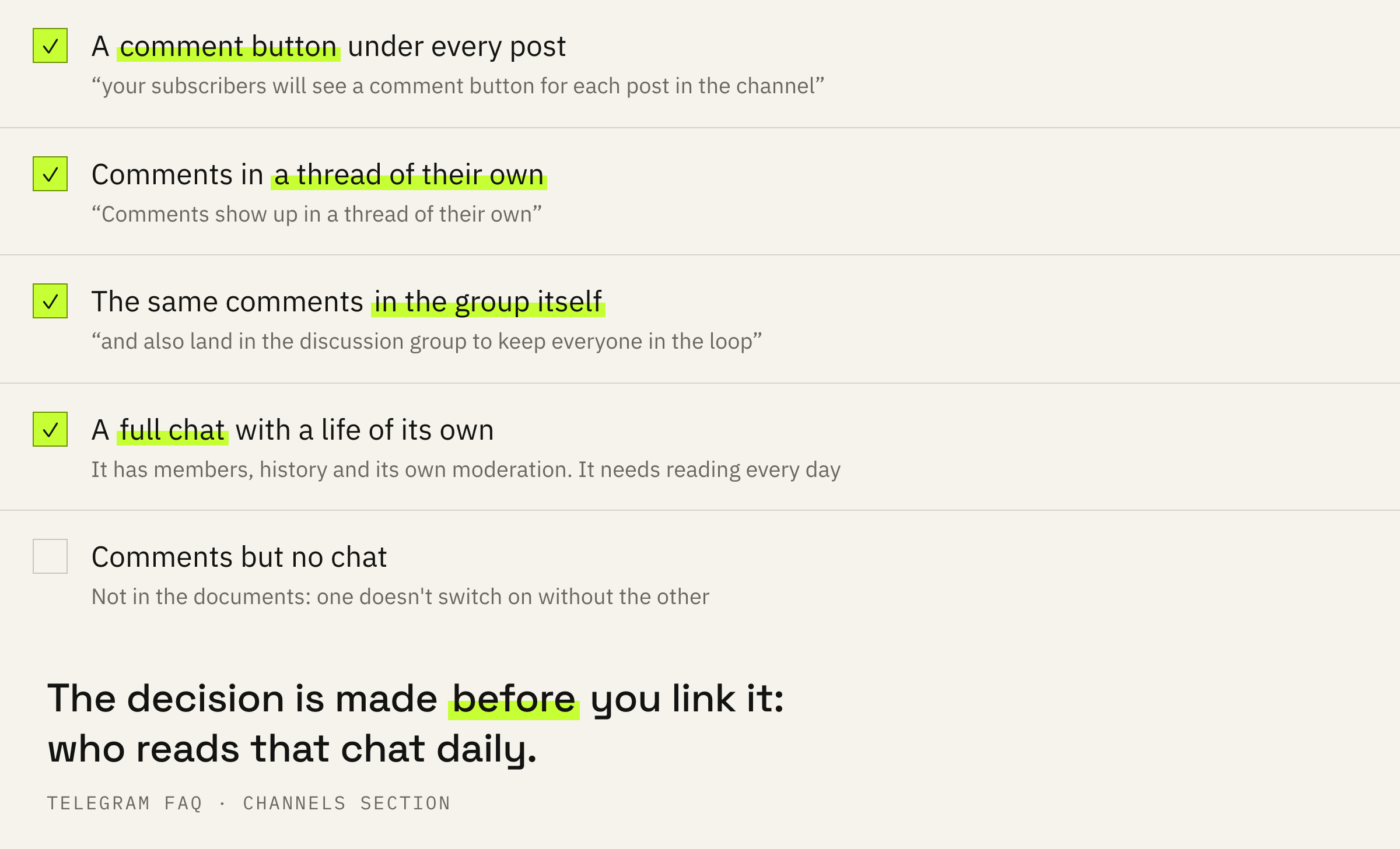
Before linking a group, answer one question for yourself: who is going to read this chat every day. If there is no answer, it is better not to turn comments on at all — a silent or littered chat under every post is worse than none.
In a separate line the FAQ mentions bots: with their help you can add buttons to posts. That is already a different way of collecting a reaction, and a linked group isn't needed for it.
By default the reader doesn't know the author
A setting almost nobody turns on.
The second question in that same FAQ goes: “how do I know who posted a message”. And the answer to it matters more than it seems.
As the owner of the channel, you can enable admin signatures that users will see next to the view counters. These signature only mention the name of the administrator and no link to their profile. If the signatures are disabled, there is no way for users to know whether a message was posted by the owner or one of the administrators.
Telegram FAQ · the channels section
By default a channel is nameless. A post is signed with the channel's name, and anyone from the team can be standing behind it. For a news channel that is normal; for a personal brand it is a loss.
An expert as a source of knowledge answers the question “what should I do”. A role model answers the question “who should I become”.
Fares Akhmedov, IMPERVIR
A channel without signatures works as a source of knowledge: useful, faceless, replaceable. A signature under a post is the cheapest way to bring a person back into the channel, and it costs one toggle in the settings.
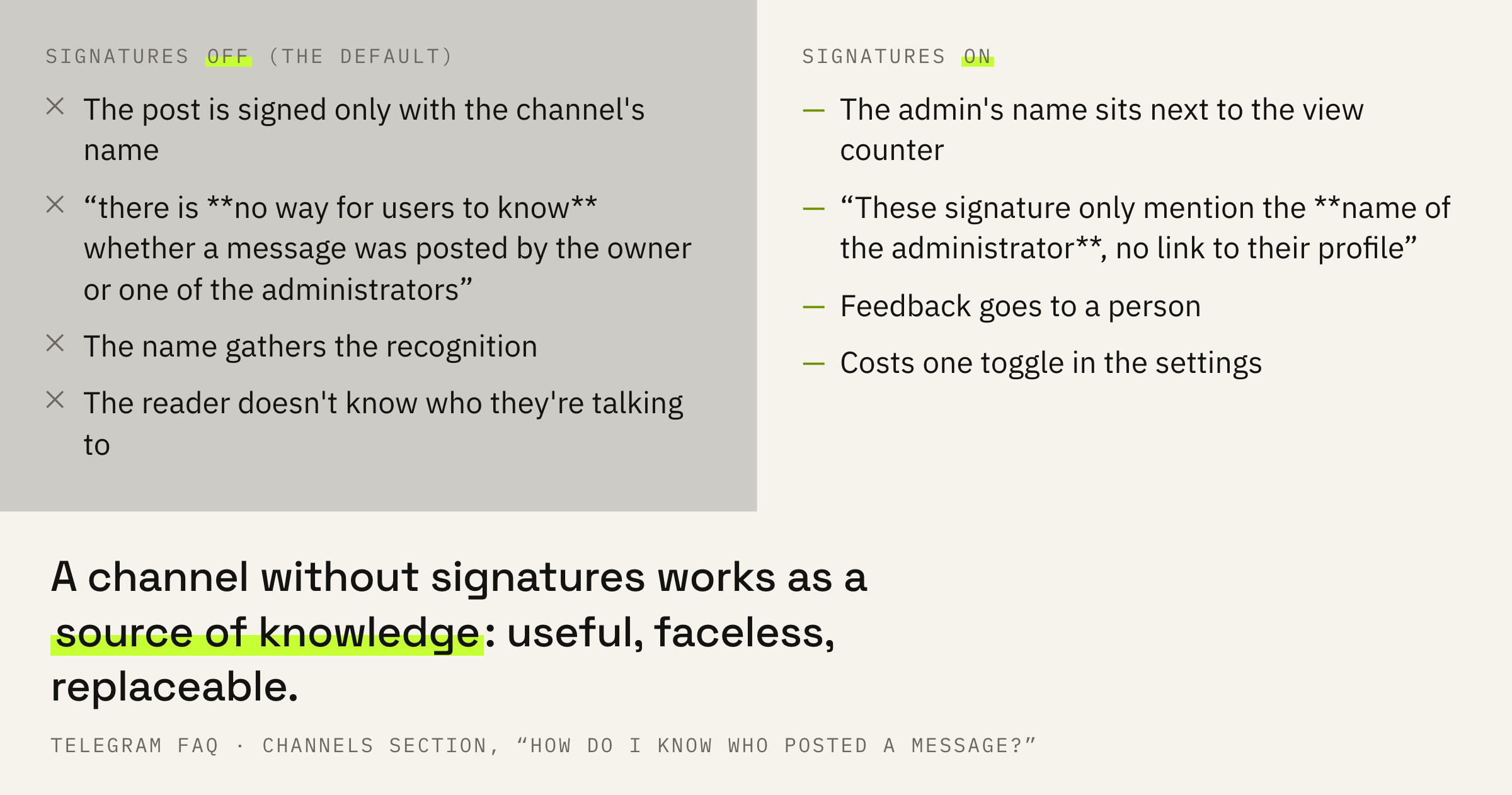
The same gap between “useful” and “recognisable” we went through on another platform: similar channels in Telegram show you to the people who read similar things — and it is at that moment that it is decided whether you are remembered or scrolled past.
If it is quiet under your posts and unclear why, whether it is the topics or the settings, we'll look at the channel and tell you what to fix first.
What to do this week
Four steps, and the first of them is a decision made before any setting.
First: appoint a person who reads the comments daily. Not “when possible”, but with a name and a time. Everything else on this list doesn't work without them.
Second: link a discussion group. The comment button will appear under the posts by itself; there is no need to turn it on separately, and nowhere to do it.
Third: turn on admin signatures. The reader will start seeing who exactly is talking to them, and you will get feedback aimed at a specific person instead of a nameless channel.
Fourth: count replies and leave the view counter alone. Why the view counter is no good for this we covered separately: views in Telegram and why there are more of them than subscribers.
Take ten posts and look at how many of them have at least one comment that isn't yours. If there are fewer than three, the button isn't the issue: the channel isn't giving a reason to reply yet.
What not to do
Four decisions around a chat that lives a life of its own.
And the general extreme: turning comments on because “everyone has them”. A chat under posts is an obligation to reply. A channel without comments but with replies in direct messages works better than a channel with a chat where the author's last reply was in March.
What to do next
Two minutes for today.
Open the channel settings and look at whether admin signatures are on. That is the only change from this article that takes one toggle and works immediately.
If there is no discussion group yet, don't link it today. First decide who is going to read it: that answer matters more than the button itself.
We'll look at your channel and tell you where the conversation is lost: in the topics, in the delivery or in the settings.
If you want a conversation to start under your posts — leave a request. We'll get in touch if there are slots available at the moment. There is usually a queue and a wait.